Nevada SOS Business Entity Search: How to Read Results
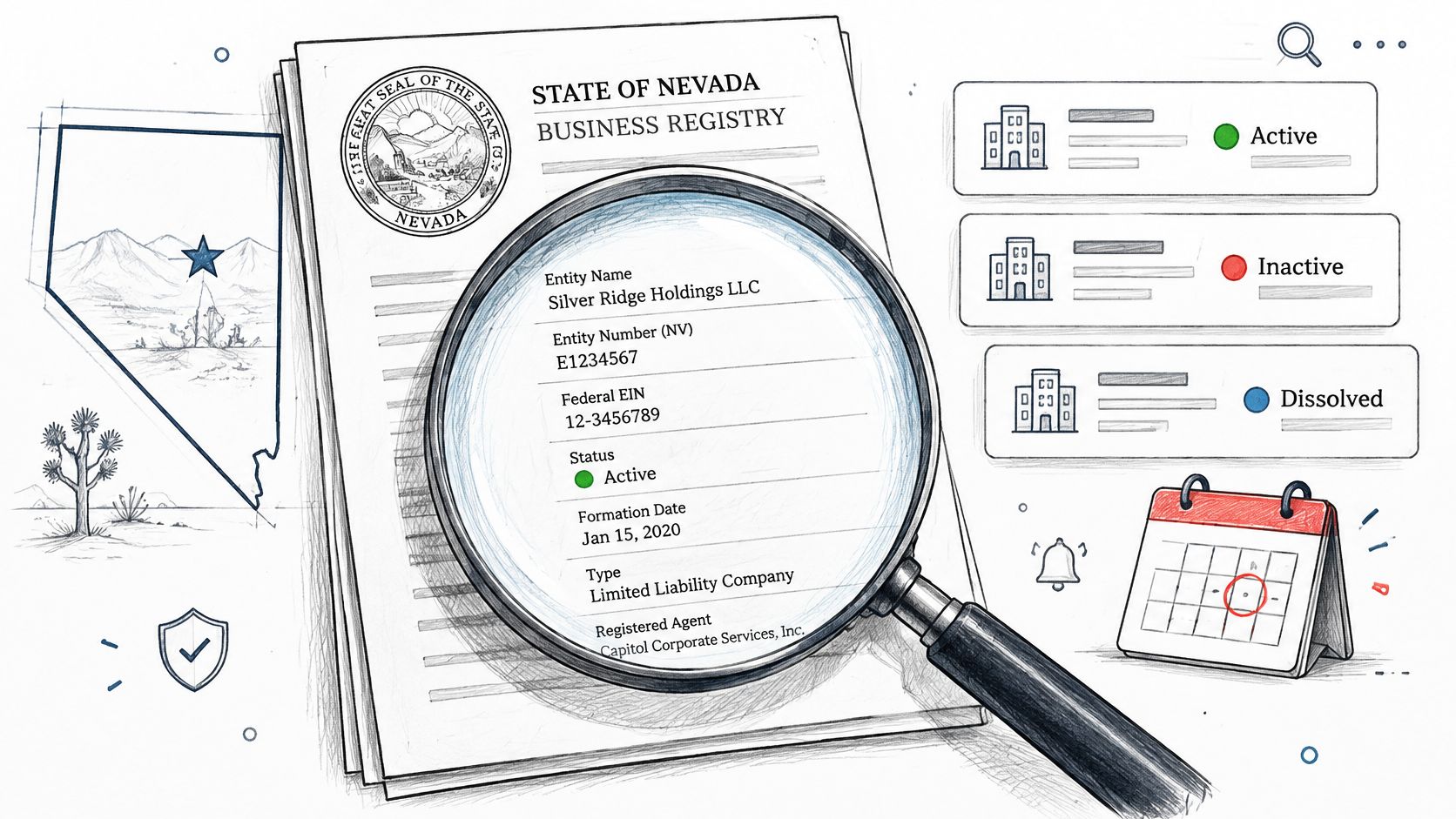
A vendor invoice lands in your queue from a Nevada company nobody on your team has checked before. Finance wants to pay it, procurement wants proof the business is real, and you've got a name on a PDF that may not match the legal name on file. That's the moment a Nevada SOS business entity search stops being a lookup and becomes evidence. Treat it that way from the start.
How to Run a Nevada Entity Search Step by Step
A vendor name on an invoice may differ from the name filed with Nevada, and a search result can change after you save it. Treat each lookup as dated evidence: capture the candidate's legal name, both registry identifiers, and the record's relevant dates. The Nevada Secretary of State search workflow provides a starting point for searching, but confirm the fields and current details in the state's business entity record. The result list helps locate candidates; open the detail record to review dates and status before making a decision.
The visual below shows the search sequence and the checks to complete before relying on a match.
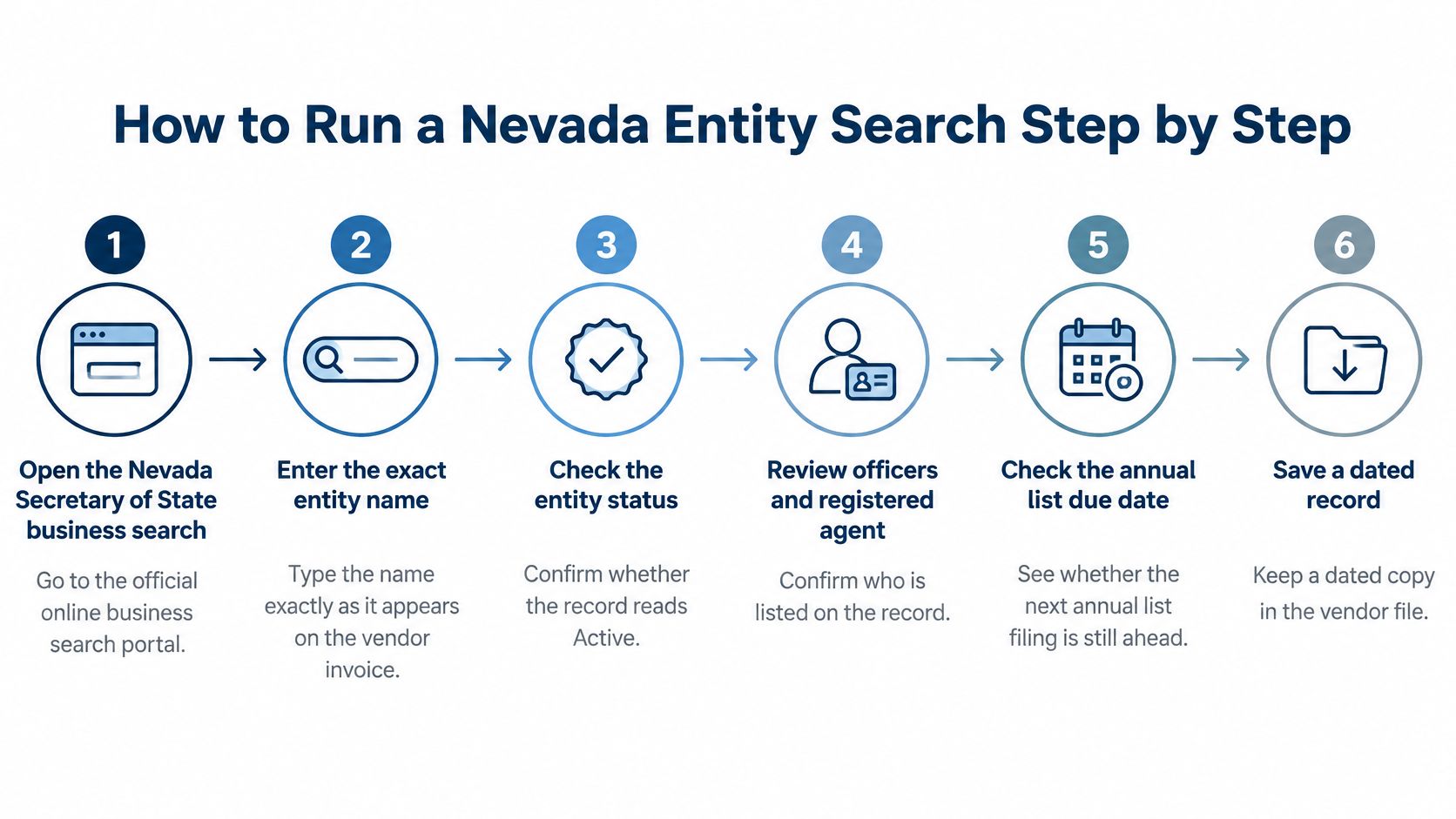
Run the Search in Stages
Start with the closest match, then broaden the search only as needed. Keep track of what each search returns.
- Enter the exact legal name with Exact Match. This gives you a focused first result and avoids a long list of entities that share a common word.
- If no result appears, try Starts With, then Contains, then All Words. Broader searches can reveal current registry names with different punctuation or word order. They do not, by themselves, establish that a name is a prior name or that two records refer to the same business.
- Narrow by entity type and status. This helps distinguish similarly named LLCs, corporations, and license records from the counterparty on the invoice.
- Open the likely record and record both identifiers. Capture the NV Business ID and the entity number separately. They identify the record in different contexts, so do not treat them as interchangeable.
- Review the detail record for dates and status. Check the formation date, termination date, status, compliance hold, and annual report due date. The result list may help you identify a candidate, but use the detail record to confirm these date-sensitive fields and assess whether the record is current.
- Save the record with a retrieval timestamp. Keep a dated screenshot or export so you can show what the registry displayed when your team reviewed the entity.
A search result is a snapshot, not a standing approval. If you're assessing whether a proposed name may be available, rather than verifying an existing vendor, use a Nevada LLC name search tool to develop candidates for further review. An empty exact-match result only means the exact string did not match. Try broader searches before drawing conclusions, and do not treat no result as proof that the name is available or safe to file.
An empty exact-match result proves only that your exact string didn't match. It doesn't prove the name is available, unused, or safe to file.
At the end, retain the candidate entity, two identifiers, and retrieval date together. That evidence lets finance, legal, or an auditor trace the lookup and distinguish a registry snapshot from a current decision. If several near-identical names remain or the status is unclear, preserve the candidate list and resolve the ambiguity before accepting, paying, or filing.
Entity Types and What to Verify for Each
Entity type isn't a label to skim past. It controls which filings exist, which deadlines apply, and which documents you should request from the counterparty. Ask for an annual list from the wrong record type and you'll chase a document that was never required, while missing the check that matters most.
Match the Check to the Record Type
| Entity type | How it was formed or registered | What to verify |
|---|---|---|
| Nevada LLC | Articles of Organization | Anniversary month, annual list due date, state business license |
| Domestic corporation | Articles of Incorporation | Annual list due date, officers and registered agent |
| Limited partnership | Certificate of Limited Partnership | Status, filing history and general partner details |
| Foreign entity | Formed in another state and registered in Nevada | Nevada status plus good standing in the home state |
| Sole proprietor or general partnership license | Business license, not an entity registration | License status and owner identity rather than entity standing |
For an LLC or corporation, anchor your review on time. Verify the anniversary month, the annual list due date, and the state business license, plus officers and the registered agent for a corporation. Those fields show whether the entity has kept up with recurring obligations, not just whether it was formed once.
For a limited partnership, status alone gives you too little. Check the filing history and the general partner details, because the general partner is who controls the partnership and who you'll need to identify if something goes wrong.
A foreign entity needs two checks, not one. Confirm the Nevada registration status, then check good standing in the home state where it was formed. A clean Nevada record doesn't prove the home entity is in good standing, and I've seen counterparties present the stronger of the two records while hoping nobody asks for the other.
For a sole proprietor or general partnership license, stop looking for entity standing. There's no entity registration to verify, so check license status and owner identity instead, and use sound principles for working with business entity data to keep license records separate from registered entities in your files.
Practical rule: A license or DBA style record can look like a company on a results page. Confirm the record type before you accept it as a registered entity, and don't apply LLC or corporation due-date logic to a license record.
What Each Entity Status Means for Your Decision
A vendor record marked Active can still carry a deadline risk. Treat the result as dated evidence: record its status, the entity's identifier, and the next filing due date before approving payment or signing a contract. The label answers only part of the question.
| Status | What it usually means | Next check |
|---|---|---|
| Active | The registry lists the entity as active | Confirm the next annual list due date |
| Default | An annual list or license renewal was missed | Request proof of cure or reinstatement before paying or contracting |
| Revoked | The entity has lost its standing | Require reinstatement evidence before treating it as operating |
| Dissolved or Cancelled | A voluntary filing ended the entity | Check for a successor or a new registration under a similar name |
| Expired | The entity's term ended under its formation documents | Confirm whether it was renewed and what replaced it |
| Compliance hold | A flag blocks some filings until resolved | Identify the reason; the flag alone does not show that the entity no longer exists |
Default, Expired, and Dissolved records are common enough to expect during routine vendor checks. A non-Active label does not always mean the same thing: some statuses point to missed obligations, while others indicate that the entity's term or existence has ended. Read the status alongside the filing record and the entity identifier, rather than treating every result outside Active as equivalent.
The Labels That Cause the Most Mistakes
Default is a warning that may be curable. It commonly reflects a missed annual list or license renewal. Request proof that the issue was cured or the entity reinstated, then confirm the registry reflects the change before releasing payment or signing.
Revoked indicates the entity has lost its standing. Require evidence of reinstatement before relying on it as an operating entity. Dissolved or Cancelled means a voluntary filing ended the entity, so check for a successor or a new registration under a similar name before assuming the same business continues. Expired means the term specified in the formation documents has ended. Confirm whether a renewal was filed and identify any replacement entity.
A compliance hold can be mistaken for proof that a company does not exist. It means some filings are blocked until the issue is resolved. Find the stated reason, document it, and assess whether it affects the transaction.
Use two identifiers to tie the status to the right business, then capture the date of the result and its next due date. Active alone isn't enough: an Active record without a checked deadline can give a misleading picture of current compliance.
Verification Checks That Catch Hidden Problems
An Active label doesn't close the question. A record can read Active while the entity is one missed filing away from default, and if you approve during that gap, your file will show a clean status next to a deadline that was already slipping. That's why Nevada verification needs time-based checks, not just existence checks.
The image below shows the kind of dated record detail you should be reading, not just the status badge.
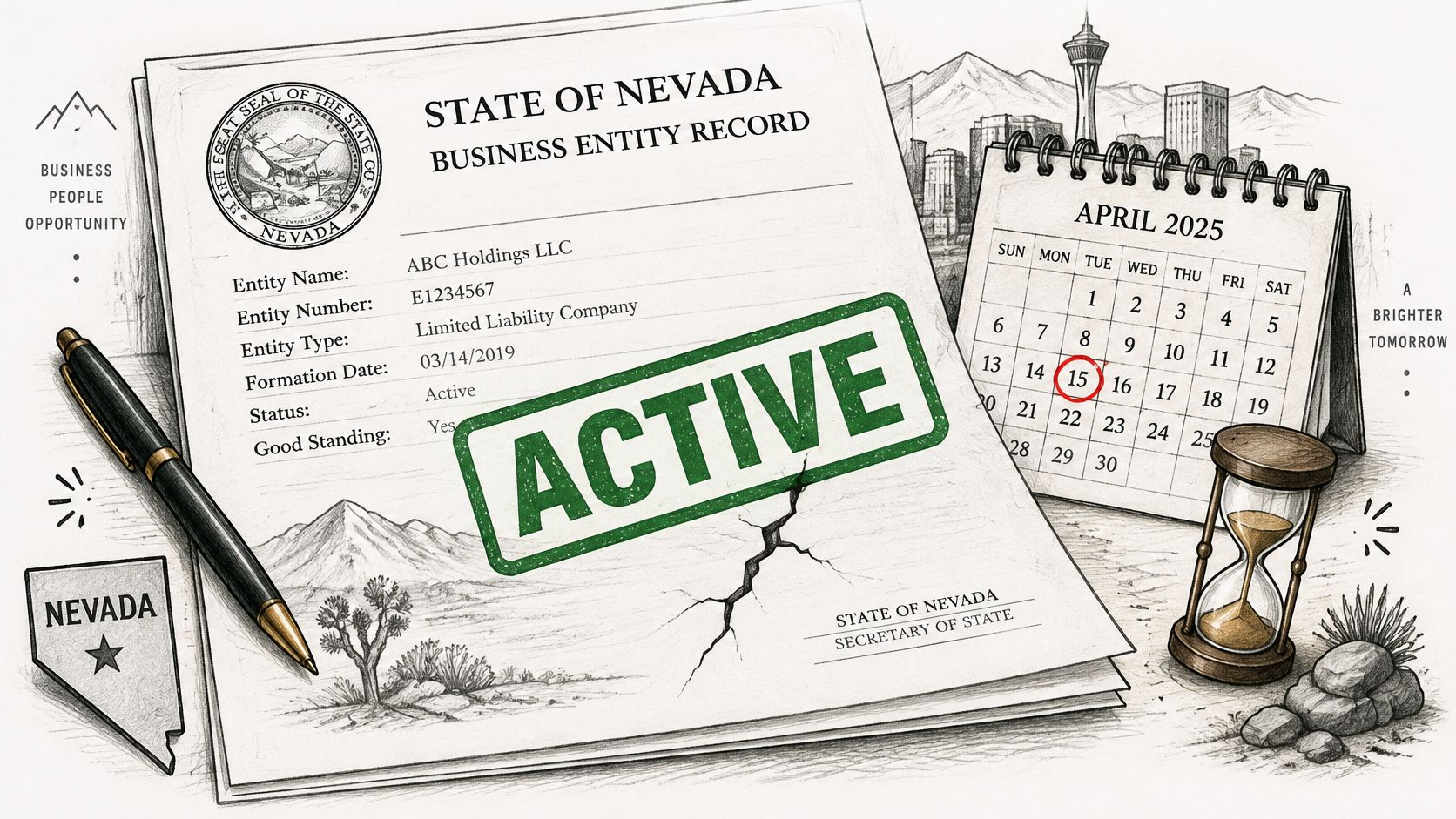
Nevada entities generally file an annual list and renew the state business license by the last day of the entity's anniversary month, the month tied to the original formation or registration filing, as outlined in guidance on how the Nevada Secretary of State business search works. That single fact changes how you verify. You aren't asking only whether the entity exists today. You're asking whether its next deadline is ahead of you or already behind it.
Work the Sequence in Order
Retrieve the entity by NV Business ID or legal name first, preferring the entity number or ID when you have it because names change and common-name searches return multiple candidates. Record the formation date and anniversary month, then compare the reported annual report due date with today's date. Inspect status and any compliance hold next, then pull the latest annual list or related filing when it's available.
Each field answers a different question, and none covers the others:
- Status: Shows whether the entity is in standing on the registry right now.
- Compliance hold: Flags a blocking issue that needs an explanation, even if the entity exists.
- Officer information: Shows who controls or manages the entity on the public record.
- Registered agent: Shows where legal papers go, which matters if you ever need formal notice or service.
Skipping the filing history is the failure mode I see most. An entity shown as Active whose annual list due date passed last month should trigger a request for the latest filing before any payment is released, because the Active label may predate the lapse. If you're building a broader vendor review, these date checks fit naturally into a process for checking whether a company is legitimate, but they don't replace it.
For ongoing monitoring, store immutable snapshots of status, registered agent, principal address, annual list due date, and filing identifiers, and flag a change whenever any field moves. Retain filing history links or PDFs with retrieval timestamps, since registry records are operational evidence and their contents or accessibility can change over time.
An Active label answers only one of several questions. The due date, the hold, the officers, and the agent each answer a different one.
Fixing the Mistakes That Give Wrong Results
The most expensive mistake in a Nevada SOS business entity search is treating an empty exact-match result as proof that a name is free. It costs people rejected filings, rebranding work, and vendor approvals built on the wrong entity. Most other errors follow the same pattern. A symptom appears, someone assumes the cause, and nobody runs the second search.
Diagnose Before You Conclude
| Symptom | Likely cause | Fix |
|---|---|---|
| Exact match returns nothing | Punctuation, Inc. versus Incorporated, or a recent name change | Rerun with Starts With, Contains and All Words, then search prior names |
| Many similar results | Common business name | Switch to NV Business ID or entity number and confirm with formation date and address |
| Active record but due date has passed | Due date was never compared with today | Pull the latest annual list before accepting the entity |
| Name looks free after an empty exact match | Empty result treated as clearance | Treat the result as a candidate and confirm final availability with the Secretary of State |
| Compliance hold with no visible reason | Filing delinquency or other flag | Request documentation from the entity rather than treating it as nonexistence |
| Status differs between two checks | Registry update since last retrieval | Compare timestamped snapshots and keep both retrieval records |
When an exact match returns nothing, don't stop. Punctuation differences, Inc. versus Incorporated, or a recent name change can hide a real record, so rerun with Starts With, Contains, and All Words, then search prior names. When you get a long list of similar results instead, the name is probably too common to resolve by name alone. Switch to the NV Business ID or entity number and confirm with formation date and address.
Two other fixes protect you from quiet errors. If an Active record shows a due date that has passed, pull the latest filing rather than debating the label, because the date comparison is what someone skipped. If status changes between two checks, compare your timestamped snapshots and keep both records, since a registry update explains the difference better than an argument about who searched correctly.
A compliance hold with no obvious reason needs documentation from the entity, not an assumption that the business doesn't exist. That distinction matters for vendors who are real but blocked, and for your file if you later need to show why you paused.
Close every troubleshooting pass with the same restraint. A name clearance result is a candidate list for human review, not a final ruling, since final availability rests with the Secretary of State's review and naming rules.
Decide Whether a Nevada Entity Clears Your Workflow
Every Nevada check should end in one of three outcomes, and you should be able to say which one applies without rereading your notes. Accept, hold for documents, or reject. If your file can't support one of those calls, the search isn't finished.
The checklist below summarizes the fields that support that decision.
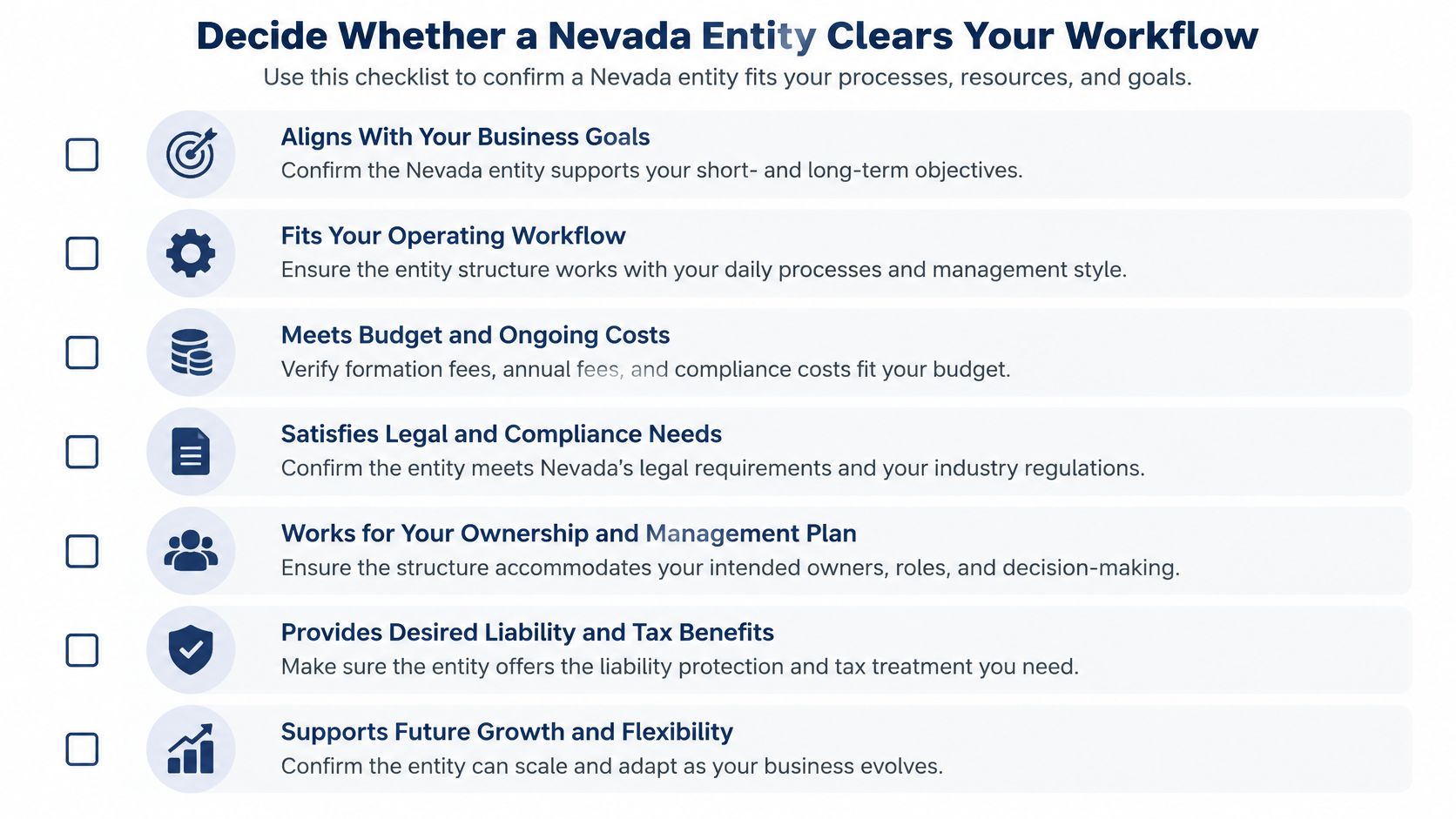
Accept when the entity is Active, the annual list due date is ahead, the officers and registered agent match the counterparty's disclosures, and the filing history is current. Hold when the status is Default or a compliance hold is unexplained, and request reinstatement or filing evidence before you proceed. Reject when the entity is Revoked, Dissolved, or Cancelled with no successor, or when the name, identifiers, and address conflict with the counterparty's own records.
Store the Fields That Make the Decision Auditable
Whether you run searches by hand or through a tool, store the same evidence. Teams that automate this work, including through a company data API, still need the raw fields below. SOSfinder, for example, returns normalized entity records across state registries through a single API, but the audit value comes from what you retain, not from where the record arrived.
| Field | Why it matters | Refresh |
|---|---|---|
| NV Business ID | Primary identifier that survives name changes | Once, then confirm on each review |
| Entity number | Second identifier for registry-specific queries | Once, stored separately from NV Business ID |
| Status with raw source label | Keeps distinctions such as Default and Revoked visible | Every check and on any change |
| Annual list due date | Shows whether the entity is near or past a filing deadline | Every check |
| Registered agent and principal address | Shows where legal papers go and whether details changed | Every check and on change |
| Filing identifiers with retrieval timestamp | Serves as audit evidence of what the record showed | At each retrieval |
Keep the NV Business ID and entity number as separate identifiers, and preserve the status with its raw source label so distinctions such as Default and Revoked don't collapse into a vague inactive bucket. A change in any stored field should trigger a new review rather than a silent overwrite.
The video below walks through related entity verification concepts you can apply when training staff on these accept, hold, and reject decisions.
Don't let a clean summary replace the underlying record. Your decision is only as defensible as the dated fields behind it.
If you're running Nevada checks across vendors, customers, or formation workflows and you're tired of repeating manual registry searches state by state, SOSfinder gives you normalized Secretary of State entity records, including status, entity type, formation dates, registered agents, and filing histories, through a single API. Visit the site to try a Nevada lookup, test the workflow against the accept, hold, and reject rules above, and keep the dated evidence your team needs.