Alabama DBA Name Search: How to Check Availability

The most common advice for an Alabama DBA name search is to run one quick search, check for an exact match, and move on if nothing appears. That's the fastest way to get a false sense of security. Alabama keeps legal entity names and trade names in separate record sets, so a clean result in one place can hide a conflict in the other. I recommend treating every Alabama DBA name search as two searches, saving your near matches, and judging similarity, not just spelling. A name isn't ready to file because a single box came back empty. It's ready when both registries, your variants, and any restricted words have been checked and logged.
Which Alabama Records to Search for a DBA
It's easy to start with the wrong term. In Alabama, a DBA is generally called a trade name, and it's separate from the legal name of an LLC, corporation, or other entity. According to the Alabama Secretary of State trademarks page, a trade name is a "word, symbol, logo, slogan, or combination" adopted and used to identify a business, vocation, occupation, or profession, and trade-name registrations were codified in Alabama in 1988.
That history explains the structure you'll face. The state didn't fold trade names into the entity formation record. It created a state-level framework for commercial names, administered through the same office that handles trademarks and service marks. A trade-name record therefore isn't proof that a new legal entity exists. It's evidence that a business or applicant registered a commercial name.
The comparison below shows the two state record sets you need, plus the broader check neither one replaces.
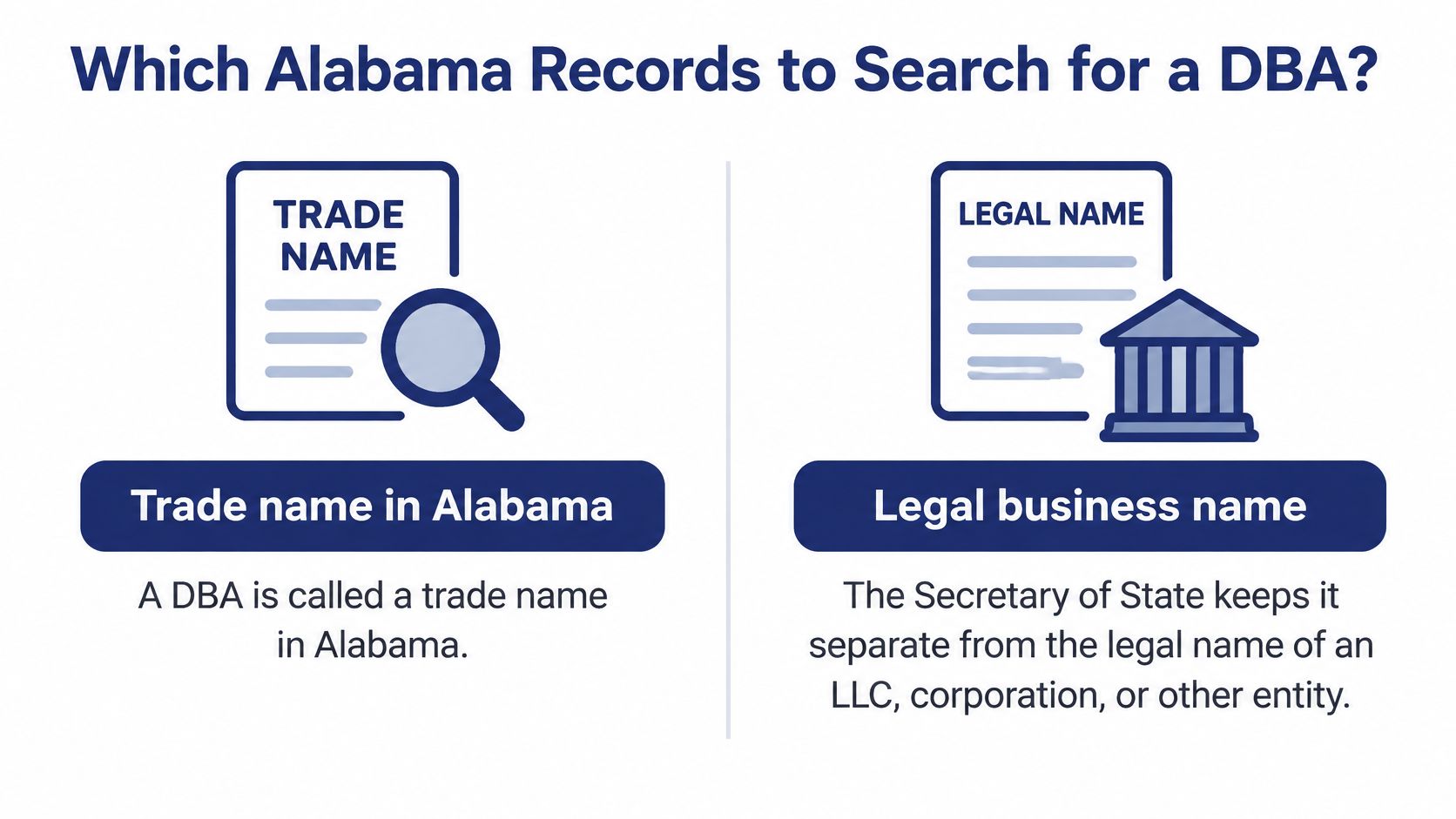
What Each Registry Actually Shows
The Business Entity Records inquiry covers formed or registered entities. You'll see legal names and details that help you judge whether an entity is active or otherwise relevant to your comparison. It answers a narrow question, whether another LLC, corporation, or registered entity already uses the same or a similar legal name in Alabama.
The Trademark Records inquiry answers a different question. Because Alabama administers trade names alongside trademarks and service marks, you look for a registered trade name that may belong to a sole proprietor, partnership, or entity operating under a public-facing name that differs from its legal name.
| Record set | What it covers | What a match tells you | When to run it |
|---|---|---|---|
| Business Entity Records | LLC, corporation and other registered entity names | Exact or similar legal names and entity status | First, to find conflicting legal entities |
| Trademark Records (trade names) | Registered trade names, trademarks and service marks | An existing registered commercial name and its details | Second, before you pick the DBA name |
| Federal or common-law check | Federal marks and unregistered business use | Conflicts the state search cannot see | Before you invest in branding or expansion |
Say a sole proprietor wants to launch a lawn care business as Riverbend Lawn Care. The entity search might return no Riverbend entity at all. The trade-name records could still show Riverbend Lawn Care registered by another operator in the same field. If you stop after the first search, you may print cards, letter a truck, and file paperwork under a name that's already claimed commercially.
The state search also has a geographic and legal limit. It isn't a nationwide trademark clearance, and it won't reveal every unregistered business using a name in stores, ads, or online. If you plan to sell outside Alabama, build a valuable brand, or spend heavily on signage, add federal and common-law checking before you commit.
Search order: Run entity records first, then trade-name records, and treat any trade-name hit as evidence of a registered commercial name, not automatic proof of a separate legal entity.
How to Run an Alabama Name Search, Step by Step
A clean result from one registry tells you half the story. This sequence works the state's two record systems in order, strips the name down to the words Alabama compares, and leaves you with a log you can point to later. It costs a few extra minutes and catches matches an exact-string search walks straight past.
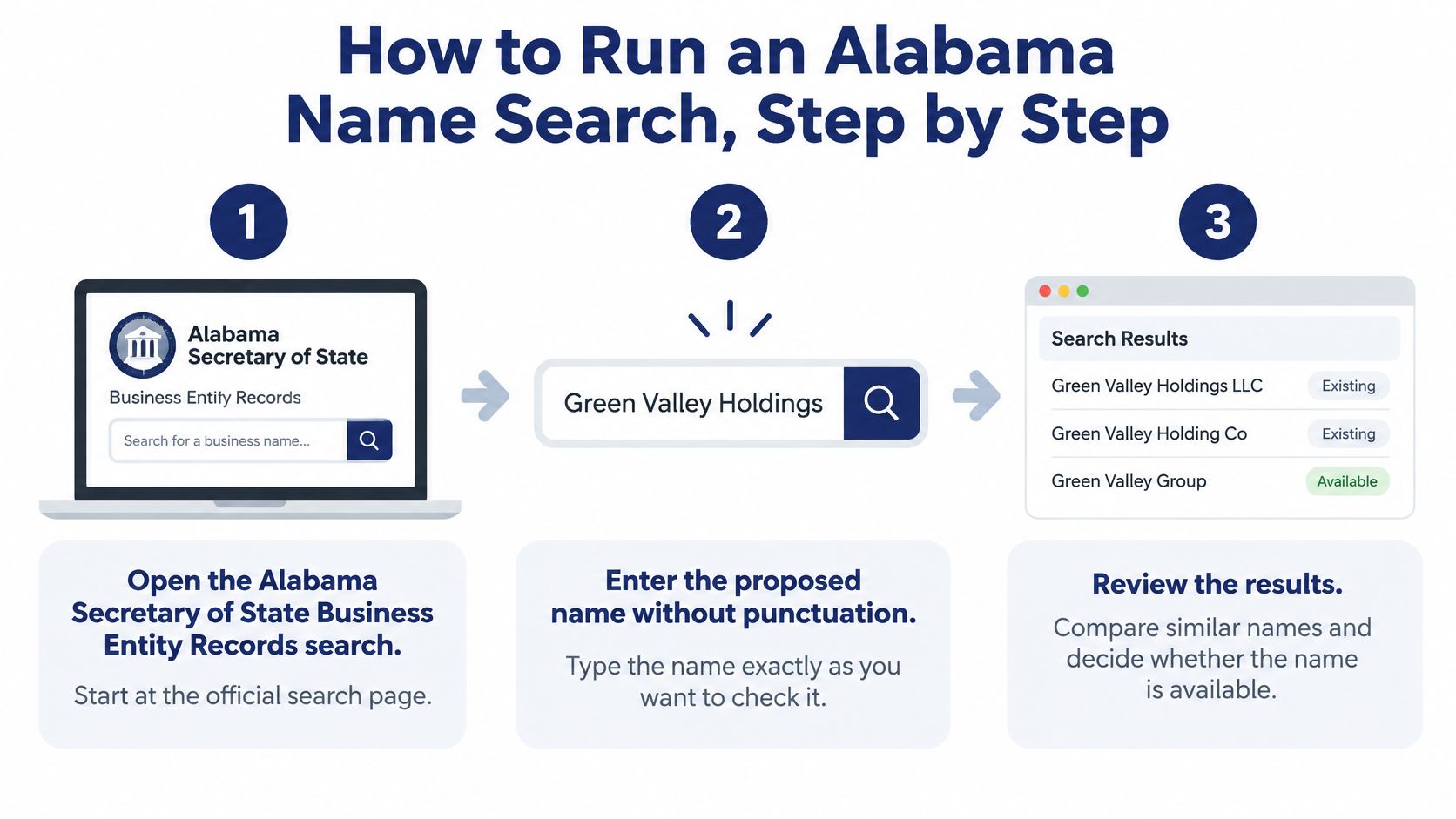
Open the Alabama Secretary of State Business Entity Records search. Use the official registry as your source of truth, not a business directory or a search-engine result. Directories lag, and they routinely omit entities that don't market to consumers.
Enter the proposed name without punctuation or entity identifiers. Leave out commas, periods, and words such as LLC or Inc. Run this stripped version first, because leaving LLC in the field is a common slip that can hide the very match you need to see.
Leave every other search field blank. Don't narrow by city, entity type, date, or status on the first pass. A broad search returns exact and similar names, and you can filter by eye once the full field of possible conflicts is on screen.
Save each result list with the date and time. Screenshot it, print to PDF, or copy the results into your log. A result you can't reproduce later won't help you explain why you chose the name or when you checked it.
The short walkthrough below shows the search mechanics in motion if you would rather watch them than read them.
Repeat the check in the Trademark Records inquiry. Use the same name stripped of punctuation. Look for registered trade names, plus trademarks and service marks that point to an existing commercial user.
Record every near match, not only exact matches. Note plural and singular forms, alternate spellings, sound-alike names, and names sharing the distinctive first word. Riverbend Lawns, River Bend Lawn, and Rivrbend Lawn Care all deserve a note, even though none is an exact string match.
Test two or three variants of your own name. Search the base word alone, the name with a descriptive word removed, and the spelled-out form of any abbreviation. Search Riverbend, Riverbend Care, and River Bend Lawn Care rather than trusting one phrasing.
Run steps 2 and 5 back to back for each variant, so an entity hit and a trade-name hit on the same string land side by side in the log. Splitting them across two sittings is how near matches get lost.
Build a Search Log You Can Defend
A sticky note that says "available" isn't a search record. Keep one simple log for every candidate, whether you are checking a single name for a new shop or screening a list for a client. For a second pass with normalized results you can compare across states, the Alabama LLC name search tool can sit alongside the official registry check. Your log should still show what you queried and what came back.
Every entry should contain:
- Query entered: the exact stripped text you searched in each registry
- Variants tested: base words, abbreviations, plurals, and descriptive-word removals
- Records checked: Business Entity Records and Trademark Records, listed separately
- Date and time: when each search was run
- Near matches found: names worth comparing, with the status or registration details you saw
- Candidate status: your judgement for each proposed name after review
That last field carries the weight. A pile of screenshots with no conclusion leaves the next person, or you in three weeks, guessing. Mark each candidate so the decision is visible: proceed, revise, or stop.
What Your Alabama Search Results Mean
The result that catches people is the one that appears only after you remove LLC or Inc. You search Harbor Point Consulting LLC, see nothing exact, and assume you're clear. Search Harbor Point Consulting and an existing Harbor Point Consulting Inc. appears. That's not a technicality. It's the core distinguishability test.
Alabama entity names must be distinguishable from existing names after entity designations are excluded, a requirement the state domestic name-reservation instructions identify under Alabama Code §10A-1-5.03. The same instructions note that online formation filing incorporates the search step. In practice, you should inspect phonetic similarity, spelling, pluralization, and descriptive wording before filing, not just ask whether the exact string is absent.
Use Three Statuses, Not a Percentage
I recommend sorting every candidate into clear, conflicting, or manual review. The official search doesn't publish a universal probability of approval, so a percentage score would invent precision the registry doesn't provide. A plain status forces a real decision and tells the filer what happens next.
| Search result | Candidate status | Next action |
|---|---|---|
| No exact or similar entity name and no trade-name match | Clear | Proceed, then recheck close to filing |
| Similar name that appears after LLC or Inc. is removed | Conflicting | Compare spelling, plurals and sound, then choose a more distinct name |
| Registered trade name in the same field | Conflicting | Change the name or get legal advice before filing |
| Word flagged as professional or restricted | Manual review | Gather a license copy or authorization letter before filing |
| Recent filing not yet shown in results | Manual review | Record the processing-through date and search again |
A clear result means neither registry produced an exact or similar name that should stop you. It does not mean the state has approved anything. Treat it as permission to move to the next filing step, with a recheck close to submission.
A conflicting result after designations are removed deserves more than a tweak. Changing Lawn to Lawns, adding The, or swapping a descriptive word may not make the name distinguishable. Compare the distinctive words first. If they sound the same or differ only by a plural, choose a more distinct name rather than paying to test the state's patience.
A registered trade name in the same field is also conflicting, even if no entity uses that exact legal name. The risk there is commercial confusion and a challenge from the registrant, not just rejection by a filing clerk. Changing the name is usually cheaper than filing first and negotiating later. If the name has real strategic value, get legal advice before you spend on branding.
Restricted Words and Registry Lag
Some names aren't clear or conflicting on similarity alone. They're manual review because they contain a professional or restricted word. Alabama may require a license copy or an authorization letter for those terms. Don't bury that issue in a notes field. Gather the supporting document before filing, or remove the word if you can't support it.
Timing creates the other manual-review category. Search results may lag filings currently in workflow, so record the registry's processing-through date when it's shown. If your filing date is days or weeks after the search, run it again. A competitor may have filed in the gap.
If a search returns nothing, don't treat that alone as a conclusion. Understanding what a no match result means helps you separate an empty field from a query that was too narrow, included an entity designator, or missed a variant. The failure modes are predictable, searching with LLC included, checking only exact matches, treating a favorable search as a guarantee, and overlooking regulated terms.
A clean search is evidence you looked carefully. It is not a promise that the state will approve the name.
Trade Name Registration Fees and Renewal Deadlines
The fee is the smallest part of the decision. The Alabama trade name application form sets the initial filing fee at $30 and states that registration and renewal fees are non-refundable. A clear entity search does not clear a trade name, and a trade-name rejection costs you the fee plus the rebrand. Finish both registry searches before paying, especially when you are comparing several similar candidates.
The initial application also has to prove use. It requires three specimens showing the name in use and must be notarized. Acceptable specimens can include business cards, brochures, flyers, labels, decals, tags, or newspaper advertisements. That requirement separates registration from a simple name reservation. You are registering a name you are demonstrating in commerce, not holding an unused idea.
Fees, Classes, and Term
Classification can raise the cost. If the name covers goods or services in multiple classes, Alabama requires an additional application and an additional registration fee for each class. List your actual goods and services before filing so you do not discover a second class after the first application is prepared.
| Item | Requirement | Detail |
|---|---|---|
| Initial registration fee | $30 | Filed with a notarized application |
| Specimens at filing | Three | Business cards, brochures, flyers, labels, decals, tags or newspaper ads |
| Additional class | Extra application and fee per class | Applies when goods or services span several classes |
| Registration term | Five years | Plan the renewal around the expiration date |
| Renewal | Renewal fee and one specimen | File before the expiration date if the mark is still used in Alabama |
| Refunds | None | Registration and renewal fees are non-refundable |
| Personal names | Not accepted | Alabama does not recognize personal names for trade names |
One screening rule belongs in your earliest name list. Alabama does not recognize personal names for trademark, service-mark, or trade-name applications. A candidate built only around a personal name may look available in a search and still fail this application rule, so remove it before you spend time comparing near matches.
For monitoring, capture more than the name string in your records. Save the registration date, expiration date, classification, status, and renewal timing for any relevant hit. Those fields tell you whether a registration is current, close to expiring, or filed in a class that overlaps with your business.
Work the Renewal Date Backward
A registration granted this year runs for five years. The expiration date is the anchor, and renewal is filed before that date, not after it. Work backward from expiration to collect a current specimen and budget the renewal fee. The exact renewal window belongs on your calendar as soon as the registration is granted, because a missed deadline is harder to fix than a filed renewal.
Renewal rule: Put the renewal date on the calendar when the registration is granted, then collect one current specimen and budget the renewal fee before the filing window closes.
Add four items to the business calendar at filing:
- Expiration date: The end of the five-year term
- Renewal filing deadline: The date the state sets before expiration
- Specimen to collect: One current example showing continued use
- Fee to budget: The renewal amount due with the filing
Checking Name Availability with an API
If you're checking names once, the manual workflow is fine. If your product checks names during onboarding or formation, automate the registry lookup and keep the human judgement at the classification stage. The API request itself is small. The value is in normalizing the query and preserving near matches.
To make a search, the developer authenticates with a secret key from the server side and calls GET /search with a state and a business name. Never put that key in browser code. The state can be a two-letter code or a full state name, so AL or alabama both work, just as WY or wyoming would for another jurisdiction.
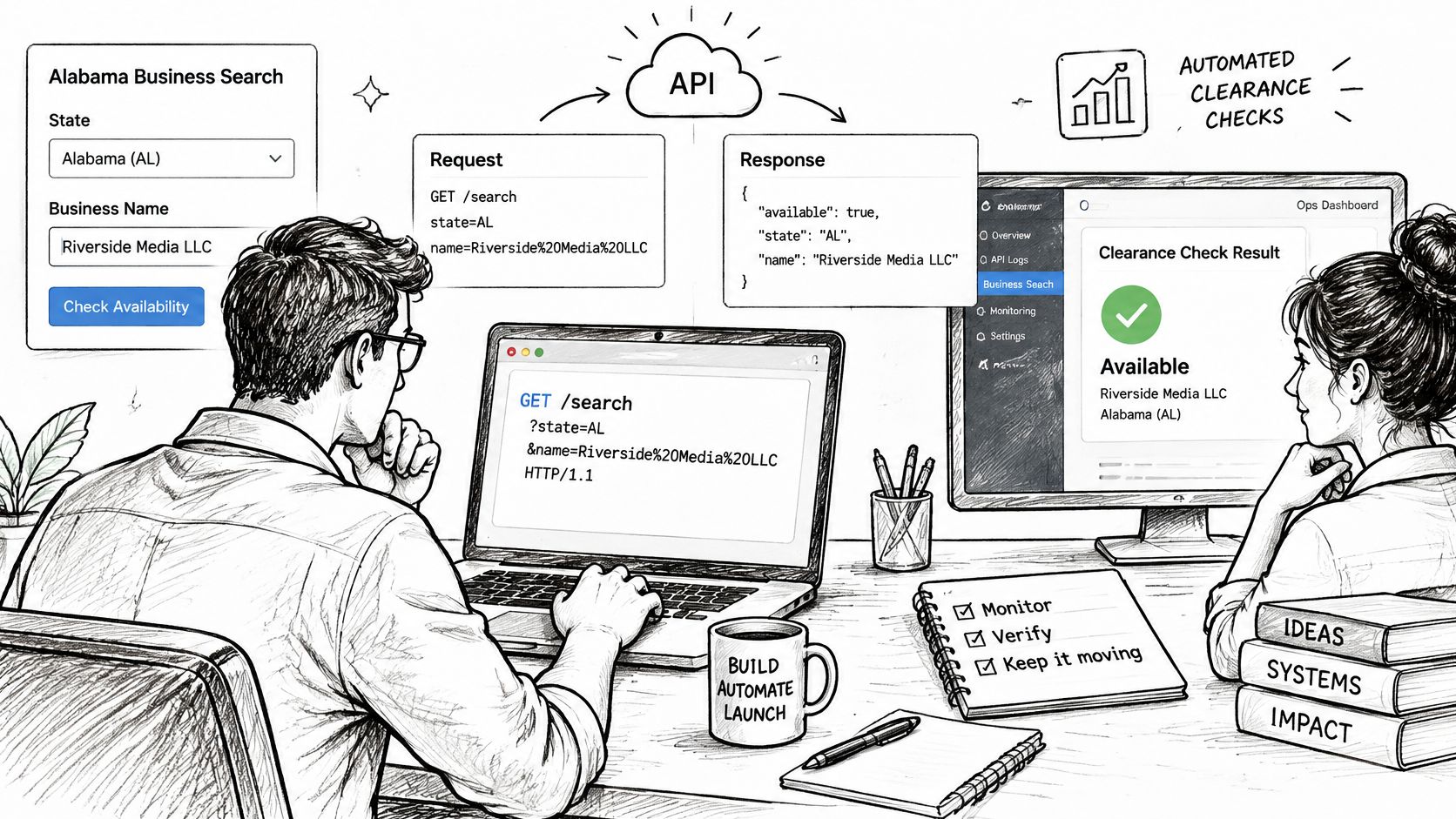
The response returns the best match plus similar filings, each with status, registered agent, officers, and addresses where the state publishes them. Fields a state does not publish return null, while officers, filings, and documents return empty lists instead. Design your interface for those empty values rather than treating missing officer data as an error.
| Setting | Value | Notes |
|---|---|---|
| Authentication | Secret key | Send from the server side only |
| Endpoint | GET /search | Takes a state and a business name |
| State | Two-letter code or full name | Examples: AL or alabama, WY or wyoming |
| Availability check | 1 credit | One live registry lookup per check |
| Unpublished fields | null | Officers, filings and documents return an empty list instead |
A name availability check costs 1 credit and is one live registry lookup. That makes variant discipline a cost decision as well as a clearance decision. Query the variants that matter, base word, stripped name, and spelled-out abbreviation, rather than spraying dozens of low-value permutations.
Normalize, Query, Classify
Build the loop in this order:
- Normalize the candidate. Strip punctuation and drop LLC, Inc., and other entity designations before the request.
- Generate variants. Add the base word alone, the name without descriptive terms, and the spelled-out form of abbreviations.
- Query every variant. Send each one as its own lookup against the Alabama registry.
- Keep all near matches. Store similar filings for human review instead of discarding everything below an exact match.
- Classify each candidate. Map the combined results to clear, conflicting, or manual review.
- Store the timestamp. Save when the lookup ran so stale results can be flagged for a recheck.
The entity search API overview covers the broader search pattern, but your Alabama workflow still needs that classification layer on top. An API can fetch the best match and similar filings quickly. It can't responsibly turn similarity into an approval guarantee.
Keep the lag caveat in the product copy and the data model. The API reads registry data that can trail recent filings, so a result stored last month shouldn't be presented as current clearance today. Flag old checks, show the lookup time, and recheck before a filing is submitted.
Confirm the Name Before You File
Use a simple file-or-hold rule. File only when both the entity search and the trade-name search return clear and no manual-review items remain. If either registry shows a conflicting name, or a restricted word still needs support, hold the filing and fix the issue first.
Run the final checks in order:
Confirm both record sets are clear. Review the final name against every near match in your search log, not just the last result screen. Users can check whether a company name is already taken in a state before filing, but the check only helps if the near matches were judged.
Gather specimens and confirm the class list. Collect current examples showing the trade name in use and make sure every class covering your goods or services is accounted for under the fee rules. Don't prepare specimens for one class and discover a second on filing day.
Recheck within a week of filing. A fresh search catches similar filings that entered the registry after your first pass. This is cheap insurance against the processing lag that can hide a recent competitor.
Order official proof when someone requires it. If a bank, lender, or client asks for formal evidence, order an official certificate of good standing or certified copy from the state. SOSfinder results are not a substitute for an official certificate of good standing or a certified copy.
If a record is wrong, the correction must be made with the state office that maintains the filing. A search tool can surface the record, but it can't amend the state's underlying data. Send the correction to the maintaining office and keep proof of what you submitted.
For a wider view of how name availability checks fit into filing, the guide to Secretary of State business name availability is a useful companion. Your decision, though, comes down to your own log.
You're ready to make it now. File when the name is clear in both registries, the specimens and classes are ready, and a recent recheck shows no new conflict. Hold when any result is conflicting or still under manual review.
Run your Alabama DBA name search as a live check against official state registry data, with the best match and similar filings returned together so near matches don't slip past you. Visit SOSfinder to check whether your proposed name is already taken in Alabama before you file, then recheck it close to submission.