No Match Found: What It Means and How to Fix It

Most onboarding checklists treat a no match found message as a finished answer. The name isn't on the registry, so reject the applicant, drop the vendor, or tell the filer the name is free. That shortcut feels efficient, and it produces the wrong decision often enough to matter.
A blank result only means the query that just ran returned zero records. It doesn't prove the company was never formed, that the name is available, or that no owner, affiliate, or filing duty exists. A transposed letter, a comma before "LLC," the wrong state, or a former name will print the same empty page as a business that isn't there.
Auto-rejecting on that page creates false negatives. Loosening the match until something sticks creates false positives, and a common name can pin the wrong company to a file. Treat the message as a data-quality event. Log what was searched, retry with a fixed sequence, and close the case only when the evidence says so.
What No Match Found Actually Tells You
A no match found response means the search finished and the result set is empty. It doesn't mean a registry clerk has certified that the company is absent.
Nielsen Norman Group research on no-results pages found that users often see that message even when matching content exists, commonly because of misspellings, overly specific queries, terminology differences, or limits in the search interface. In one documented example, a site displayed "Sorry, no matches found" for a misspelled product query, and the user overlooked it because the text was small and visually weak. The same trap hits entity search. A quiet empty state gets read as "nothing to see," when the actual problem is the query.
Registries add a second limit. Kentucky's official name-availability tool warns that a search result is only a comparison against records currently on file and doesn't guarantee availability when the filing occurs. A record may not be indexed yet, or it may sit under another entity type or legal name. Across states, naming rules and search behavior differ, so one blank screen can't be a national verdict.
The wording is interface language, not a legal finding. An English-usage note describes "no matches found" as a shortened form of "No matches were found," acceptable because it reports a completed search with nothing returned. That completed-search meaning is why the message should open a review.
Three outcomes before anyone is rejected
| Outcome | What it usually means | Evidence to log | Next action |
|---|---|---|---|
| Confirmed absence | No record after normalized name search, retries and entity ID checks | Full attempt log with dates and search parameters | Record as not found and keep the snapshot date |
| Probable mismatch | Near-identical record found in another state or under a former name | Candidate's state, entity ID and formation date | Analyst compares identifiers before accepting or rejecting |
| Unresolved search | Query failed on spelling, punctuation or over-specific terms | Raw query and normalized query | Retry with variants, then queue for review |
Raising the automated match rate doesn't settle this. A loose hit on a common name can identify the wrong company, while a strict exact search can reject a real one. Ask for state, entity ID, former name, assumed name, formation date, or a filing document before you turn a counterparty away. Confidence scores, a candidate list, and an audit trail beat a yes-or-no lookup.
Also separate response types. A success status with zero items is an empty answer. An error status is a failed request. Log the status and the body on the attempt, and confirm the exact field names in your API reference before those two events share one label.
A no match result starts a review. It doesn't end one.
Why Business Name Searches Miss Real Companies
Start with the typo, because it's the failure you'll see most. Someone types Acme Holdngs LLC when the registry holds Acme Holdings LLC. Character-by-character comparison returns nothing. The company is sitting there under a name one letter off.
That miss is a record-linkage failure, not proof of nonexistence. U.S. Census research on business-name matching describes the work as normalization, parsing, and comparison across fields, because names vary through abbreviations, punctuation, spelling differences, and legal suffixes such as "Inc." or "LLC." Standardization turns inconsistent forms into comparable tokens. Parsing splits the meaningful pieces. Blocking limits comparisons to candidates that share a key attribute. Even after parsing, a name can stay ambiguous, so fuzzy matching or a person has to step in when exact comparison fails.
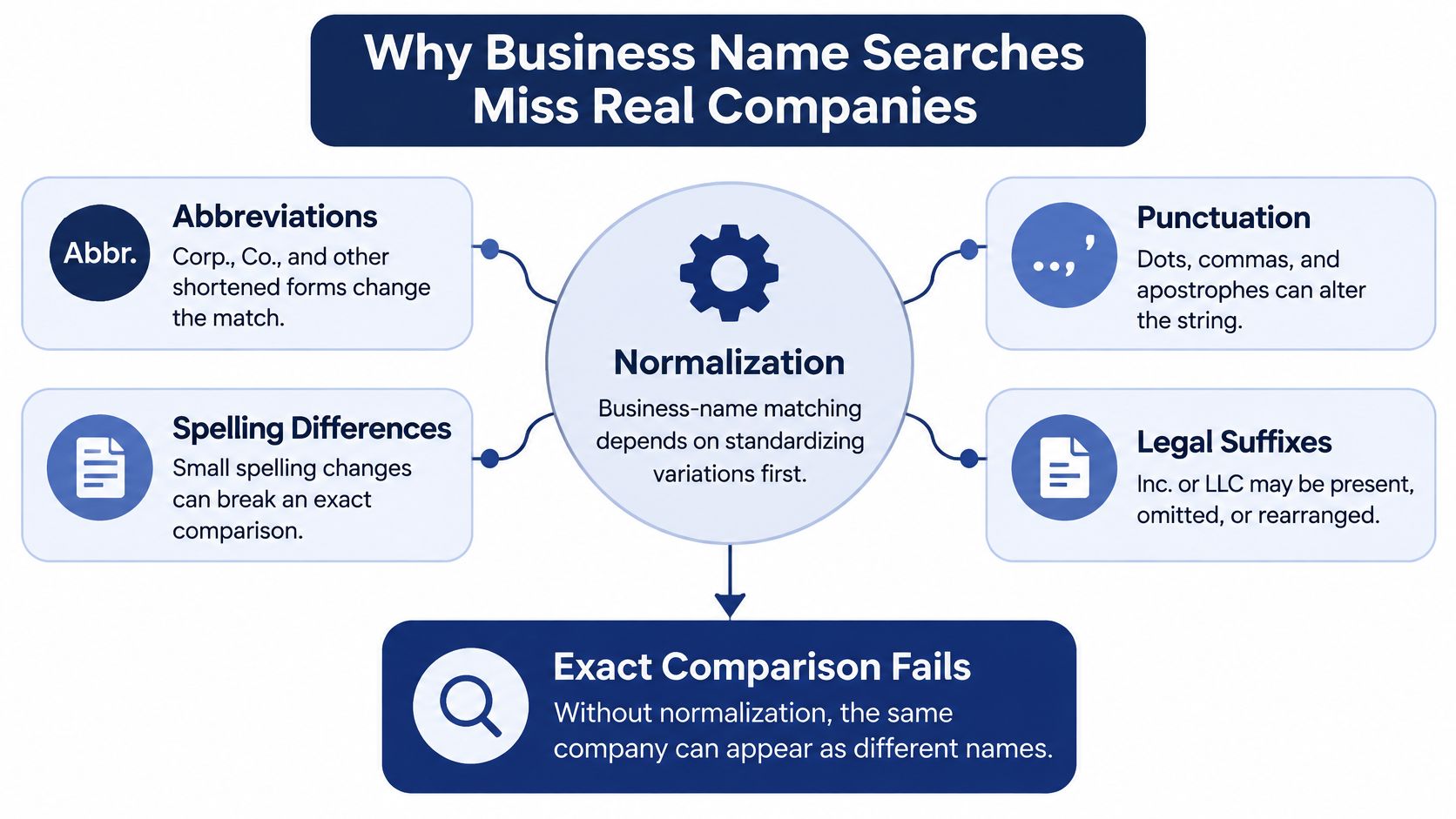
Six causes and the first check for each
| Cause | Example | First check |
|---|---|---|
| Typo or transposed letters | Acme Holdngs LLC for Acme Holdings LLC | Run a prefix or fuzzy search on the distinctive word |
| Punctuation or suffix mismatch | ACME HOLDINGS, LLC against ACME HOLDINGS LLC | Strip punctuation and standardize legal suffixes |
| Name variation | Acme against Acme Holdings Group | Search the core distinctive word alone |
| Jurisdiction mismatch | Delaware-formed company searched in Texas | Confirm the state of formation before searching |
| Former or assumed name | Company renamed after formation | Search the former or assumed name |
| Recent or unindexed record | Newly formed entity not yet visible | Check the formation date and retry later |
Each row needs a different first move. A punctuation mismatch is fixed by cleaning the string. A jurisdiction mismatch isn't. Searching Texas harder will never surface a Delaware formation. A rename won't appear under today's brand, and a filing from this morning may not be visible yet.
What to normalize before you query
Do this before the first call, not after the blank page:
- Case and space: Uppercase the text and trim whitespace so "Acme Holdings" and "ACME HOLDINGS" compare as one string.
- Punctuation and suffixes: Standardize commas, periods, and endings such as Inc., LLC, and Corp. into one token set.
- The original string: Keep the raw query beside the normalized one so a later reviewer can see what the user typed.
Zero results after that cleaning are an escalation, not a negative verification. Retry with jurisdiction, entity ID, address, registered agent, or formation date. The final accept-or-reject still has to rest on registry attributes, not on a cleaned string alone.
A Step-by-Step Retry Sequence in SOSfinder
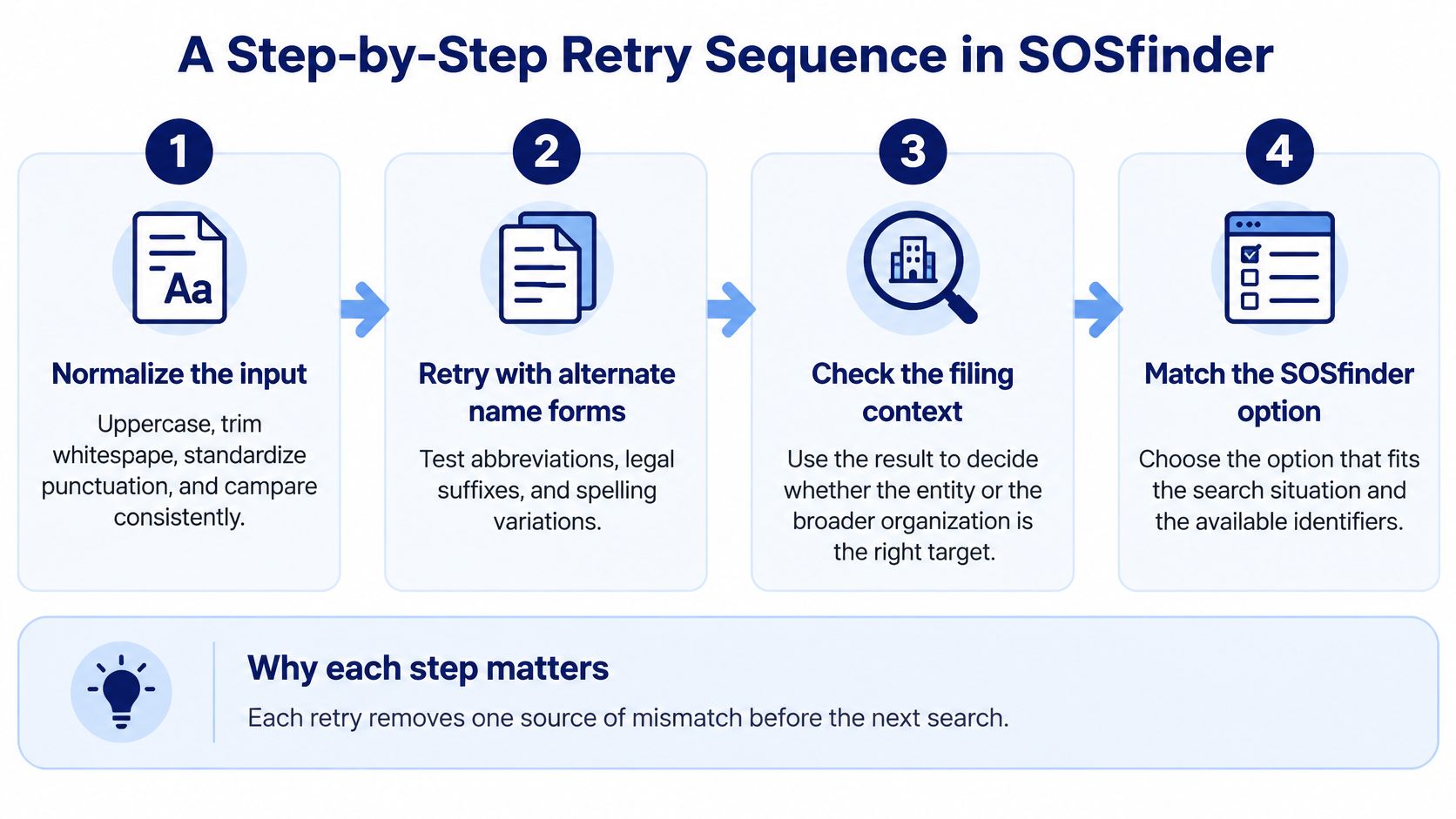
A zero-result search is evidence about a query, not proof that a company does not exist. Search behavior varies across registries, so treat the empty response as the start of a structured investigation. SOSfinder returns normalized entity records through one API, allowing each retry to use a consistent search process across states and DC.
The retry path
Run these checks in order. Stop when a candidate has identifiers a person can compare. Keep each query variant in the attempt log.
- Normalize the input. Uppercase the name, trim whitespace, standardize punctuation and legal suffixes, and retain the raw query beside the cleaned version. A comma or period difference can prevent a strict name match.
- Set the jurisdiction to the state of formation. A company searched in the wrong state can return zero results. If the applicant only knows where it operates, ask where it filed.
- Search by entity ID if one is available. Store the ID as a string so leading zeros are preserved. An ID distinguishes records with similar names and gives later lookups a stable key.
- Retry with the distinctive core word. Remove generic terms such as “Group,” “Holdings,” or “Services.” A shorter query can find a record whose full name differs slightly.
- Search former or assumed names. A company may have filed under an earlier legal name, while an invoice or other document uses a trade name.
- Broaden to token or prefix matching. Rank an exact normalized name above a partial result, and show near matches for review rather than selecting one automatically.
- If results remain empty, log the timestamps and route the case for review. The result leaves the company's identity unresolved. Keep the application and the search history available for follow-up.
Use exact normalized-name matching before broader token or prefix searches. Once you identify a state-specific entity ID, use it for later lookups rather than relying on the name again.
For an onboarding service, the SOSfinder API integration example shows how request and response fields can support an attempt log for each query variant.
Which search option fits the situation
| Search option | Use when | What to expect |
|---|---|---|
| Single name search with jurisdiction set | Formation state is known | A best match, with similar filings available for review |
| Entity ID search | A state-specific ID is available | A registry record without common-name ambiguity |
| Near-match review | Spelling is close but not exact | A candidate list to compare against registry details |
| Built-in retry | A temporary registry block occurs | Platform retries; a repeated final error indicates the request did not complete successfully |
| Bulk CSV verification | Checking a multi-state portfolio | Results across states; unmatched rows still need review |
Use the API reference to interpret any similarity score before setting a review threshold with compliance. A single-name search with the formation state is a practical first call because similar filings can be reviewed alongside the best match. Use an entity ID for later refreshes when one is available. Bulk CSV verification can process a portfolio in one run, but it does not resolve the identity of unmatched rows.
Handling Zero Results in Your Application
Don't auto-reject on the first empty payload. The application should branch on how far the retry sequence has gone, and on whether the best remaining candidate is strong enough to trust.
Three code paths
| Path | What the app should do | What a person sees |
|---|---|---|
| Zero results on the first query | Run the variant retries before any status is written | Nothing yet, or a "still checking" state |
| Zero results after every retry | Store the full attempt log and send the case to a review queue | Pending, not rejected |
| Low-confidence best match | Store the candidate list with state, entity ID, and formation date | An analyst comparison, not an automatic link |
Keep four fields on every attempt: the raw input, the normalized input, the jurisdiction, and a timestamp. With those four, a reviewer six months later can rebuild why a name was accepted or left open. Without them, the case file shows a conclusion and none of the searches that produced it.
Temporary registry blocks are a different branch. Count the attempts, let built-in retries run, and alert when the same failure repeats. A repeated block is an operations problem. A clean success with an empty list is a data problem. Mixing them trains the queue to ignore real outages and to treat outages as "company not found."
One rule, one place
Put the branch in a single decision module that product, engineering, and compliance all read. If the rule lives in a frontend toast, a backend flag, and a spreadsheet, the three copies will drift. The user-facing line should be plain and visually strong. A small or vague note leads people to think the search is finished when only this query failed.
Map each branch to a documented status rather than a homemade string. The status code reference is the checklist for which responses mean empty, which mean retry, and which mean stop and alert. Confirm those codes in the reference you ship against, then freeze the mapping in the decision module so a later release can't turn an empty list into a rejection.
What Evidence Replaces a Failed Registry Match
A failed registry search doesn't prove the organization has no owners, no affiliates, no foreign registration, and no reporting duty. It only supports a narrower claim: this query didn't locate a legal-entity record.
Those are different questions, and onboarding teams merge them. Existence is "is there a filing under this name in this state?" Ownership and obligation are "who controls this organization, and which filings still apply?" A blank name search can't answer the second.
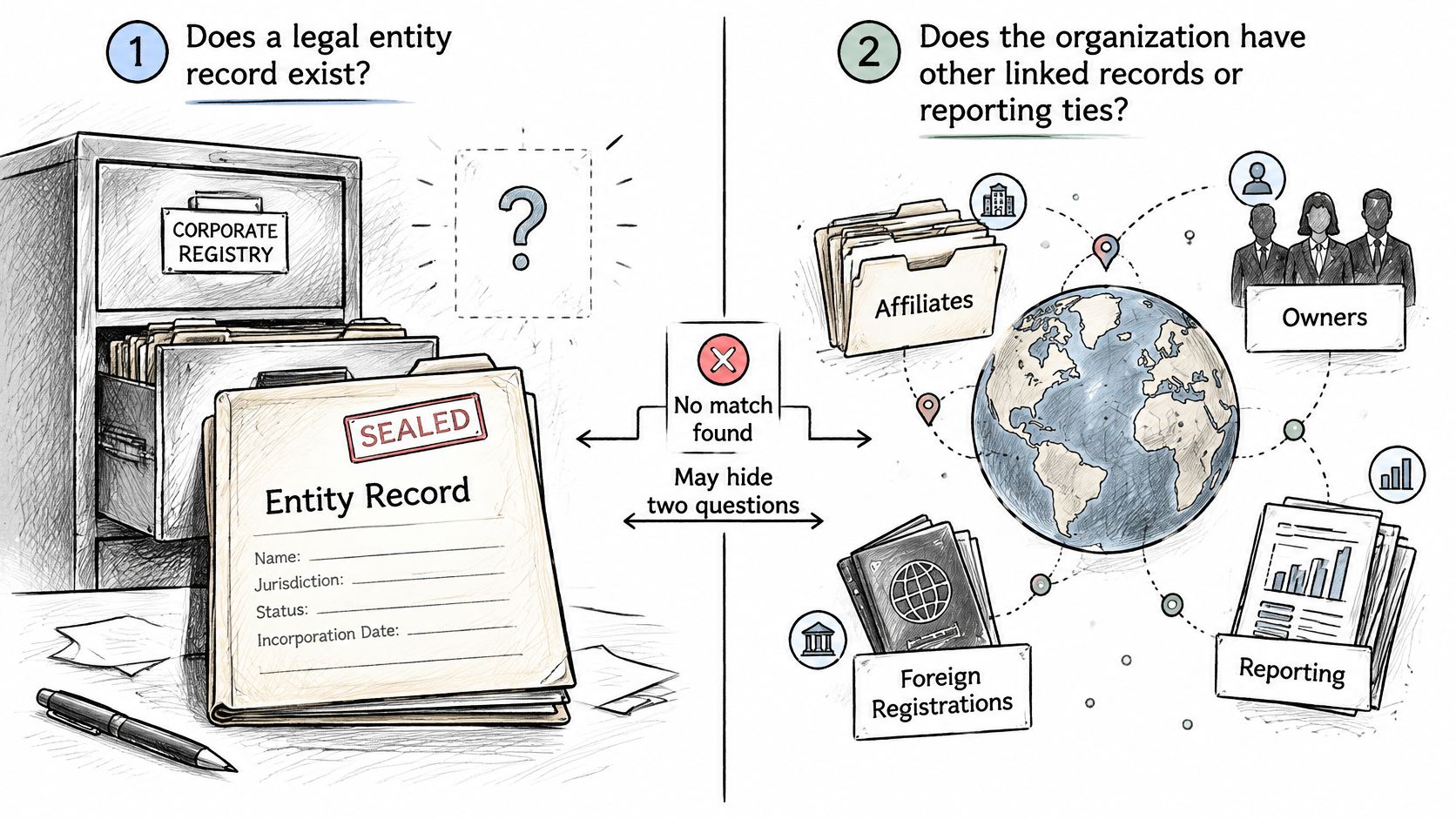
Federal rules make the split sharper. FinCEN's March 2025 interim final rule removed U.S.-created entities and U.S. persons from the Corporate Transparency Act's beneficial-ownership reporting requirements, while certain foreign entities registered to do business in the United States remained subject to reporting rules and new deadlines. Official guidance under that revised framework treats domestic entities as exempt. A 2023 explainer that still tells every U.S. LLC to file a BOI report is stale. Rules and deadlines changed materially in 2025, so the snapshot date on your policy matters as much as the search result.
What to collect instead
| Situation | Evidence to request | Reviewed by |
|---|---|---|
| Domestic U.S. entity not found | Formation document, entity ID and former name | Verification analyst |
| Possible foreign registration | Foreign qualification record from the home-state registry | Compliance team |
| Ownership or beneficial owners unknown | Attestation and filings listing officers and owners | Compliance team |
| Registry snapshot older than policy allows | New search with a dated record | Operations team |
A formation document can show the entity exists even when the public index lagged. A foreign qualification record answers whether the company registered somewhere else. An attestation plus officer filings covers control when the registry row has no owners at all. A fresh dated search replaces a printout that's older than your policy allows. Tax information belongs in the same packet when the risk decision needs it, but it doesn't substitute for the formation record.
For a deeper look at which registry fields support that packet, see how business entity data is structured across filings, status, and related names.
After the match fails, walk this path and stop only when a person owns the open question: retry with alternate identifiers, search the jurisdictions where a foreign registration is plausible, pull filings where the registry offers them, write down the regulatory snapshot date, and send anything still unresolved to compliance staff. A negative name search is not proof that no regulated relationship exists.
Set Up a Review Path Before You Reject Anyone
Agree on the three outcomes before the first search runs in production. If you wait until a blank page appears in a live queue, each analyst will invent a different meaning for it.
Confirmed absence belongs to the verification analyst. Required evidence is the full attempt log: normalized searches, entity ID checks, dates, and parameters. The snapshot date stays on the record so a later policy change can be judged against what was true that day.
Probable mismatch also belongs to the verification analyst, with compliance pulled in when the candidate sits in another state or under a former name. Required evidence is the candidate's state, entity ID, and formation date, compared side by side with the application. Accepting or rejecting without that comparison is a guess.
Unresolved search belongs to operations until the retries finish, then to compliance if the queue still can't place the entity. Required evidence is the raw query, the normalized query, and the list of variants already tried. Don't close it as "not found" just because the timer expired.
Hold the counterparty in a pending state inside onboarding and procurement. A zero result isn't a reason to send a rejection letter. Give analysts a set window to work the candidate list, and measure whether that window is met. For every confirmed match, capture the entity ID and the formation date so the next lookup is exact and doesn't repeat the name fight.
Where the record has to stay current, monitoring and webhooks should push status, registered agent, and address changes into the same review queue. Otherwise the file you verified in March is wrong by September. Alerts and entity ID search support that path. The accept, reject, or escalate decision on each case stays with your team. How that pending state fits a CDD and KYC program is worth writing into the procedure, so investigators and engineers share one definition of "open."
A no match found result opens a case, and the case closes only with evidence.
SOSfinder gives product and compliance teams one API across Secretary of State records, so a no match found result can be retried by name, jurisdiction, or entity ID and logged before anyone is rejected. Use it to keep pending cases tied to official filings instead of treating an empty search as a final answer. Visit SOSfinder to see how search, monitoring, and review fit the checks above.