How to Find UCC Filings: Step-by-Step Search Guide
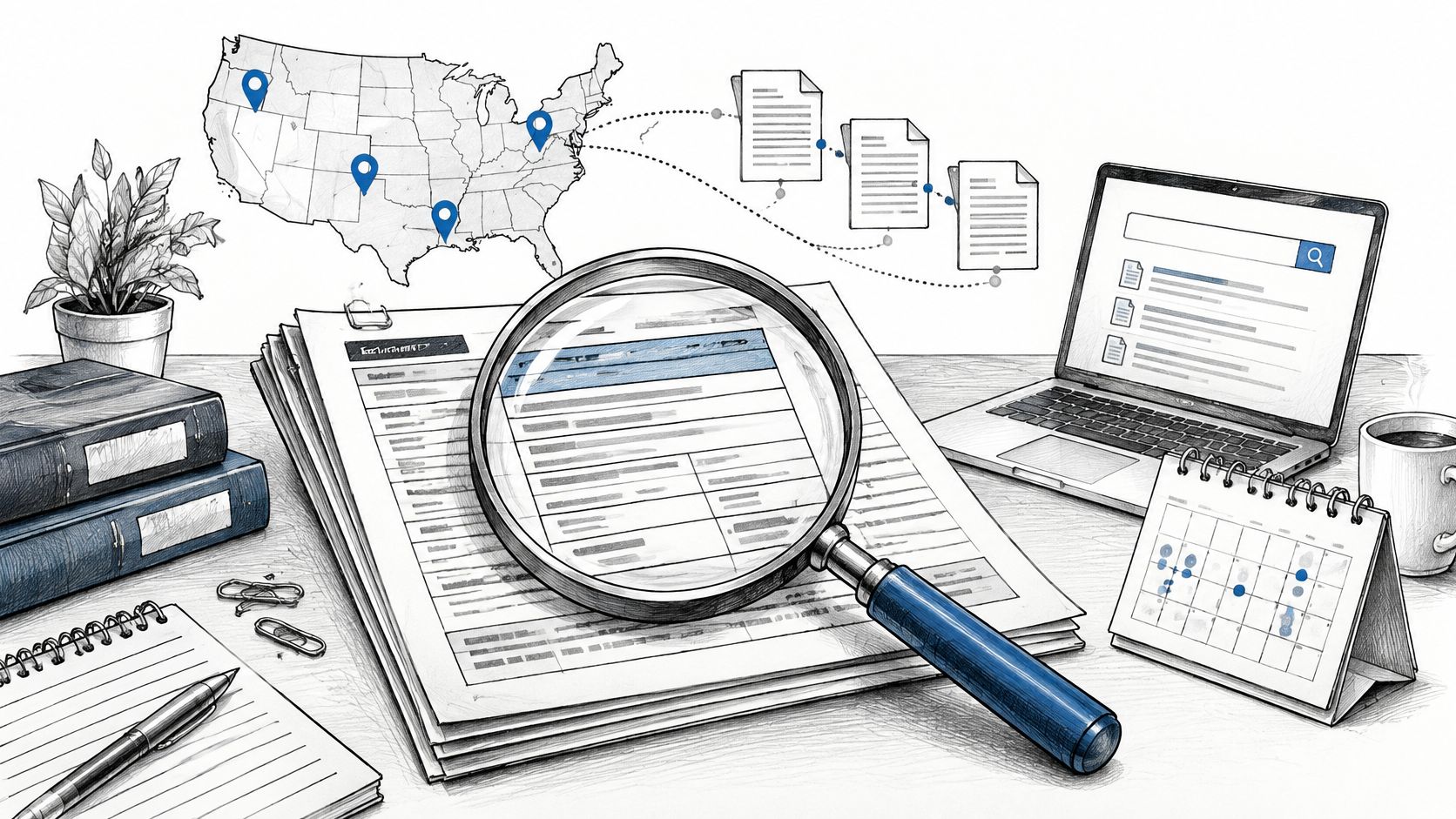
You're clearing a borrower for closing or checking a vendor before onboarding. The application has a business name, the search returns nothing, and someone wants you to mark the file clear. Before you do, establish whether you searched the legal debtor, in the right jurisdiction, across the relevant filing history.
Learning how to find UCC filings means doing more than locating a financing statement. Treat an empty result as unresolved until you've checked name variants, predecessor names, and lapsed records. Treat a hit as the beginning of a document review, not a ready-made conclusion about secured debt.
Choose the Right Source for Each Question
Search sources and what each one is good for
| Source | Best Use | Main Limit |
|---|---|---|
| Official state filing office | Certified results for lending, closing, or litigation | A certified request can involve a separate process from an online check |
| State online search portal | Fast informational check within one state | Name logic and lapsed-record access differ by state |
| National aggregator | Screening across jurisdictions, bulk checks, and automated workflows | Confirm decision-driving results with the official record keeper; informational results aren't certified records |
The official filing office and its online portal aren't competing sources. They're different ways of accessing the same jurisdiction's records, sometimes with different search options and certification procedures. An online result may answer an analyst's preliminary question without supplying the certified evidence a closing team needs.
The indexing model explains why the office matters. Under UCC Section 9-519, the filing office indexes financing statements by debtor name and maintains retrieval by the initial filing's file number, associating related records with that filing. Search by name to discover the filing, then use the filing number to follow its history.
Match the evidence to the decision
An aggregator is useful when your first question is which businesses need closer review. A state portal is useful when you already know the jurisdiction and need to inspect its records. An official certified search or certified copy serves a different purpose: documenting what the filing office reports for a consequential decision.
For product teams, the company data API guide provides context for integrating registry information into onboarding. Keep that informational workflow separate from the evidence requirements of a particular transaction.
Our results aren't a substitute for an official certificate of good standing or a certified copy, and we don't warrant that results are accurate, complete, or current. A certificate of good standing also answers a corporate-status question, not the same question as a UCC search.
Practical rule: Screen broadly, then confirm the filings that will drive a decision directly with the state.
Record which source produced each result. Your file should distinguish an aggregator response, a portal document, and an official certified result rather than treating them as interchangeable attachments.
How to Run a UCC Search from Start to Finish
Say a borrower operates as Northwind Kitchen. A brand-name search returns nothing, but its formation documents identify Northwind Foods, LLC, organized in another state. The relevant filings could be sitting under that legal name while the application appears clear.
For a registered organization, UCC Section 9-503 generally ties a sufficient debtor name to the name in the most recent applicable public organic record. That makes identity verification the starting point, not an optional cleanup task.
Follow the debtor from identity to documents
Identify the debtor type and legal name. Determine whether you're searching an organization or an individual. For an organization, compare the application against its formation record and relevant name amendments, preserving the authoritative spelling separately from any normalized search input.
Identify the filing jurisdiction. For an ordinary registered-organization search, start with its jurisdiction of organization rather than assuming the office address controls. If the transaction involves unusual collateral or filing arrangements, resolve the appropriate office before interpreting an empty result.
Search the state filing office using the exact name. Select the correct debtor category and enter the name in the fields the registry specifies. Don't start with a shortened brand name because it fits the application better.
Run controlled variants and log each query. Include relevant former names, predecessor names, and permitted spelling or formatting variations. Keep exploratory queries distinct from the registry's standard search.
Open the complete filing history. Capture the filing number, initial filing date, lapse date, recorded parties, and collateral indication. Retrieve linked amendments, continuations, assignments, and terminations instead of saving only the initial financing statement.
Confirm material results with the official record keeper. Obtain the official search or copies appropriate to the lending, litigation, or enforcement decision. Escalate missing documents or contradictory statuses before treating the review as complete.
Save a reproducible search package. Record the search date, jurisdiction, exact query strings, search options, and results, including empty responses. Another reviewer should be able to understand what you searched without reconstructing your browser session.
The process below summarizes the route from an unverified borrower name to a reviewed result.
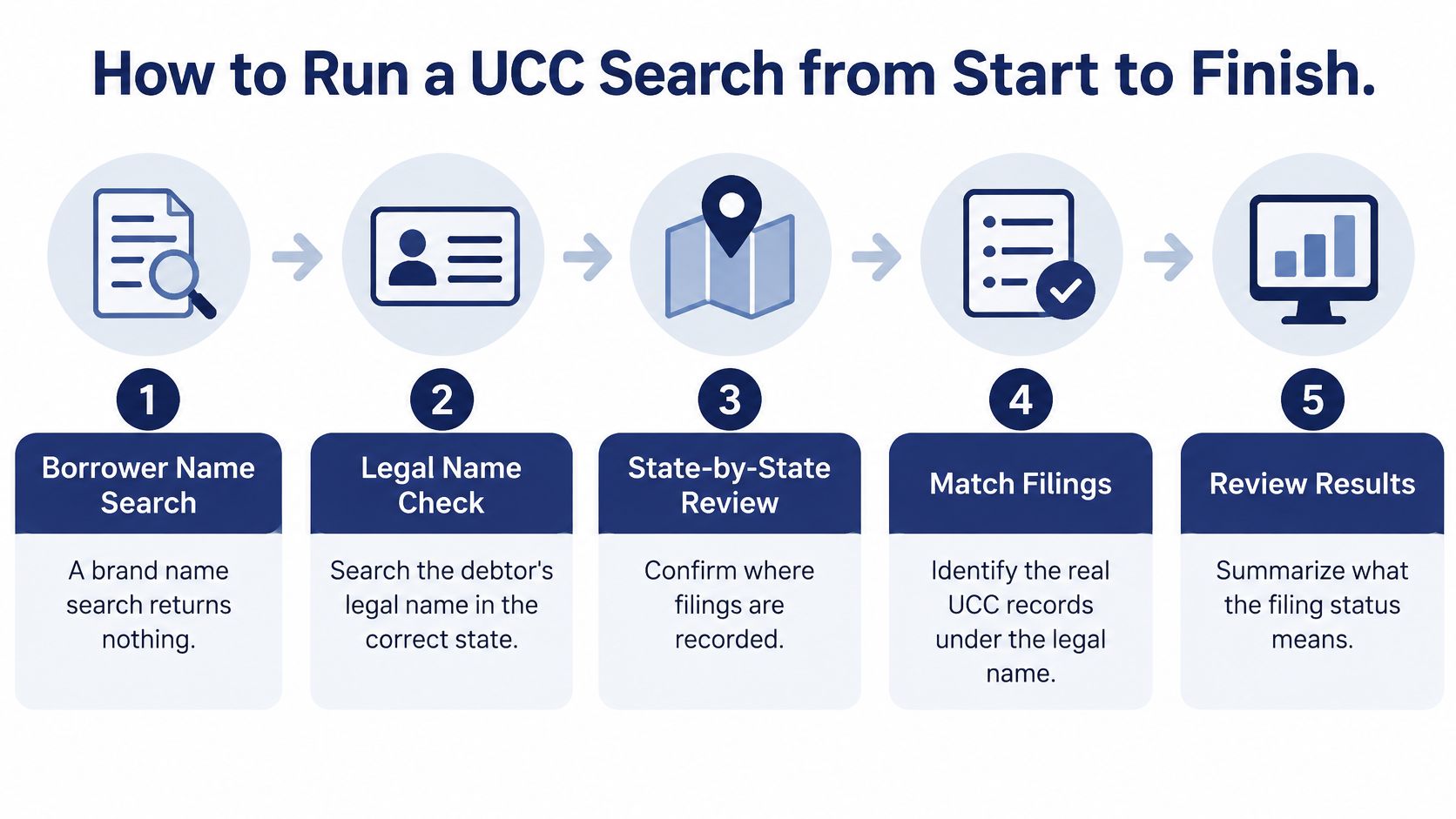
The opening checks determine whether you're looking in the right place. The saved search package lets a lender or auditor evaluate the conclusion later.
If you can't name the state, legal debtor name, and search date, the search isn't finished.
Name Variants That Change the Result
Zero results doesn't establish that no secured debt exists. You may have entered the debtor in the wrong field, used an unsupported abbreviation, or searched only the current name when relevant records use a predecessor name.
The Colorado financing statement instructions direct users to enter an organization name or an individual name, not both. That distinction matters when designing search forms: a single free-text box shouldn't erase the registry's debtor-type rules.
Name variants to search and why each matters
| Variant | Example | Why It Matters |
|---|---|---|
| Exact legal name with suffix | Northwind Foods, LLC | Matches the name on the public organic record |
| Name without suffix or punctuation | Northwind Foods | May reveal differently entered names where the registry permits this search |
| Former or predecessor name | Northwind Industries, Inc. | Can locate filings recorded before a name change, merger, or conversion |
| Assumed or trade name | Northwind Kitchen | Provides a lead to the legal debtor, not a replacement for its legal name |
| Spelling variant | Northwynd Foods | May reveal a misspelled record requiring further review |
| Individual guarantor | Jane Q. Smith | Requires a separate identity check and the jurisdiction's individual-name rules |
These are hypothetical names, not a universal query list. Search an individual guarantor when the review calls for it, but don't assume the guarantee itself creates a UCC filing against that person.
Preserve precision while expanding coverage
Start with the authoritative name and change one feature at a time. Removing punctuation, dropping a suffix, and shortening the name simultaneously makes it harder to explain why a result appeared.
A trade name is useful for tracing the organization behind a business, but it shouldn't replace the legal-name search. Likewise, finding a predecessor filing doesn't settle its present legal effect. It identifies a document history you need to examine.
Under UCC Section 9-506, a debtor-name error can be seriously misleading, with an important exception when the filing office's standard search under the correct name would disclose the financing statement. Finding a typo through an exploratory search isn't the same as establishing that the filing is legally effective.
A plausible name match is a candidate for review, not a verified debtor.
Check available identifiers, addresses, and entity history before accepting a similar-name result. The no-match troubleshooting guide can help structure investigation of an empty response, but your written conclusion should remain specific: which variants did you search, and which did you skip because the jurisdiction doesn't support them?
Read Lapse Dates and Continuation Status
The standard effectiveness period is five years from filing, and a timely continuation generally extends effectiveness for another five years, as reflected in Nebraska's UCC administrative rules. Those rules also provide a 30-year period for public-finance or manufactured-home transactions and no lapse date for transmitting utility filings.
Don't calculate every lapse date from the ordinary default. Identify the filing type first, then compare the displayed date with the linked history.
Lapse rules that change how a record reads
| Rule | Period | Example |
|---|---|---|
| Standard effectiveness | Ordinary default described above | Most financing statements |
| Continuation statement | Additional effectiveness when timely filed | Confirm the continuation in the linked history |
| Public-finance or manufactured-home filing | Longer effectiveness period described above | Nebraska rules |
| Transmitting utility filing | No scheduled lapse under the cited rule | Nebraska rules |
| Lapsed record retention | Separate from the effectiveness period | Rhode Island and Massachusetts provide access to lapsed filings |
A record absent from an active-only search may still appear in the lapsed index. That historical record can identify a prior secured party, a former debtor address, or collateral that deserves follow-up. It doesn't establish a current priority claim just because you can retrieve it.
Reconcile the dates against the history
Run these checks on each relevant record:
- Initial filing date: Confirm you're reading the original filing, not mistaking an amendment date for the start of effectiveness.
- Displayed lapse date: Check that the date corresponds to the filing type and recorded continuation history.
- Continuation or termination activity: Open the actual linked documents rather than relying solely on a status label.
An active-only filter is convenient for triage, but it's too narrow when the question includes historical lending relationships or unexplained references to an older filing. Search the lapsed records deliberately and record the filter you used.
When dates conflict: Preserve both versions, obtain the official filing history, and document the discrepancy. Don't choose the interpretation that makes the transaction easier.
The official record is the place to resolve what was filed and when. If the legal consequence remains disputed after that reconciliation, refer the complete history for legal review rather than converting uncertainty into a clear result.
Review Filing Status and Hand Off the Result
Say a lender finds an active-looking financing statement against a borrower. The collateral indication covers equipment, not every asset, and a later amendment changes a secured party. A simple lien-present label leaves out information the underwriter needs.
Keep the initial statement and its related records together during review.
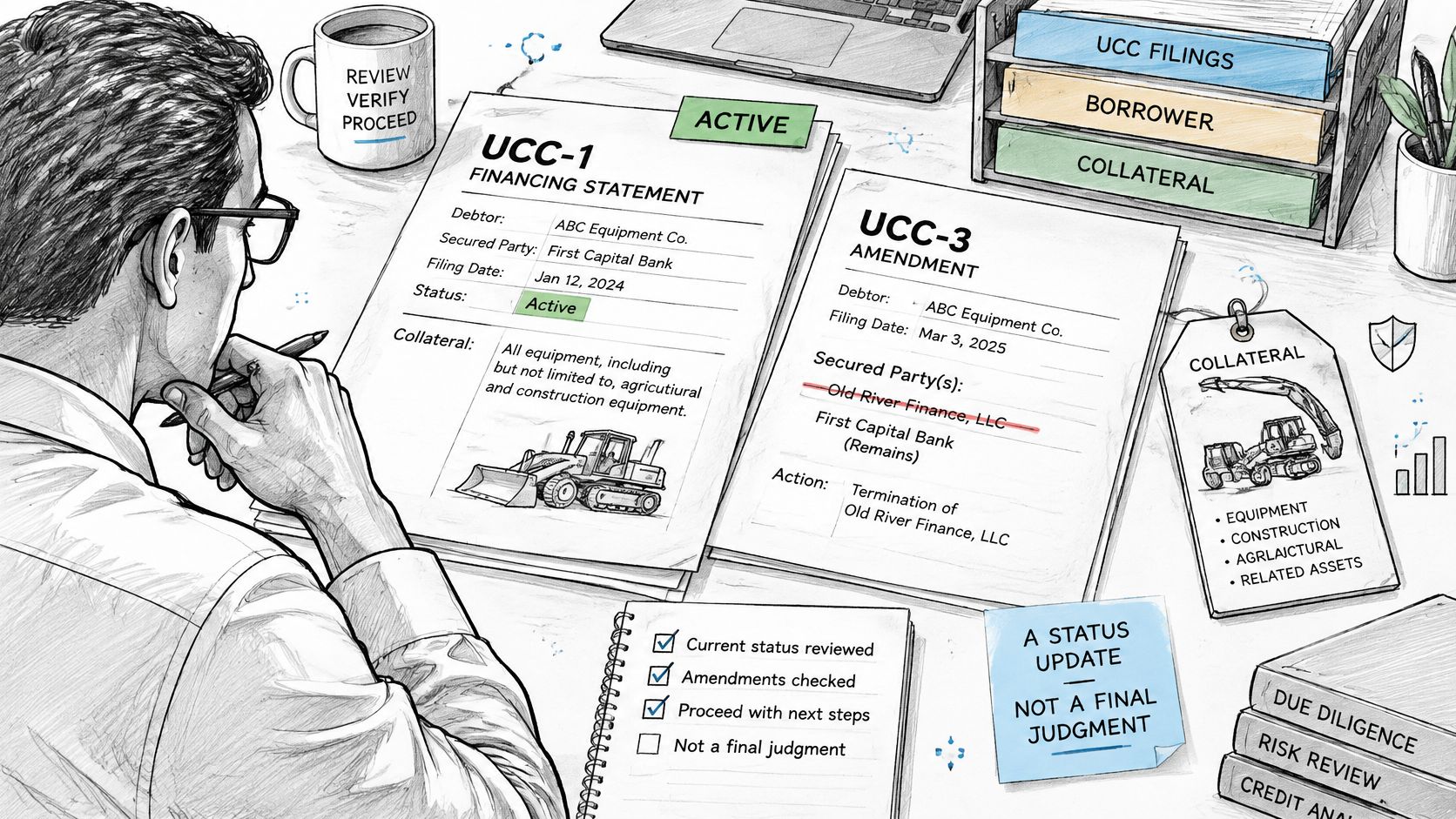
Review the record in a consistent order:
- Filing number and initial filing date: Establish the record you're analyzing.
- Lapse date: Reconcile it with the continuation history.
- Recorded parties: Compare debtor and secured-party names across the documents.
- Collateral indication: Identify the property described without assuming blanket coverage.
- Linked records: Read every relevant amendment, continuation, assignment, and termination.
Write a status-plus-document conclusion
Search type shapes what appears. The Colorado UCC search FAQs explain that results can include financing statements, farm-product filings, notices of liens, and federal tax liens. Don't apply the same interpretation to every record because the portal returned them together.
An index result alone doesn't settle priority. Confirm debtor identity, collateral scope, continuation timing, termination activity, and the governing jurisdiction before making a decision about the filing's significance. Where identity remains uncertain, compare the registry record with the relevant company formation documents.
Write a status-plus-document note that names the reported status, describes the collateral, identifies the supporting documents, and separates confirmed facts from unresolved questions. For the equipment scenario, state that the initial filing describes equipment and identify the amendment affecting the secured party. Don't expand that into an all-assets conclusion.
Use the video as supporting context while keeping the actual filing documents as your evidence.
Hand over evidence, not just a label
Pull the official state record for each filing that will drive the decision, and obtain certified copies where the court or closing process requires them. If the source record is wrong, corrections belong with the state office maintaining it. We can't file documents, register entities, or change official records on a customer's behalf.
The handover should contain:
- The search log: Names, jurisdictions, search options, dates, and sources.
- A note for each relevant filing: Status, collateral scope, supporting documents, and unresolved interpretation.
- Confirmation or open items: Official evidence obtained, plus a clear list of anything still unconfirmed.
Automate Searches with the API and Batch Checks
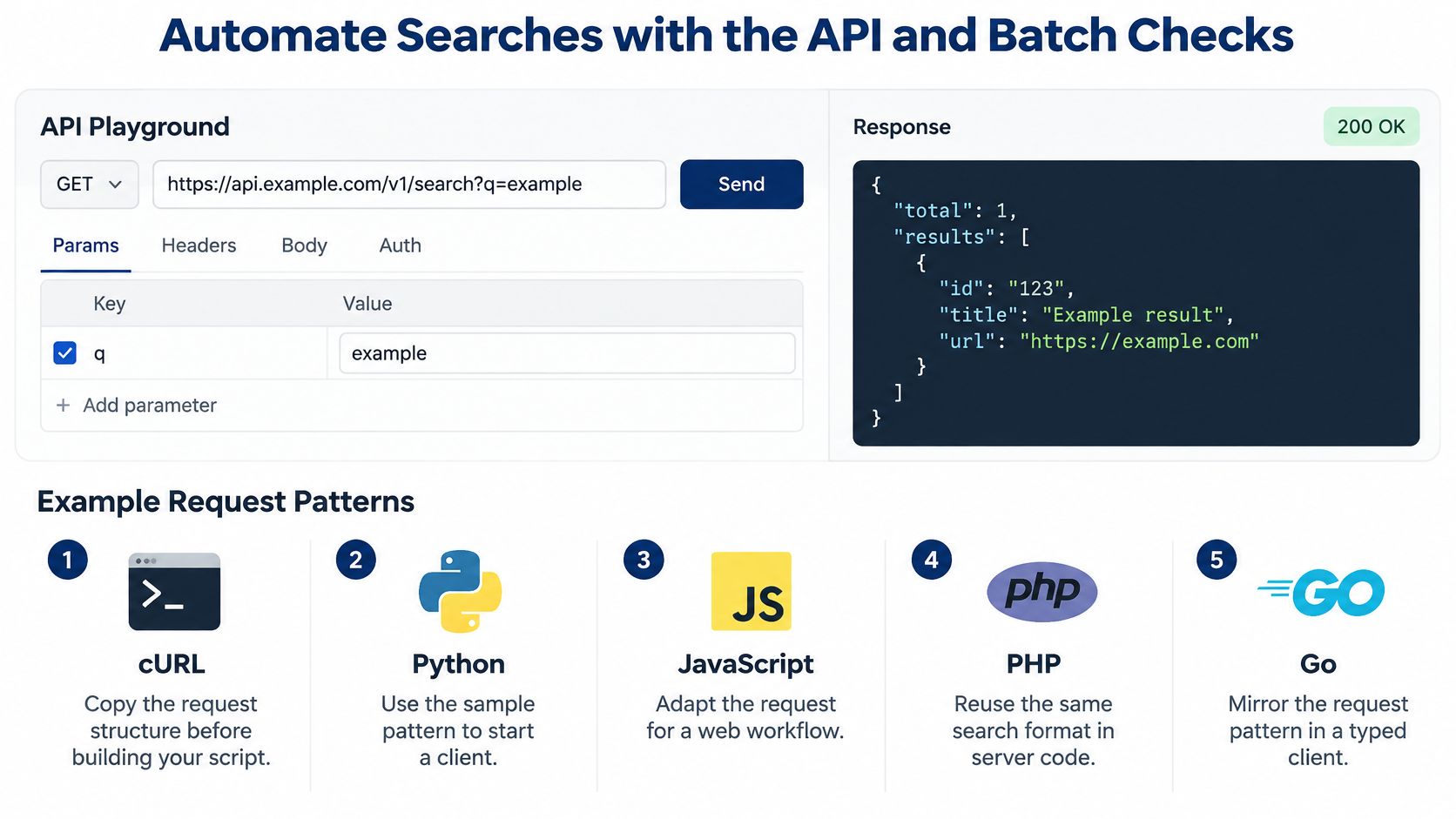
Start with a single lookup in the API playground before building a batch client. Our SOSfinder playground provides request examples for cURL, Python, JavaScript, PHP, and Go; copy the supported request shape rather than guessing a UCC endpoint. Pass the exact legal name and the jurisdiction parameter, and inspect the response before scaling the workflow.
Use the playground to establish a working request first.
Separate entity identification from filing retrieval
When you already hold an entity's state registry identifier, use a direct entity lookup to avoid another name-resolution step. An entity identifier isn't automatically a UCC filing number, so don't substitute it into a filing query.
Registry identifiers for direct lookups
| State | Identifier field | Lookup effect |
|---|---|---|
| New York and California | entityId |
Returns the entity record without a name search |
| Florida | documentNumber |
Returns the entity record without a name search |
| Delaware | fileNumber |
Returns the entity record without a name search |
| Arkansas | filingNumber |
Returns the entity record without a name search |
| Georgia | controlNumber |
Returns the entity record without a name search |
Our GET /document endpoint streams the filing PDF back and counts as one lookup. Store the document with its originating response. For AI coding tools, search_business_entity supports plain-language entity queries; it shouldn't be mistaken for a completed UCC review.
Build an auditable batch loop
Use the API integration example to structure the client, then preserve:
- Inputs: Legal name, state, exact query terms, and retrieval timestamp.
- Matching output:
bestMatch, which is the top record ornull, andresults, ordered best match first, then similar filings. - Evidence: Raw responses and every relevant filing copy.
Review identifiers and addresses before accepting an automatic match. Fields the state doesn't publish return as null, or as empty lists for officers, filings, and documents; don't translate those values into false or none exists.
Our UCC filing and officer/person search is in beta, available on Pro and higher, and UCC search costs one credit per lookup. Confirm plan access and credit balance before launching the batch, and route ambiguous matches to a reviewer.
SOSfinder offers normalized state registry lookups, document access, and beta UCC search for teams building business-verification workflows. Visit SOSfinder to test a legal-name lookup in the playground, then build a review process that preserves the filing history and sends decision-driving results for official confirmation.