Massachusetts Corporations Name Search: How to Do It

Most advice on a Massachusetts corporations name search starts with the wrong promise. It treats the registry like a judge and a green result like a legal blessing. That's sloppy. Massachusetts puts the responsibility on the filer to decide whether a name is available, while the Corporations Division only checks its records for that limited purpose.
A clean search result is useful, but it's not the finish line. It's evidence that your proposed name looks distinguishable in the registry at that moment. It does not prove the name is safe from trademark conflict, filing rejection, or a later collision with a reserved name. If you're building a repeatable clearance process, treat the search as a control point, not a verdict.
Practical rule: a “clear” Massachusetts search means “no obvious registry collision,” not “the name is yours.”
Why a Clean Result Does Not Mean the Name Is Yours
A blank search result is not legal clearance. Under Chapter 156D §4.01, the filer carries the burden of showing the name is available, while the Secretary's office checks its records for that limited purpose. That leaves real risk on the table.
A name can still be rejected even after a clean registry search. Massachusetts bars names that are the same as, or deceptively similar to, existing corporate, reserved, nonprofit, partnership, business trust, or other lawful names in the Commonwealth. The practical question is whether you cleared the registry well enough to file without a predictable objection.
A database result is preliminary evidence. Preserve the exact query, the timestamp, and the match logic you used.
Call the result what it is. A clean search supports a filing decision, but it does not prove the name is safe from a later conflict, especially if a reserved name or another protected record is in play. Use precise labels such as “likely clear,” “needs manual review,” or “close match.” “Available” is too strong until you have checked the rest of the record ecosystem, including trademark risk and pending reservations.
Using the Official Secretary of the Commonwealth Search
Start with the official Massachusetts search portal. It accepts searches by entity name, individual name, identification number, or filing number in the Secretary of the Commonwealth database, and it covers corporations, LLCs, LPs, LLPs, and foreign entities. Use the portal as the baseline, because it is the state record you are trying to match.
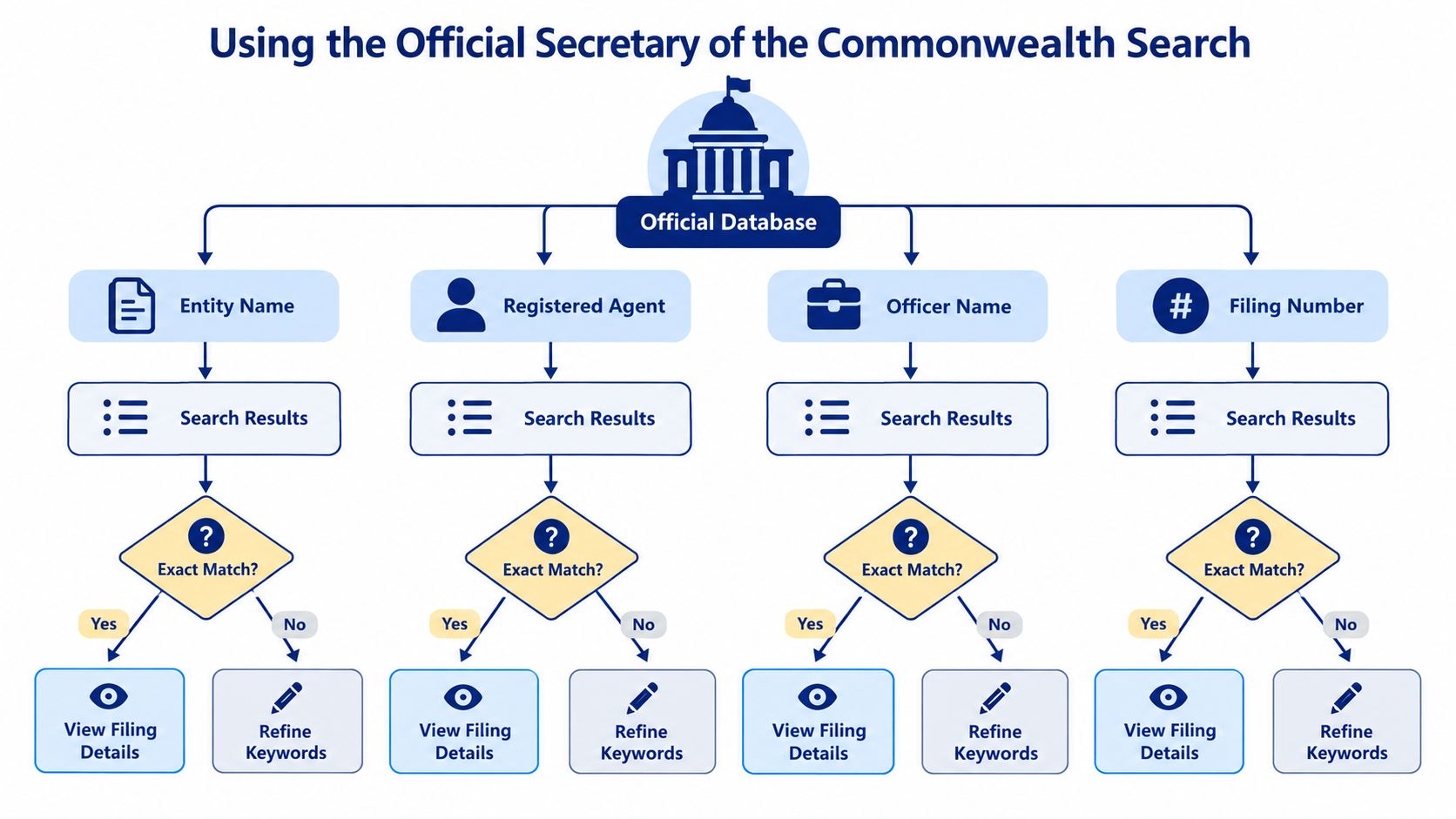
What to search first
Use the entity name field first. It gives you the broadest view of the registry and is the right starting point for a new formation candidate. If you already have a specific record, go straight to the identification number or filing number field, because those are retrieval tools, not discovery tools.
The same portal also supports Begins With, Exact Match, Full Text, and Soundex on the Massachusetts card-file search interface. Exact Match is useful, but it is only one pass. Full Text and Soundex catch the filing noise that breaks filings later, including punctuation shifts, embedded terms, and names that sound alike but are spelled differently.
If you want a cleaner way to organize the same logic outside the state site, use this Massachusetts LLC name search tool as a working companion. It does not replace the official record, but it helps structure the search before you file.
What the results tell you
The portal shows more than a yes-or-no result. It can surface articles of organization, annual reports, voluntary-dissolution certificates, and name-reservation applications. That makes it a record review tool, not a standalone clearance decision.
I do not trust a search result until I have checked the entity type, status, and filing trail. A close match matters whether the record belongs to a corporation, LLC, LP, LLP, or foreign entity. The same name string can sit safely in one context and create a rejection in another.
Running a Four-Pass Clearance Workflow
A real Massachusetts corporations name search is a sequence, not a single query. If you only run one search mode, you miss the exact kind of near-match that causes preventable filing rejections. The right pattern is simple: normalize the candidate, search it four ways, inspect every entity category, then validate anything promising by record ID.
Normalize before you search
I normalize every candidate in three ways before I touch the registry. I convert it to uppercase, collapse whitespace, and standardize punctuation. Then I keep both the full legal name and a suffix-stripped version, because “Inc.,” “LLC,” or “Corp.” can hide useful collisions when they're treated as part of the core name.
That normalization step matters more than people think. A search that looks clean in one spelling can still collide once you remove the suffix or punctuation. It's also the easiest way to make your search process reproducible across jurisdictions and across teams.
The four passes that catch most misses
- Entity-name pass. Run the proposed name as entered, because this is the broadest first look.
- Mode pass. Repeat with Begins With, Exact Match, Full Text, and Soundex. Full Text and Soundex are the ones that catch embedded terms and phonetic similarity.
- Category pass. Review corporations, LLCs, LPs, LLPs, trade names, and foreign entities. Don't assume a similar corporation is the only risk.
- Record-ID pass. When something looks close, re-pull it by identification number or filing number before you decide it's distinct.
That sequence lines up with the guidance in the broader state-search workflow, even though the legal context is Massachusetts. The logic is the same, verify the name in more than one way and don't mistake a single result set for certainty.
Common failure: teams search only the intended suffix, see no exact hit, and move on. That's how they miss a similar LLC, trade name, or foreign entity.
The rule I use is blunt. If the name is close enough that a human reviewer might hesitate, the search is not done. Escalate it. Massachusetts law is strict on similarity, and the registry won't save you from a borderline choice.
Reading Search Results Against Registry Reality
Massachusetts corporate-name research runs inside a registry that changes constantly and carries compliance baggage. In fiscal year 2024, the Corporations Division reported more than 67,000 new business entities and nonprofit corporations organized or registered, 65,304 delinquency notices, and 62,557 annual reports filed generating $20,587,850 in revenue in its annual report. That is a crowded system, not a static list.
| Metric | FY 2017 | FY 2024 |
|---|---|---|
| New business entities and nonprofit corporations organized or registered | more than 44,243 | more than 67,000 |
| Delinquency notices | more than 39,116 | 65,304 |
| Annual reports filed | 23,246 | 62,557 |
Those FY2017 figures show the same workload the Division has reported over time, and the FY2024 column shows how much larger the registry has become. A clean search result does not mean the name is safe to use.
Status beats appearance
A record can look usable and still be a problem later. Annual-report delinquency, dissolution, or revocation can change the value of a result after the search already looked clean. I read the name with the entity's status and filing history every time, not as a standalone label.
The right rule is simple. Registry distinguishability is not the same thing as ongoing good standing. One answer helps with formation. The other helps with diligence, lending, and vendor risk.
If you want a tighter record strategy, this business-entity data guide is the right companion to the state search because it separates a name hit from an entity record you can trust.
From Availability to Reservation Timing
A clean result is only a starting point. Massachusetts lets you reserve a corporate name for a $30 filing fee and holds it for 60 days for business corporations. If you need more time, you can extend it once for another 60 days with another $30.
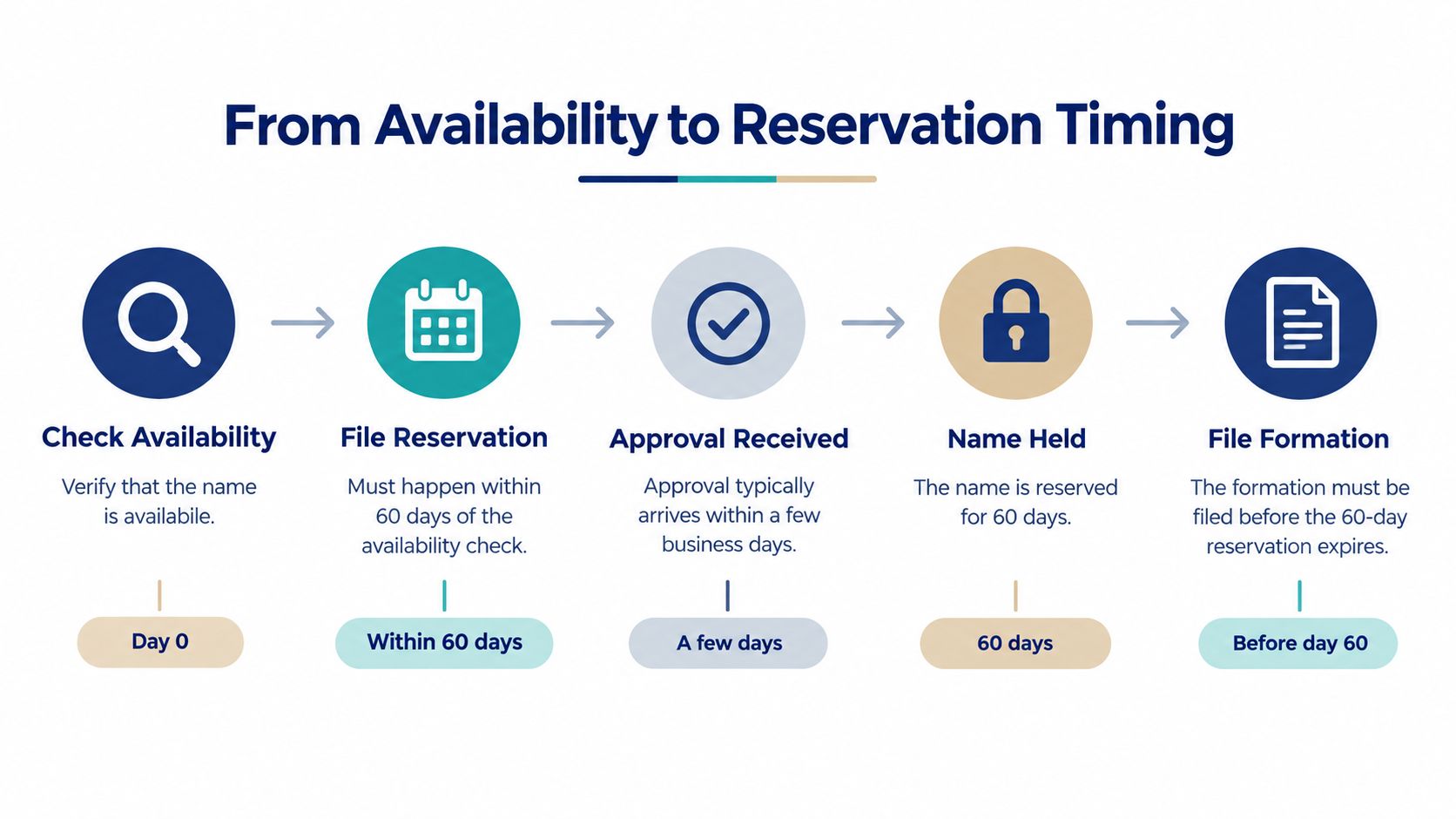
The timing trap
Reservation is not approval. It only holds the name while you finish the filing work. If the package sits too long, the name can go back into circulation when the window expires.
The same page notes that a telephone check is preliminary and cannot support a reservation. Teams lose names when they treat a phone answer as enough, wait on internal sign-off, and file after someone else moves first.
How I time the handoff
I treat the candidate name as a time-sensitive filing asset.
- Check availability first. Save the exact query and the timestamp.
- File the reservation fast. Any gap gives another filer a chance to act first.
- Track the expiration date. If formation is not ready, line up the extension early.
- Recheck before filing formation. A name can become reserved or too close to another record while your paperwork is still moving.
The 30-day reservation provision in Chapter 156D §4.01 and the 60-day reservation process on the state reservation page serve different moments in the workflow. Use the statute for the legal floor, and use the reservation service for the filing mechanics. Keep those separate.
Scaling Name Clearance With an API
Manual review works for one filing. It breaks down when you're clearing dozens of names for formation, KYC, vendor onboarding, or multi-state expansion. In that environment, the question isn't whether the registry can be searched. It's whether your process can reproduce the same judgment every time, with a trail you can audit later.
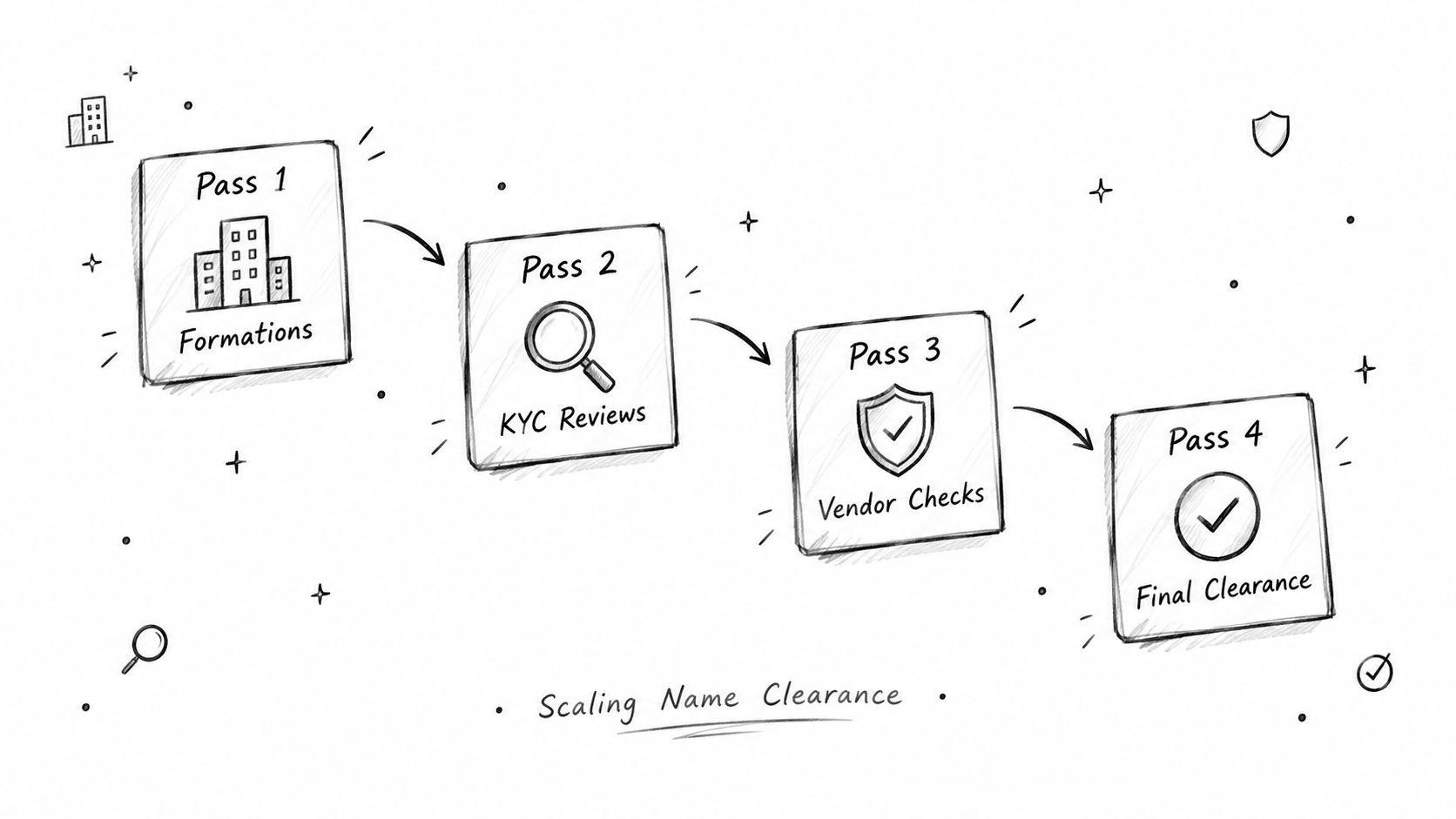
What an API needs to preserve
A good clearance API should mirror the state workflow, not replace it with a black box. It should preserve the candidate name, the exact search terms, the returned entity IDs, the entity type, the status, and the filing history. It should also expose the registration date, registered agent, principal address, and other fields your reviewers use.
That's where the API approach has a real advantage over manual searching. You can standardize the query, capture the response, and compare it across states without rebuilding the same logic fifty times. You also get a cleaner change-detection story when a previously clear name becomes reserved or newly registered.
One option in that space is SOSfinder, which aggregates business entity records from all 50 U.S. Secretary of State registries and the District of Columbia through a single REST endpoint, with real-time retrieval layered over low-latency caching and a hosted MCP server for AI coding tools to query entity data in plain language. I'd use that kind of system when the job is repeated name checking, not one-off manual lookup.
Manual versus API driven work
Manual registry research gives you direct state interaction and a familiar screen. An API gives you repeatable retrieval, normalized fields, and less room for human inconsistency. For teams that clear names at scale, the win is auditability, because the exact same candidate can be checked, logged, and rechecked without someone retyping it six different ways.
The strongest pattern is hybrid. Use the official Massachusetts portal as the legal source of truth, then use an API layer to standardize monitoring, search storage, and cross-state comparison. This company-data API overview is relevant if you're designing that pipeline for compliance or onboarding.
A Practical Clearance Checklist Before You File
A Massachusetts search result is evidence of registry distinguishability, not legal ownership. Treat it as the first screen, then finish the review before you file. If the name matters enough to go on formation papers, it matters enough to document cleanly.
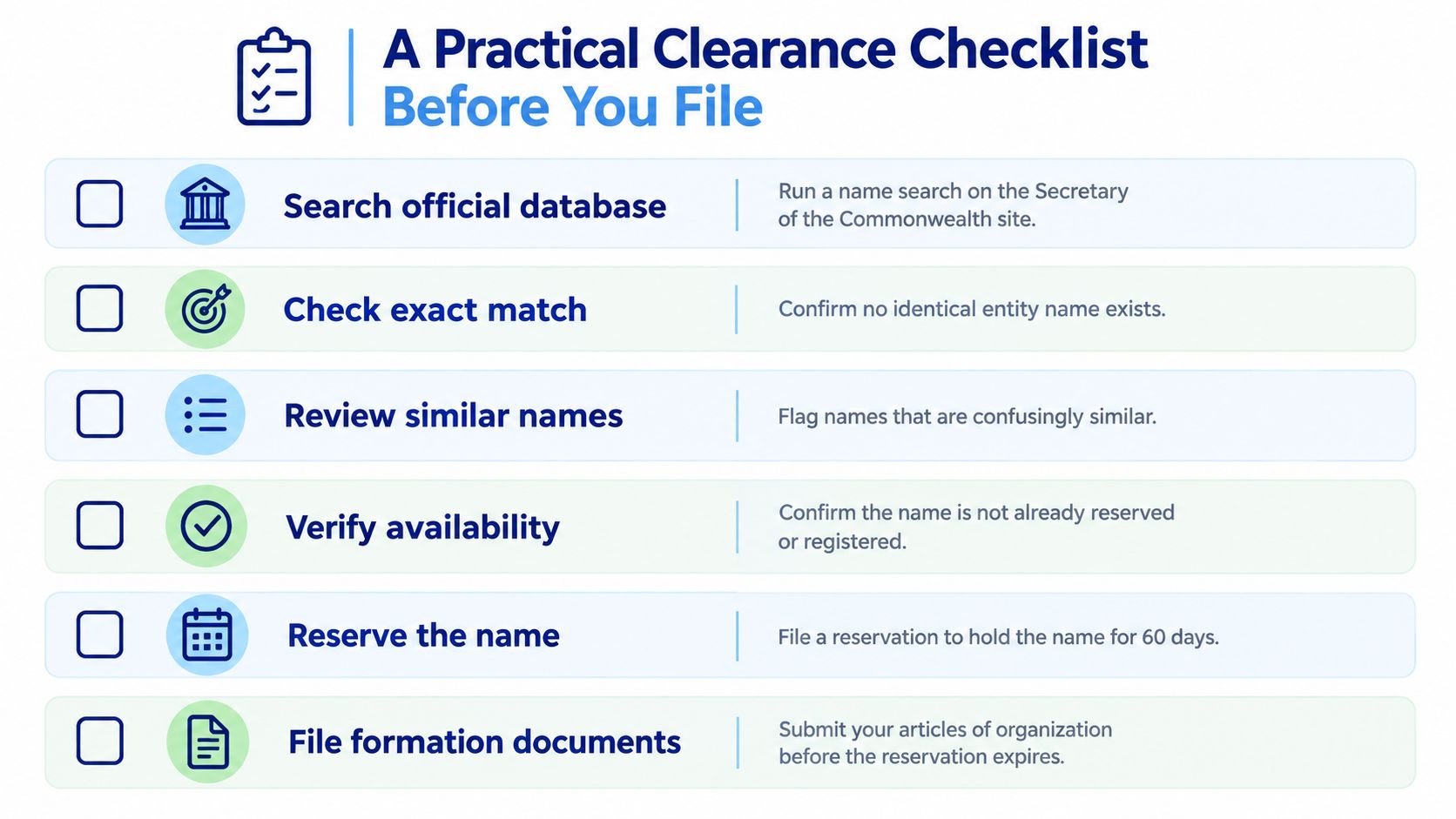
Before you submit formation documents
- Search the official database. Run the proposed name on the Secretary of the Commonwealth site and save the timestamp.
- Check exact matches. Confirm there is no identical entity already on file.
- Review similar names. Flag anything confusingly close, even when the spelling changes.
- Verify reservation status. Make sure the name is not already reserved or otherwise blocked.
- Check the trademark layer. Do not confuse registry clearance with brand safety.
- Reserve, then file fast. Once the name is worth keeping, file before the reservation expires.
Capture every query variant, the result count, the reservation deadline, and the filing outcome. That record gives you a defensible trail when legal, finance, or a registered agent asks why one name passed and another failed.
Keep the file simple and complete. Document every query variant, result count, and reservation deadline, and your clearance decisions will survive scrutiny from legal, finance, or a registered agent.