Missouri SOS Entity Search: Steps, Fields and Pitfalls
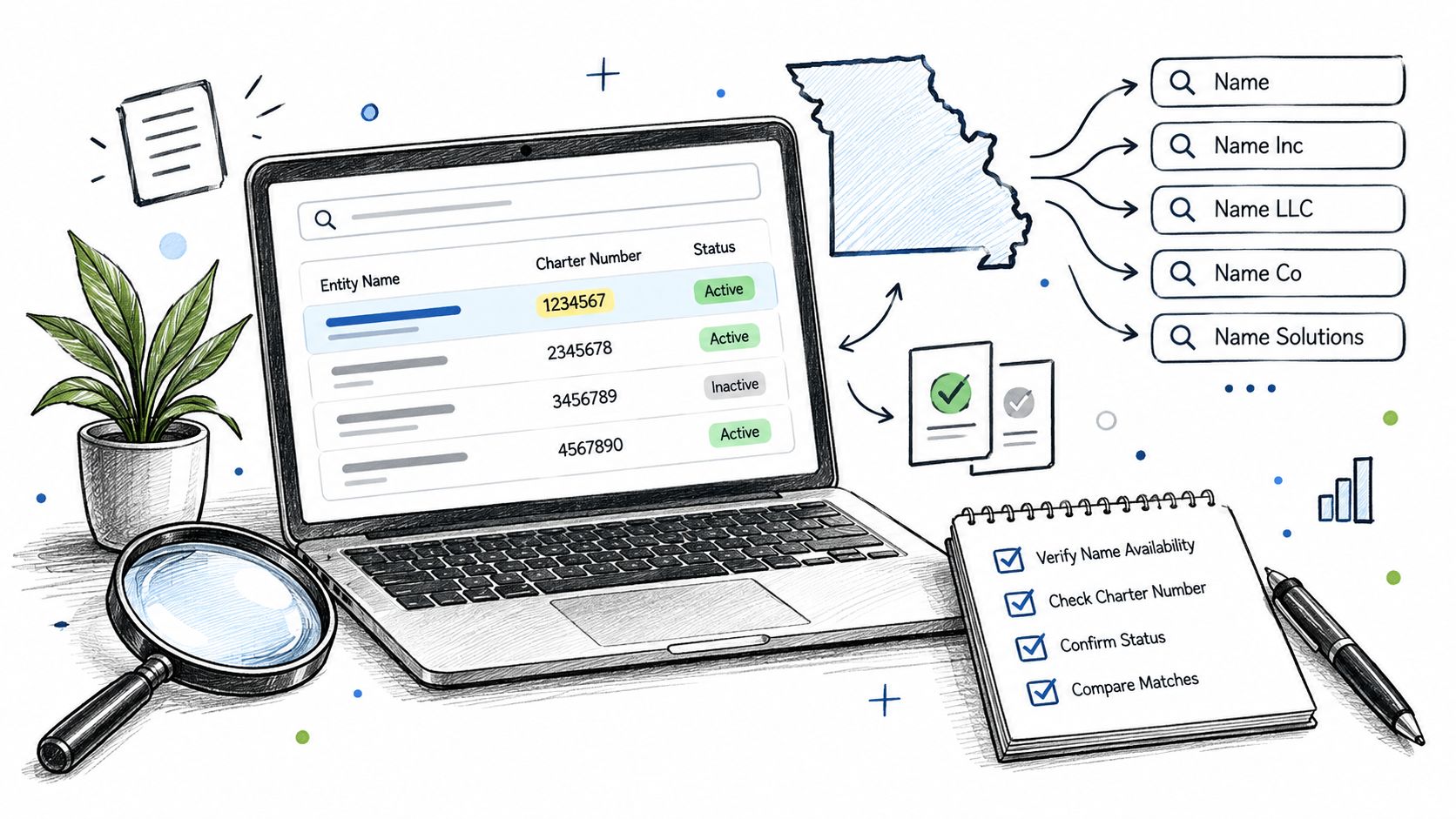
You're about to approve a vendor, but the company name on its invoice doesn't quite match the paperwork. A Missouri SOS entity search can help resolve that mismatch, provided you don't treat the first plausible result as the end of verification. You need a record tied to the actual counterparty, supporting filings, and enough saved evidence for someone else to reproduce your decision.
How to Run a Missouri SOS Entity Search
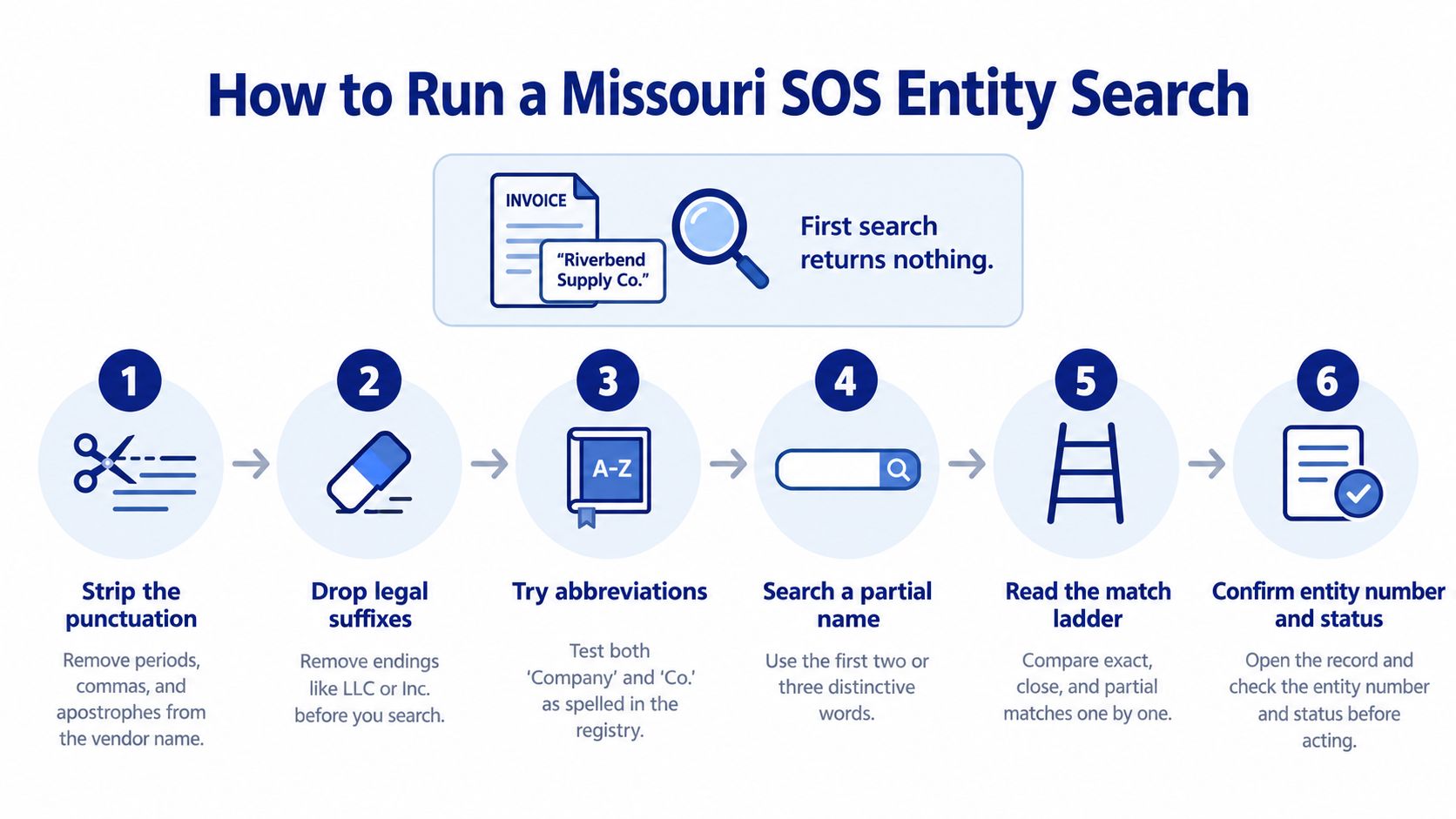
Say a vendor invoices you as Riverbend Supply Co., while its application says Riverbend Supply Company LLC. Your first search returns nothing. Don't reject the vendor yet, and don't select a similarly named company just to complete the onboarding field.
The Missouri Secretary of State's filing-system guidance recommends entering the least information possible because searches are sensitive to spacing and punctuation, and identifies the Charter Number as the preferred lookup key when available. Use name searches to discover candidates, then use the identifier and corroborating fields to resolve them.
Search broadly, then verify precisely
Reduce the input to its distinctive core. Remove punctuation, legal suffixes such as LLC, Inc., or Co., and doubled spaces from your working query. Keep the original invoice name unchanged in your case notes so normalization doesn't erase evidence.
Run controlled name variants. Start with the shortest distinctive portion, such as Riverbend Supply. Try abbreviated and spelled-out forms separately, changing one element at a time so you can tell which query produced each candidate.
Use the active-corporations filter deliberately. Apply it when you need current entities. If nothing appears, remove it before concluding there's no relevant record, because an ended registration may explain the paperwork you received.
Search the Charter Number directly when you have it. Take it from the applicant's filing or previously verified record. This identifies a specific registry entity more reliably than a common name, but you still need to confirm that the applicant is entitled to transact as that entity.
Scan the result rows, then open plausible candidates. Compare business name, Charter Number, type, status, creation date, and registered agent. Open General Information to examine the domestic or foreign classification, addresses, and other identifying details.
Keep a candidate shortlist. Give each plausible entity a line with its identifier and the reason it remains under consideration. A different formation date or entity type is useful evidence, not a detail to overlook.
Save the search before deciding. Record the original query, normalized variants, timestamp, selected Charter Number, and retrieved filing identifiers. Include why you rejected close alternatives.
Use this visual checklist when working through a name mismatch.
Assign an outcome, not just a search result
Close the discovery task with a confirmed registry record, candidates requiring review, or a documented no-match. Those outcomes need different downstream handling.
Practical rule: A name-only result is a candidate. Don't convert it into an approved counterparty without corroborating evidence.
If your team measures search performance, label reviewed cases by outcome. Don't attach an unsupported success percentage to the portal or assume every empty result is a retrieval failure.
Reading the Fields on an Entity Record
Use the Charter Number as your primary registry key. A legal name can change, and similar names can belong to different entities. Your database should preserve that distinction rather than merge records because their names look alike.
The Missouri Corporations Division maintains entity information including names, prior name changes, formation details, entity types, domestic or foreign classifications, registered agents, and current statuses. That makes the record useful for historical identity checks, not merely confirming that a name appears in a directory.
Missouri entity record fields and how to use them
| Field | What It Tells You | How to Use It |
|---|---|---|
| Charter Number | State-issued identifier for one specific entity | Primary match key; search it before any name query |
| Entity name and prior names | Current legal name and earlier names | Catch renamed entities and explain name mismatches |
| Entity type | Corporation, LLC, limited partnership, nonprofit, cooperative, and similar structures | Confirm it matches the contracting party's stated type |
| Domestic or foreign | Formed in Missouri or formed elsewhere and registered here | For a foreign entity, verify its Missouri authority |
| Formation or organization date | Recorded entity creation date | Compare with claimed years in business and clarify which jurisdiction the date concerns |
| Status | Active, dissolved, terminated, and similar values | Determine which filings need review before reliance |
| Registered agent and service address | Where legal papers can be served | Compare with relevant paperwork; don't treat it as proof of ownership |
| Principal office | Main office address when filed | May be blank for LLCs; absence alone isn't an error |
Foreign doesn't mean suspicious or international. It means the entity was formed outside Missouri. A business formed in another state can therefore have a legitimate Missouri foreign registration, but its home-jurisdiction identity and Missouri authority are separate verification questions.
The formation date also needs context. If an applicant claims a long operating history but the record is recent, ask whether it acquired an older business, reorganized, or registered in Missouri after forming elsewhere. Don't substitute the applicant's claimed history for the registry date without saying so.
For normalized business entity data, retain at least the Charter Number, legal name, type, jurisdiction, formation date, registered agent, status, and filing identifiers. Preserve the state's original labels alongside your standardized fields, so a reviewer can distinguish what Missouri returned from what your application inferred.
What an Active Status Does and Doesn't Prove
An analyst sees Active, closes the file, and later discovers a problem with a required annual report. The mistake wasn't checking status. It was treating that label as proof that every compliance condition had been satisfied.
The Missouri Secretary of State's general information page distinguishes the underlying requirements for a Good Standing Certificate, including filed annual reports, satisfied franchise-tax requirements, and a proper registered agent and/or office. A current-status snapshot isn't a substitute for checking the evidence your transaction requires.
Status values and what to check before relying on them
| Status | What It Usually Means | Check Before Relying on It |
|---|---|---|
| Active | Entity is on file and not shown as closed | Latest required annual report and current registered agent |
| Dissolved | Entity has ended, voluntarily or by state action such as administrative dissolution for missed annual reports | Ending date and filing; any reinstatement |
| Terminated | Entity's registration has ended | Terminating filing and whether someone still uses the name |
These labels are screening signals, not complete legal conclusions about a proposed transaction. Read the actual ending or reinstatement document when a counterparty's record shows a closure-related status. Don't infer voluntary shutdown, fraud, or permanent nonexistence from the label alone.
Inspect the filings behind the snapshot
Open General Information, then the Filings area. Retrieve the latest applicable annual report, relevant agent-change filings, and any amendments, mergers, dissolutions, or reinstatements that affect the identity you're verifying.
Save each document's filing date and link with your decision. A screenshot of Active won't explain whether you reviewed a later amendment or resolved a discrepancy in the agent's name.
Decision boundary: Mark identity verified, filing review complete, and good standing confirmed as separate findings.
If the contract requires formal good-standing evidence, obtain the appropriate certificate rather than promoting an internal checklist into a state certification. Filing review supports your assessment, but it doesn't turn your team into the issuing authority.
What the Free Search Won't Show You
Say a lender approves a borrower's identity and assumes it has also established who controls the business. The record contains a registered agent and address, so the analyst enters that person as the owner. That's a role-classification error, even when every copied field is accurate.
The Missouri Secretary of State's information page says core entity details are available by telephone, while officer and director names and addresses, share authorization, share classes, and certain governance information for for-profit corporations are available for a fee upon written request. An ordinary search isn't a complete ownership investigation.
Where each kind of entity data comes from
| Data Point | Free Search | Route |
|---|---|---|
| Legal name, registered agent and address, formation date, prior names, type, status | Yes | Online search or telephone request |
| Filed document images | Yes, in the Filings area | Online entity record |
| Officer and director names and addresses | Not supplied as a complete free-search record | Fee-based written request for a for-profit corporation |
| Share authorization and share classes | No | Fee-based written request for a for-profit corporation |
| Beneficial owners | Not established by the registry record | Applicant documentation and a separate ownership check |
| Principal office for many LLCs | Often absent | Preserve as unreported; request an operating address when needed |
A registered agent accepts legal service. That agent may be a commercial service provider or someone with another role in the business, but the agent field doesn't establish beneficial ownership. Officer information also shouldn't automatically become ownership information.
For KYC, request documents appropriate to the control question you're answering, then reconcile the names and roles against available filings. Keep applicant statements distinct from registry-sourced facts.
When implementing entity search, distinguish unavailable, not applicable, and unreported values. A blank principal-office field shouldn't become not applicable merely because your integration didn't receive an address. Preserve the missing-data reason and collect an operating address separately if your policy or contract requires it.
Monitoring Records and Keeping an Audit Trail
A registry lookup captures a moment. Your counterparty can change its agent, amend its name, or experience a status change after you approve it, so the saved record needs a recheck process.
The Missouri Secretary of State's corporation guidance states that corporations incorporated or qualified on or after July 1, 2003, generally owe their annual registration report at the end of their incorporation or qualification month, while older corporations follow the due month on their last annual report. Apply that calendar to the relevant corporations, not indiscriminately to every entity type.
Failure to file can lead to administrative dissolution for a domestic corporation or revocation of a foreign corporation's authority. That consequence belongs in your monitoring rules, not just the applicant's compliance checklist.
Put rechecks on a schedule
- Before payment or commitment: Recheck active counterparties at material decision points, with the frequency adjusted to transaction risk.
- During the applicable report month: Check whether the corporation's required report has been filed and escalate unresolved exceptions.
- After a change notice: Retrieve the updated status and agent details, then inspect the supporting filing.
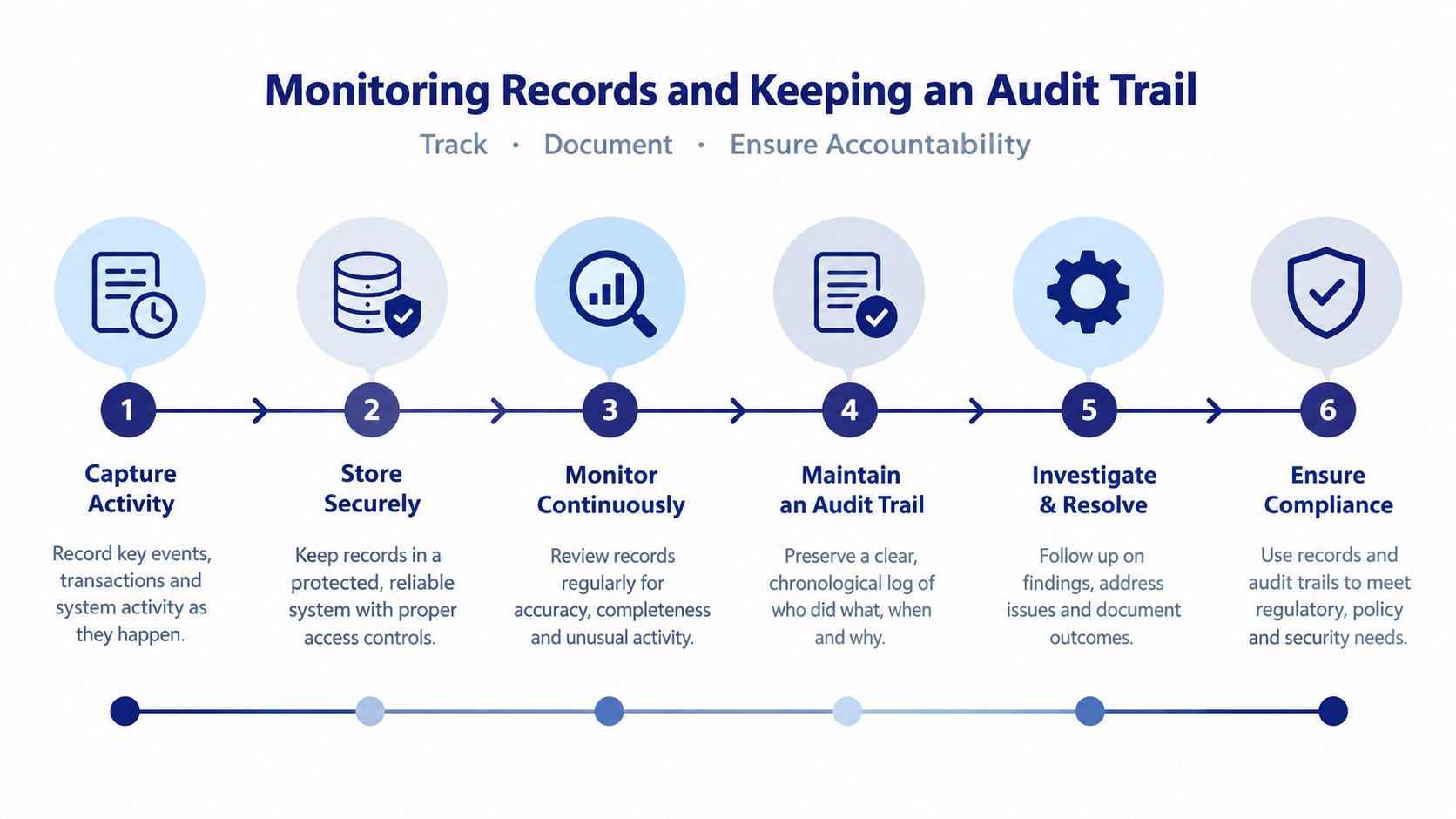
- At every review: Save queries, variants, timestamp, Charter Number, filing identifiers, and the reviewer's disposition.
Use the timeline as a checklist for repeatable reviews.
A calendar can handle a small counterparty list. For a larger portfolio, compare business monitoring software by its change coverage, notification delivery, and ability to retain previous results.
Preserve the evidence for each decision, not merely the latest version of the entity record.
An automated alert should create a review task, not silently replace the original approval evidence.
Matching Names and Deciding to Act
Exact-string matching is tempting because it produces a simple pass or fail. But the Missouri Secretary of State's registration-system FAQ warns that the system is particularly sensitive to spacing and punctuation and recommends entering the least information possible. Abbreviations and name variants therefore deserve controlled testing, not automatic rejection.
Use the comparison process below to distinguish a plausible name from a supported identity match.

Match evidence ladder for Missouri entity results
| Match Signal | Strength | Action |
|---|---|---|
| Charter Number match plus agent and status agree | Strongest | Accept the registry identity match and save the record |
| Charter Number match, agent differs | Strong | Check agent-change filings before accepting |
| Exact name, same type and formation date | Good | Confirm status and applicable annual reports |
| Name matches only through prior names | Moderate | Verify prior-name history and current status |
| Similar name, different type or date | Weak | Keep as a review candidate only |
| No match after all variants | Not proof of nonexistence | Log variants, date, and result; try another source |
Acceptance here means accepting the entity match, not approving the customer, loan, or payment. Your transaction can still require signing-authority evidence, ownership checks, or a certificate.
An agent discrepancy is a useful example of why rigid rejection rules fail. If the Charter Number agrees but the agent differs, inspect the change filing and compare its date with the applicant's documents. Outdated paperwork and an unexplained identity mismatch call for different responses.
For a hypothetical rename, Ozark Fabrication Group might now appear as Ozark Fab Holdings. A prior-name entry can connect those names, but don't infer that connection from shared words alone. Save the amendment that establishes the relationship and use the current legal name in your verified record.
Close ambiguous and empty searches defensibly
A no-match conclusion should describe what you did: searched the supplied legal name, tested documented variants, removed restrictive filters, and checked any supplied identifier. Record that the entity wasn't found in this search, rather than claiming it never existed.
An empty result also doesn't establish name availability. For a proposed LLC name, use a dedicated Missouri LLC name search as an initial screening step, then follow the state's applicable process before relying on the name.
Use this walkthrough as a companion to your written search log.
Before releasing payment or signing, resolve the actual decision questions:
- Identity: Does the selected Charter Number correspond to the entity in the applicant's paperwork?
- Eligibility: Have you obtained the status and standing evidence required for this transaction?
- Discrepancies: Are differences in names, agent details, dates, and entity classifications explained by documents?
- Authority and control: Have you separately established who may sign and, where required, who owns or controls the entity?
A Missouri SOS entity search supports registered-identity verification and standing-related review. It doesn't independently establish ownership or give you a blanket reason to transact.
SOSfinder offers normalized entity search, filing-history retrieval, and monitoring as an API-based option alongside manual Missouri registry checks. Visit SOSfinder to explore connecting Missouri lookups to your onboarding workflow while retaining identifiers, filing evidence, and change notifications for review.