MN Secretary of State Business Search Guide

The usual advice for an MN Secretary of State business search is simple: enter the company name and read the result. That's not enough for a compliance review. A default Active-only search can hide the business you most need to investigate, and a close name match can point you to the wrong legal entity.
Treat the registry as a filing record, not a yes-or-no business checker. Your job is to identify the right entity, understand its recorded status, and preserve enough evidence that another reviewer can reproduce the decision.
What a Minnesota Business Record Actually Shows
An empty Active search isn't proof that a business was never filed. Before rejecting a vendor or accepting a proposed name, distinguish a missing result from an inactive record.
Minnesota filing outcomes and the default search
| Outcome | What it usually means | On default Active search | Next move |
|---|---|---|---|
| Active | Filing currently passes the default filter | Yes | Confirm agent, address, and latest renewal |
| Late renewal | Entity can still exist with this year's renewal unfiled | Not a separate status; check the recorded status | Check Inactive and filing history before treating it as gone |
| Inactive | Record is excluded from the default list | No | Switch the status filter to Inactive |
| Reinstatement | A prior inactive filing restored after a new submission | Only after it posts as active | Pull the record again once the state accepts it |
| Dissolution | Owners ended the entity through a voluntary filing | No, when recorded as inactive | Don't treat the name as never filed |
| Administrative termination | State ended the filing for noncompliance | No, when recorded as inactive | Keep it separate from a voluntary dissolution |
These outcomes answer different questions. Active describes what passes the current filter, while an unfiled renewal is a filing-history issue that must be assessed against the applicable renewal window. Don't infer a legal outcome from the absence of a renewal entry alone.
Likewise, an inactive record doesn't tell you why the business became inactive. Read the underlying filing before describing the outcome as voluntary dissolution or administrative termination. A reinstatement should be linked to the existing registry identifier rather than entered into your system as an unrelated new business.
Save the record, not just the name
For every plausible hit, preserve the information needed to distinguish it from neighboring results:
- Entity type: Keep the registry's classification, not a category guessed from the business name.
- Status: Save the exact source wording alongside any normalized internal status.
- Registered agent: Record the published name, or an explicit unknown when none is published.
- Addresses: Keep registered-office and principal-address fields separate where the record distinguishes them.
- Registry identifier: Use it to connect later filings and status changes to the same entity.
Expect near-matches. Minnesota recorded 64,484 new limited liability company filings in 2025, according to the Minnesota Secretary of State's new-business filing totals.
A summary record is a starting point, not a substitute for the underlying paperwork. Our guide to company formation documents explains how formation records differ from other business documents.
Review rule: An existence check needs both status passes. A current-standing decision needs the latest relevant filings, not just a familiar name.
How to Search the Public Minnesota Registry
Start with the business's claimed legal name, its claimed jurisdiction, and any registry identifier already available. An invoice heading or storefront name may be a trading name rather than the legal entity you need to verify.
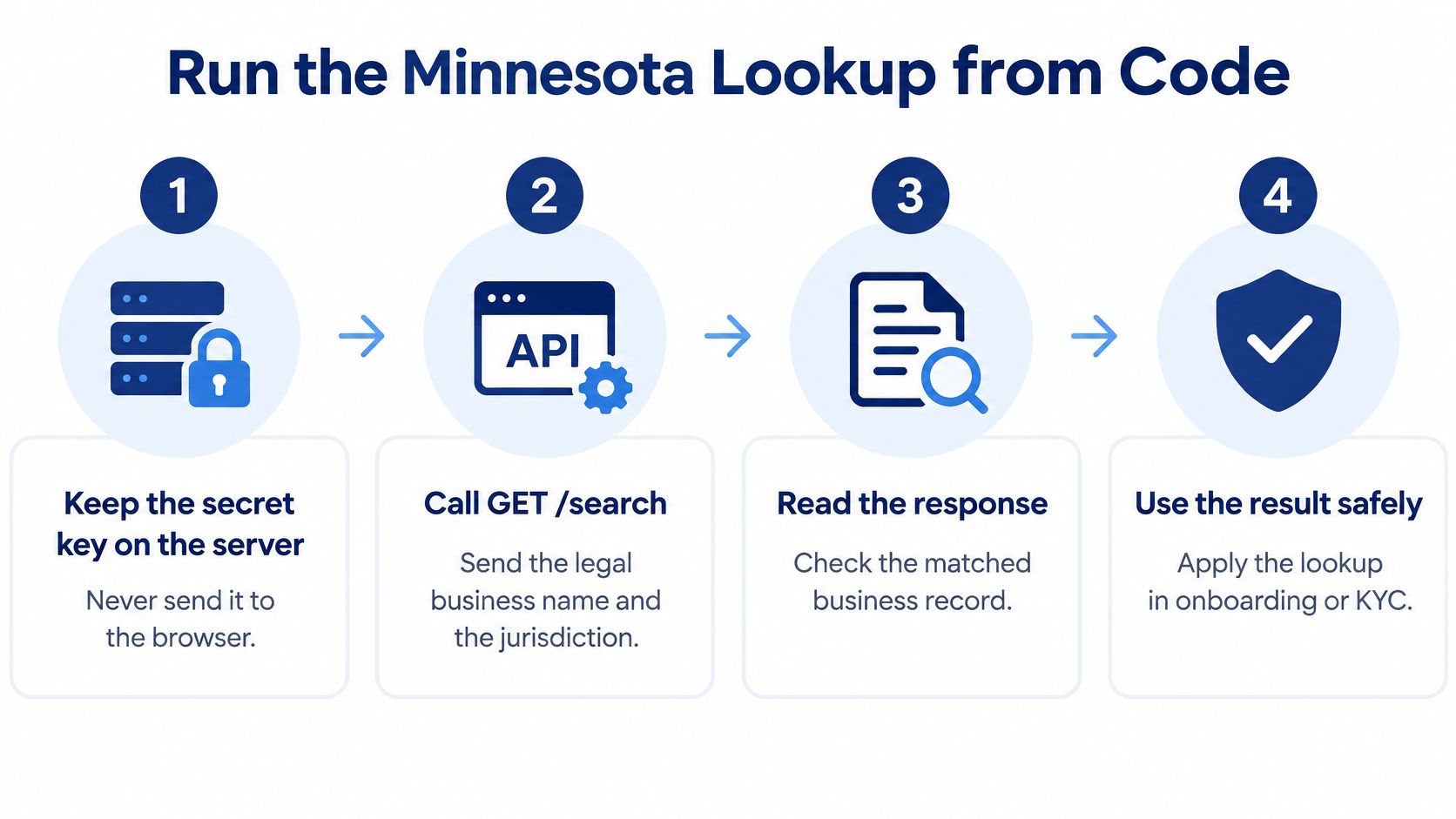
For teams translating the manual review into an application, this flow illustrates the lookup handoff.
Follow the search in a reproducible order
Open the business-record search. Go to the Minnesota Secretary of State's Business and Liens area and choose business entity records. Don't substitute a lien search for an entity search, because those records answer different questions.
Try the full legal name, then a distinctive fragment. Begin with the name supplied on the application. If it returns nothing, search the unusual part of the name, then test punctuation, spacing, and designators such as LLC separately. Preserve the original spelling so normalization doesn't erase evidence.
Read every plausible Active row. Note entity type and status for close matches, not just the first result. A shared name fragment isn't enough to establish that the applicant and the record describe the same business.
Switch the filing-status filter to Inactive. Repeat the same name queries under that filter before classifying the business as absent. Using different search terms for the two passes makes it harder to explain whether the filter or the wording caused the difference.
Open the candidate's detail record. Copy the published agent, addresses, and registry identifier. Inspect whatever renewal information, amendments, and filing history the detail page makes available, and retain document references relevant to your decision.
Keep unresolved candidates separate. When two records remain plausible, don't merge them under a nickname. Ask the applicant for its registry identifier or formation document, then reconcile that evidence against the individual records.
Save the query terms and selected filter with your review notes. A screenshot of an empty result without the search settings doesn't establish what you checked.
Apply the result to a lending decision
Say a lender is reviewing a hypothetical vendor called North Pine Supply LLC. The default search returns no matching Active business, but an Inactive search produces a record with a matching address and a filing history that warrants a renewal review.
The lender shouldn't immediately label the application fictitious. The appropriate next move is to establish whether that record belongs to the vendor, inspect the filing gap, and determine what evidence the lender's policy requires before approval. A renewal submission supplied by the vendor should remain pending evidence until the registry reflects the relevant acceptance or status update.
The opposite mistake is approving a different North Pine business because it appears in Active results. Identity resolution comes before status assessment. An active record for the wrong entity doesn't solve the verification problem.
For an unresolved search, use a documented no-match-found review process rather than converting an empty screen into a rejection.
The accompanying walkthrough can help orient reviewers to the lookup process.
A public lookup supports a specific review at a specific moment. Proposed-name clearance requires a separate decision, while portfolio monitoring requires a repeatable way to identify the same entity on subsequent checks.
Run the Minnesota Lookup from Code
A programmatic workflow should preserve the distinctions a human reviewer makes: a candidate match isn't a confirmed identity, an unpublished field isn't a parsing failure, and an unavailable registry isn't a negative search result.
We provide a normalized lookup through SOSfinder that accepts a business name and state and returns the best match plus similar filings. Use the entity-search documentation to implement the request and handle the returned records without assuming every state publishes the same fields.
Keep the request and the evidence together
The implementation flow should retain both the source result and the application's decision.
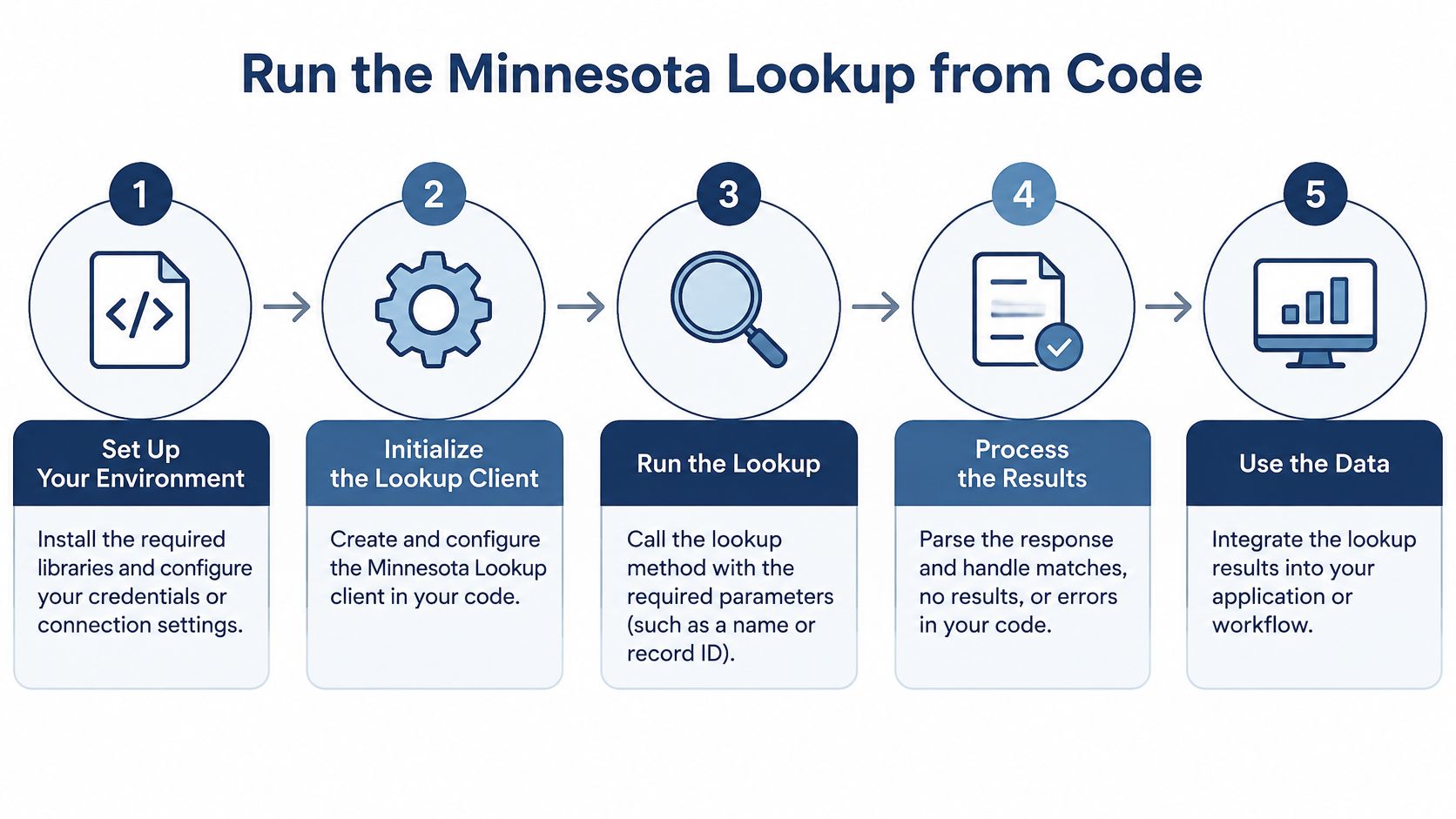
Authenticate from your server. Keep the secret key in server-side configuration. Never embed it in browser JavaScript, a public repository, or a client-visible request.
Send the name and jurisdiction. Call
GET /searchwith the legal business name and the state set toMN. Keep the applicant's original input alongside the submitted search value so a reviewer can inspect any cleanup you performed.Evaluate the candidate set. Read the best match and similar filings using the normalized status, entity type, formation date, registered-agent, officer, and address fields. A best-match selection should help prioritize review, not override conflicting identity evidence.
Handle unpublished information explicitly. Fields a state doesn't publish return as
null, or as empty lists for officers, filings, and documents. Don't turn an empty officer list into a statement that the entity has no officers, owners, or managers.Resolve the registry identifier. After confirming the entity, query by its Minnesota registry identifier for subsequent checks. Preserve that identifier exactly, including its formatting, rather than generating an internal substitute from the company name.
Inspect supporting filings when available. Request filing history and open state PDF links for annual reports or amendments where published. Retain the retrieval timestamp with the payload and the evidence used for the decision.
A request is not an approval
For the hypothetical lender review, the request sketch is straightforward: method GET /search, state MN, and business name North Pine Supply LLC. This is an input sketch, not a promise about a particular live record.
Suppose the returned candidates include an Inactive North Pine Supply LLC and a similarly named active corporation. Keep both rows available to the reviewer, with separate registry identifiers and addresses. The inactive candidate may be the applicant's actual record even when an active candidate looks more convenient.
Store the registry's answer separately from your decision. A source status of Inactive and an internal decision of pending renewal verification are different facts.
Use distinct application outcomes for successful match, successful search without a confirmed match, ambiguous candidates, and retrieval failure. If a registry is unavailable, queue a retry or manual review instead of recording that the business doesn't exist.
Our role is also distinct from the state's. SOSfinder is an independent commercial service, not affiliated with, endorsed by, or acting on behalf of any Secretary of State, state agency, or other government body. Preserve that distinction in customer-facing screens so an API result isn't presented as a government-issued certification.
Clear a Minnesota Name Before You File
Minnesota's formation mix makes a corporation-only name check inadequate: the Secretary of State's published filing counts for 2026 list 51,199 new Minnesota LLC filings through August, compared with 2,289 Minnesota business-corporation filings, and show LLC filings moving from 5,765 in July to 9,218 in August.
Those counts describe filings, not a legal test for name availability. Their practical implication is narrower: a proposed corporation's closest relevant match may be an LLC, so your review logic shouldn't discard a candidate merely because its entity type differs.
Compare names before deciding
Use a repeatable clearance sequence rather than a single exact-match flag:
- Normalize for comparison. Standardize case, punctuation, repeated spaces, and common entity designators. Retain the original proposed name alongside the normalized version.
- Search exact and token forms. Test the complete name, then its distinctive words. Don't let a generic term dominate your similarity ranking.
- Inspect the candidate classes. Include active and inactive records, assumed names, and close spellings. Record which search passes produced each candidate.
- Weigh the whole match. Compare distinctive wording and entity type together. A different suffix doesn't automatically remove the need for review.
- Refresh before submission. Repeat the check immediately before filing. A search result doesn't reserve a name.
Minnesota name matches and whether to auto-clear
| Match class | Minnesota risk | Auto-clear |
|---|---|---|
| Exact active LLC or corporation | Name is already recorded for an active entity | No |
| Similar LLC | A close LLC name can still confuse a proposed corporation | Human review |
| Assumed name | A DBA can create a conflicting or confusing candidate | Human review |
| Inactive or terminated entity | The business did exist, and the name needs further assessment | No |
| Active hit missed because Inactive was skipped | An inconsistent filter review can produce a false available result | Re-run both status passes |
| No conflicting record on exact and similar passes | Only a pre-screen, not a reserved name | Recheck immediately before filing |
An Active hit cannot be recovered by switching only to Inactive. If your review log suggests that happened, investigate changed query wording, stale results, or a status transition rather than accepting the label uncritically.
Describe the clearance narrowly
For a hypothetical proposed North Pine Supply Corporation, a similar North Pine Supplies LLC should remain a review candidate. Don't strip the suffix, compute a similarity score, and treat the resulting score as the state's naming decision.
The defensible internal conclusion is that no conflicting record was found under the searches performed. Record the proposed name, query variants, candidate set, and timestamp. Don't state that Minnesota has approved or reserved the name unless you have the relevant official evidence.
Minnesota recorded 59,964 new LLC filings in 2024, according to the Secretary of State's annual filing totals. Treat cached clearance as a dated observation in a registry that continues receiving filings, not as an enduring permission to file.
Use the Minnesota LLC name-search page as a starting point for candidate review. Keep the final naming decision separate from any assessment of an existing company's current standing.
Recheck Renewal Status Before You Rely
Covered Minnesota entities, including LLCs, corporations, assumed names, partnerships, and cooperatives, must renew once per calendar year beginning in the year after formation, and renewal may be filed any time during that calendar year, according to the Minnesota Secretary of State's renewal instructions. Those instructions also explain that finding an inactive business requires changing the search's filing-status filter from Active to Inactive.
That timing matters when you build alerts. An open renewal window isn't automatically a missed renewal, and a national formation-anniversary rule isn't a substitute for Minnesota's calendar-year requirement.
Build a recheck around the decision
Use the checklist to separate routine monitoring from the fresh evidence needed before a consequential action.
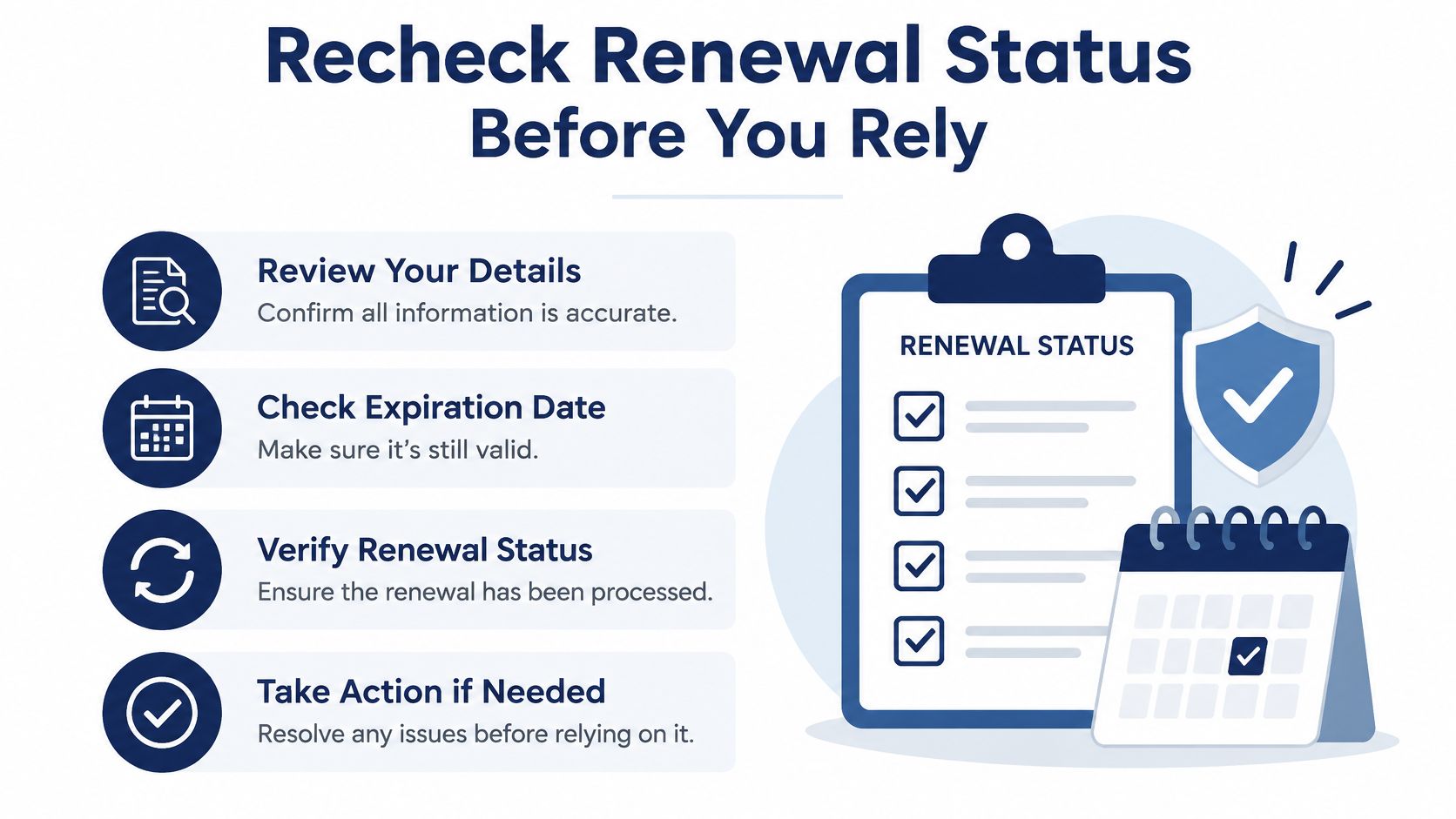
Resolve the entity by registry identifier. Start with the identifier retained from the public record or search response. Confirm that you're reviewing the same legal entity rather than another business using similar words.
Retrieve current status and the latest filing history. Include inactive records in the review scope. Read the filing sequence before concluding that a missing renewal, termination, or reinstatement explains the present status.
Alert on the renewal window and meaningful changes. Track whether the applicable calendar-year renewal has been recorded. Route a status change, agent change, or address change for review rather than waiting for a generic annual reminder.
Pull the file again after submission. A submission receipt shows that someone submitted something; it doesn't by itself establish the resulting registry status. Keep the case pending until the relevant official record or accepted filing supports the intended conclusion.
Refresh at the point of reliance. Before onboarding the vendor, releasing funds, or submitting a new formation, retrieve the relevant record again. Save the new timestamp next to status, registered-agent information, principal address, and any supporting filing reference.
A monitoring event and a transaction approval serve different purposes. Monitoring tells a reviewer that something may need attention; the final review determines whether the evidence meets the organization's policy for that particular action.
Handle gaps without inventing certainty
Leave an unpublished officer name or address as unknown, not blank text that downstream users might interpret as verified absence. Keep field-level provenance where possible so a reviewer can distinguish information supplied by the applicant from information retrieved from the registry.
If the public website and an API result disagree, compare the entity identifiers, retrieval times, and search scope first. Use the later successful official-registry retrieval for the current assessment, while retaining the earlier result as historical evidence. If the difference remains unresolved, escalate it rather than choosing the more favorable status without review.
Evidence boundary: A renewal receipt, an accepted filing, and a current registry status support different conclusions. Label each for what it actually proves.
A reinstatement belongs in the existing entity's history. Don't reset the formation date or create a fresh customer identity just because the business returns to active results. That would disconnect the restored record from the prior review and obscure the reason for the interruption.
Keep corrective actions with the proper authority. We can't file documents, register an entity, submit its renewal, or change an official record on a customer's behalf. Corrections to the source record must be made with the state office that maintains the filing.
For a Minnesota review, that means the applicant must resolve an incorrect filing with the Minnesota Secretary of State. Your team can then retrieve the updated evidence, reassess the match and status, and document why the decision changed.
SOSfinder offers a single REST endpoint for business-record lookups across all 50 states and DC, returning status, registered agent, formation date, and filings. Visit SOSfinder to build a Minnesota verification workflow that preserves similar-name candidates, records retrieval timestamps, and supports a fresh check before you rely on the result.