MS SOS Business Entity Search: 2026 Step-by-Step Guide

If you're staring at a Mississippi filing screen, a vendor onboarding queue, or a KYC spreadsheet with one business name and a handful of uncertain details, the problem usually isn't finding a record. The problem is figuring out whether the record you found is the right one, current enough to trust, and complete enough to normalize for downstream use. That's where the MS SOS business entity search stops being a casual lookup and starts acting like a compliance workflow.
The Mississippi Secretary of State's registry is a living record set, not a static directory. It spans corporations, LLCs, limited partnerships, nonprofits, and related filings, and the state's own reporting shows how much of that activity now moves through digital self-service. In fiscal year 2017, Business Services reported 44,089 corporate annual reports and 89,196 LLC annual reports, while overseeing the formation of approximately 25,000 new businesses annually. In fiscal year 2023, the office formed more than 54,000 new businesses and processed 673,014 corporate documents and UCC filings online, and in fiscal year 2024 it reported nearly 50,000 newly formed businesses and 116,402 corporate documents and UCC filings submitted online (FY17 annual report, FY2024 annual report).
What the Mississippi SOS Business Entity Search Actually Returns
The Mississippi registry gives you more than a name match. It exposes entity records that can be found by business name, Business ID, officer name, and registered agent, which matters when the legal name, trade name, and people tied to the entity don't line up cleanly. Mississippi's public business-reporting database includes all current registered businesses, and it allows filtered exports with a cap of 300,000 results per request, so this is clearly built for structured querying, not just one-off browsing (official search documentation).
The registry behaves like a compliance surface
A Mississippi entity record can support formation checks, annual-report tracking, status review, and due diligence all at once. That's why a portal result isn't just a directory hit, it's an operational signal that may need to be normalized, retained, and verified again before onboarding or filing. The state's recent volume also shows why the data keeps changing throughout the year rather than sitting still.
Practical rule: treat Mississippi search results as evidence of existence, not evidence of final clearance.
The registry's breadth also explains why teams handling KYC, onboarding, or legal review need a schema, not just a screenshot. If you're pulling data into a system, you want stable identifiers, current status, and a way to tell whether a record is active, stale, or just similar to the one you meant. The public portal can answer the first question quickly. It can't answer the rest safely unless you query it in the right sequence.
Mississippi's help materials also note that businesses can use aliases or DBAs, and that keyword searches can return all names containing a term. That means a single exact-name lookup is a screening step, not a final determination. If you want usable data, you need to think in terms of candidate records, disambiguation, and post-search validation, not just “did something come back.”
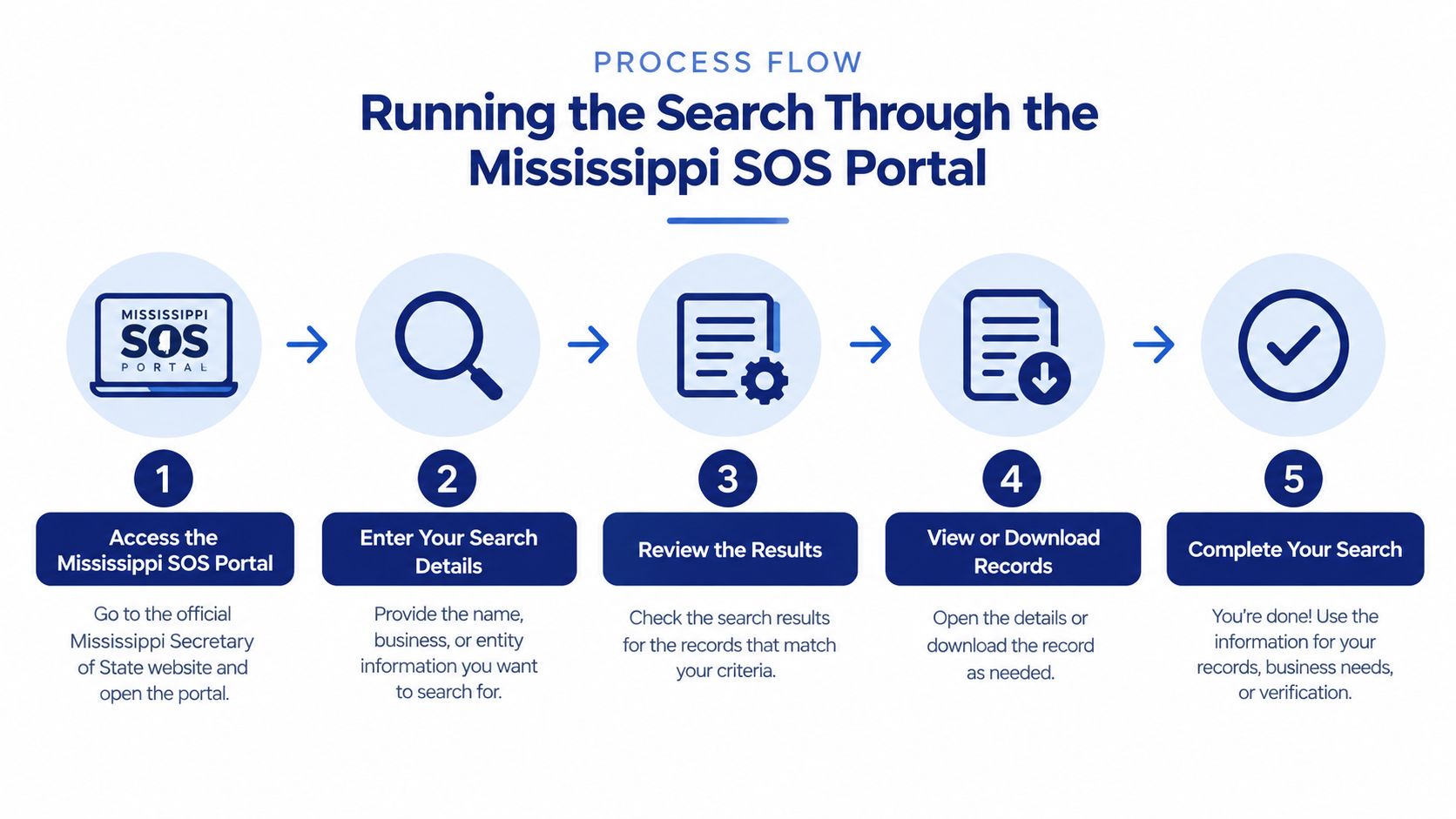
Running the Search Through the Mississippi SOS Portal
Start with the exact or normalized business name, then widen the net. Mississippi's own guidance supports a staged workflow, and that's the right way to avoid false confidence from a narrow first pass. If the first search misses, broaden to keyword or substring matching, then use the Business ID to confirm the record you really want (Mississippi SOS online services directory).
Use the public filters instead of guessing
The portal supports filtering by profile type, domicile type, city, county, address, and NAICS code. Those filters are useful when a name is common, when a foreign entity is registered in Mississippi, or when you're trying to separate a legal entity from a trade name. If the business uses a DBA, the legal name in the registry may not resemble the storefront name at all.
A defensible manual workflow looks like this:
- Search the exact or normalized name. Use the state's search box first, but don't stop at the first hit.
- Repeat with keyword matching. Mississippi's help docs note that keyword searches can return names containing the terms, which is useful for aliases and punctuation differences.
- Verify with the Business ID. The state uses a six- or seven-digit Business ID, and that's the cleanest way to confirm the record.
- Check officer and registered-agent lookups. These help when the legal name is different from the trade name.
- Constrain the result set. Use city, county, domicile, profile type, or NAICS when the list is too broad.
The state portal is good at finding records, but it doesn't automate judgment for you. If you're filing, onboarding, or clearing a name, preserve every plausible candidate and compare them against your target before making a decision.
For an alternative to starting from scratch each time, some teams use the Mississippi name-search path on SOSfinder's Mississippi LLC name search tool as a shortcut into the same sort of resolution work.
Capturing the Normalized Fields Your Pipeline Actually Needs
A portal hit is only useful if it can be turned into a reliable internal record. The core fields to capture are the legal name, entity type, status, formation or registration date, Mississippi Business ID, domicile, principal address, registered agent, and any filing or status flags. Those are the fields that downstream systems can sort, compare, monitor, and reconcile without re-opening the portal every time.
Normalize the stable key first
The Business ID should be your stable Mississippi lookup key. It's the most practical anchor for deduplication, recurring checks, and future refreshes because names can change, trade names can differ from legal names, and officer relationships can shift. Keep the raw value, but also map it into your internal identifier field so every later lookup lands on the same row.
Entity type should go into a controlled vocabulary rather than a free-text bucket. Mississippi may label records by organizational form, but your system needs consistency across states, especially if you're comparing Mississippi filings to other registries. Status deserves the same discipline, because a record existing in the portal doesn't automatically mean the entity is in the condition you need for onboarding or contract review.
Practical rule: presence in the registry is not the same thing as current good standing.
Keep the address and agent fields separate
Principal address and registered agent serve different purposes, and they shouldn't be merged. The principal address tells you where the business operates or is based for filing purposes, while the registered agent tells you where service and official notices go. If you collapse them into one field, you lose both compliance value and audit clarity.
Use filing or status flags to track whether you need to refresh the record later. A good pipeline also stores the retrieval timestamp so that if a record changes after onboarding, you can show exactly what was visible at decision time. That matters when legal, risk, or finance teams ask why a particular record was accepted.
For teams building a data model around this, business entity data patterns are most useful when they're narrow and repeatable. In practice, that means every Mississippi record should land in the same canonical shape, even if the source labels are a little different from one filing to the next.
Separating Name Searches from Real Name Clearance
A clean search page is not the same as a cleared name. Mississippi's system can still hide confusingly similar names, alternate name types, punctuation differences, abbreviations, foreign entities, or records indexed under an officer or registered agent instead of the exact proposed name. That's why an empty result should be treated as a screening outcome, not a guarantee that the name will survive filing review (Mississippi naming guidance).

Run more than one search shape
Use Starting With and All Words searches, then test singular and plural forms, abbreviations, spacing changes, and common punctuation variants. If the legal name and trade name differ, check officer and registered-agent associations too. Those extra passes catch the kinds of records that exact-match screening misses.
Zero search results mean the proposed name is not obviously taken. It does not mean the state will accept it.
The clearance process should preserve near matches and conflicting records rather than discard them. That's especially important for common names and foreign entities, where a narrow match can look empty even when the registry contains a risky neighbor. If you're building software, return a “clearance confidence” state instead of a yes or no. That keeps users from confusing a screening step with a legal approval.
Why the filing authority still matters
Mississippi's Secretary of State still makes the final determination under the applicable naming rules. The portal can help you screen candidates, but it can't replace the filing review. That distinction matters for founders, filing services, and compliance teams because it keeps your process honest. It's better to reject a borderline name internally than to assume the registry did the legal review for you.
For a more focused availability workflow, the Mississippi name-search guidance on business name availability lookup is useful when you need to turn a search into a filing decision.
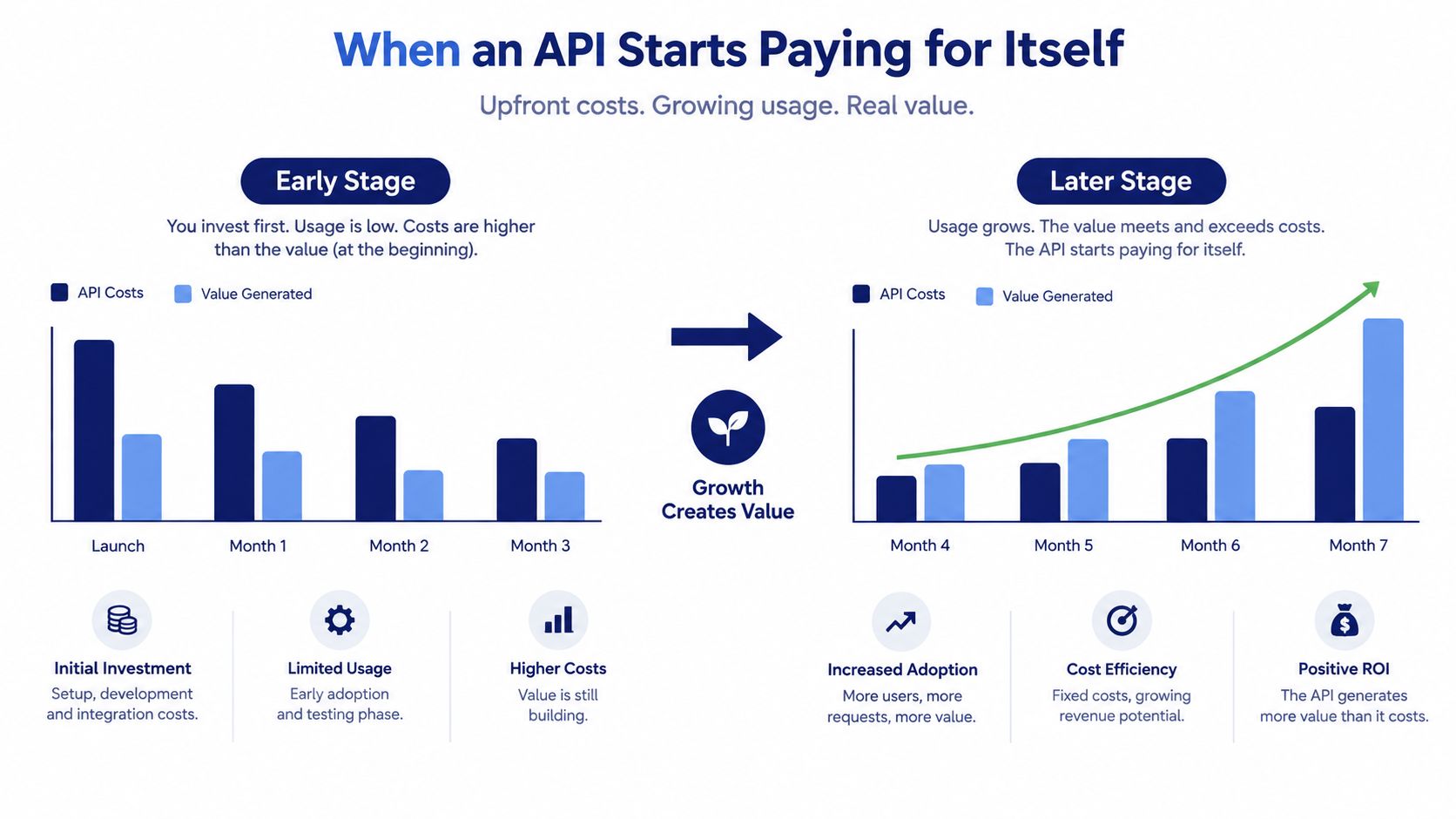
When an API Starts Paying for Itself
If your team runs Mississippi searches by scripting the public portal, the pain shows up in the same places every state registry hurts. Layout changes break selectors, registry blocking interrupts runs, Business ID formats don't always look the same across states, and every new jurisdiction adds another field map to maintain. None of that is hard once. It's expensive when you repeat it across products, clients, and compliance queues.
The hidden cost is glue code
A unified API removes the most repetitive work by giving you one POST endpoint, one response shape, and one place to handle retries. Instead of re-implementing Mississippi-specific parsing, your team gets normalized fields that can feed onboarding, KYC, vendor checks, and monitoring without custom logic for each registry. That's especially helpful when you need the same process to work across all 50 states and DC.
A single integration also makes operational behavior easier to reason about. Monitoring hooks, webhooks, and consistent error handling matter more than flashy search features because they keep the pipeline running when a registry is slow, blocked, or slightly changed. The time saved usually comes from the work no one wants to own, like selector maintenance and exception handling.
Practical rule: if the team keeps rebuilding the same state-specific wrappers, the API is paying for the wrapper, not the lookup.
What disappears when the schema is unified
You stop translating one registry's naming habits into another system's fields. You stop writing separate logic for name lookup, entity ID lookup, and officer-based discovery. You also stop explaining to product and risk teams why Mississippi needs one parser, Texas needs another, and the onboarding queue still needs a manual override.
That doesn't make the public portal useless. It just means the portal is better for spot checks and the API is better when the same check needs to run predictably inside a product. For teams that deal with repeated entity verification, the value isn't abstract, it's fewer broken workflows and less custom support.
Making Your First SOSfinder Request for Mississippi
A good first request is the one that proves your schema works. Target Mississippi, ask for the business record you need, and map the response into your internal fields right away instead of letting it sit as raw JSON. The point is to compare the returned record against the same canonical shape you'd use for any other state, so your downstream logic doesn't care where the data came from. For a general integration pattern, the entity search API guide is the right companion reference.
A simple response map
| Field | Example | Typical Use |
|---|---|---|
| Entity name | Legal business name | Match, dedupe, and display |
| Entity type | LLC, corporation, nonprofit | Controlled classification |
| Status | Active or inactive | Onboarding and risk review |
| Formation date | Filing date from the registry | Age and lifecycle checks |
| Registered agent | Agent name and address | Notice and compliance routing |
| Principal address | Main business address | KYC and contact context |
| Business ID | Mississippi lookup key | Stable search and refresh key |
How to use the returned record
Keep the retrieval timestamp with the response so you can prove when the record was checked. Cache repeated lookups where your process allows it, because duplicate refreshes just create noise and unnecessary work. If the record comes back stale, conflicting, or incomplete, route it to manual review instead of forcing it through automation.
A good implementation doesn't pretend every record is clean. It records what was found, what was missing, and what still needs a human decision. That discipline matters in onboarding, vendor review, and name clearance because the business registry is a control surface, not a trivia source.
If you need Mississippi entity data that's already normalized for search, onboarding, and compliance workflows, SOSfinder is built to return official registry records through one consistent endpoint. Visit SOSfinder to compare the manual workflow against a structured API and decide where your team wants to keep the glue code.