UCC Lien Search Florida: How to Search and Read Results
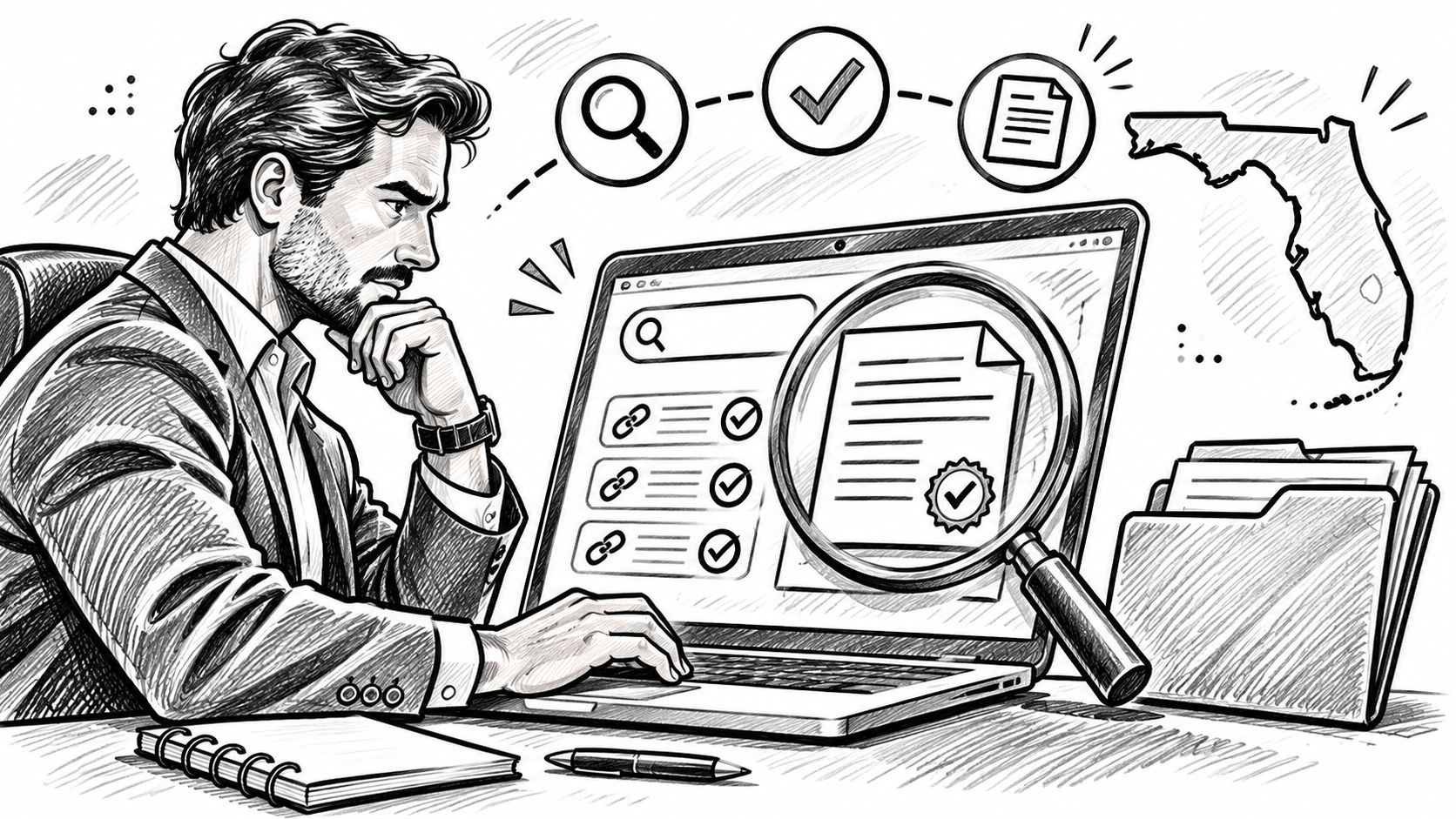
Search Florida UCC filings in the Florida Secured Transaction Registry using the debtor's exact legal name, separately from the Sunbiz business entity search. A search that returns no filings isn't proof that the debtor has no liens.
That distinction matters when you're approving credit, onboarding a vendor, or reviewing an acquisition. Your conclusion depends on which debtor you identified, which names you searched, and which record systems you checked. A defensible Florida lien search preserves those details instead of reducing the outcome to a green clearance flag.
Where Florida UCC Lien Records Live
The mistake that sends a Florida UCC lien search off course is treating a Sunbiz business entity lookup as a lien check. Finding an active company establishes something about the entity's corporate status. It doesn't establish that its assets are unencumbered.
The Florida Department of State's UCC information page directs users seeking UCC forms, filings, searches, copies, and certified records to the Florida Secured Transaction Registry, administered by a private service provider rather than directly by the Division of Corporations. Corporate records and secured-transactions records serve different purposes.
Use the entity record to establish identity and supporting context, including status, registered agent, officers, and formation information. Use the dedicated UCC registry to investigate filed secured-party interests.
Florida Record Types, Where to Search Them and What They Show
| Record type | Where to search | Identifier to use | What it shows |
|---|---|---|---|
| Business entity record | Florida Division of Corporations, Sunbiz | Entity name or document number | Status, registered agent, officers and formation date |
| UCC financing statement | Florida Secured Transaction Registry | Debtor name or filing number | Secured party, collateral description, filing dates and amendments |
| Judgment lien | Florida Department of State public search | Debtor name or lien document number | Judgment lien record and filing image |
| Federal lien registration | Florida Department of State public search | Florida-resident debtor name or FLR document number | Debtor name, address, status, filing and expiration dates |
Keep these identifiers separate in your diligence file. An entity document number identifies the corporate record, not the financing statement.
Scope matters: A corporate-status check answers whether you found the entity. A lien search investigates claims filed against the identified debtor.
For a state-level commercial lien screen, plan distinct UCC, judgment lien, and federal lien registration searches. Don't describe that package as a universal search of every possible lien or collateral interest.
Search Steps for a Florida UCC Lien
Before opening the registry, collect the debtor's legal name, its Florida entity document number if known, and whether it's an organization or an individual. Also record the business address and any known former names, so you can distinguish a genuine match from a similarly named debtor.
For organizations, use the corporate record as your starting identity reference. For individuals, don't substitute the owner's business name for the person's name, and confirm the applicable individual-debtor naming rules before relying on the search.
The workflow begins with identity verification, not a broad keyword query.
Run the Search and Preserve the Trail
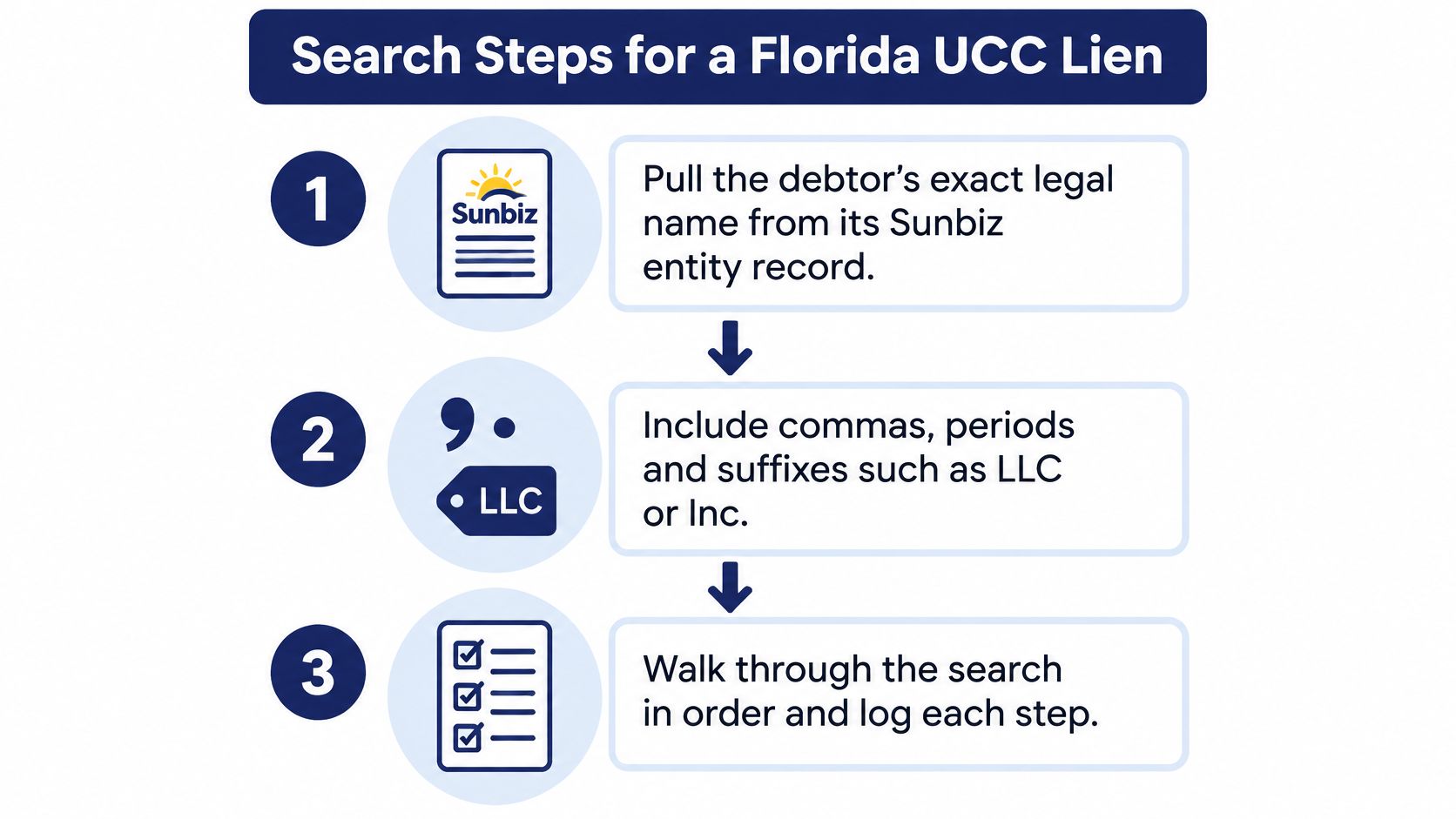
Verify the legal entity. Pull the organization's Sunbiz record and match it against the contracting party. Preserve the name as displayed, including punctuation and suffixes such as LLC or Inc., rather than copying a shortened name from a sales application.
Confirm the debtor type and identity. Establish whether you're investigating the organization, an individual, or both within an authorized diligence scope. If the documents identify different obligors, create separate search entries rather than combining their names.
Enter the exact name in the dedicated registry. Open the Florida Secured Transaction Registry and use the debtor-name search. Don't begin with a brand, website name, or informal abbreviation because that's how the business introduces itself.
Review the returned filings individually. Compare debtor details and addresses before treating a result as a match. Record the displayed filing date and status, but reserve your substantive conclusion until you've inspected the documents.
Open the financing statement and related records. Capture the filing number, secured party, and collateral text, then retrieve associated amendments, continuations, and terminations. A search-result row isn't a substitute for the filing image.
Save the search criteria and retrieval details. Log the date, time, name entered, search mode, and returned filing numbers. Preserve a no-match result with the same care as a positive result, including the criteria that produced it.
Complete the other record searches. Run judgment lien and federal lien registration checks as separate tasks. Mark an unavailable registry as an incomplete search, not a clean result.
Define a Usable Search Output
Your deliverable should be a dated filing list tied to a verified debtor, with each record's status and source document identified. Keep unresolved identity matches in a review queue rather than discarding them without review.
For an automated workflow, store the submitted name separately from any normalized display name. That lets another analyst reproduce the query without guessing what the application changed before submission.
Name Variations That Hide Filings
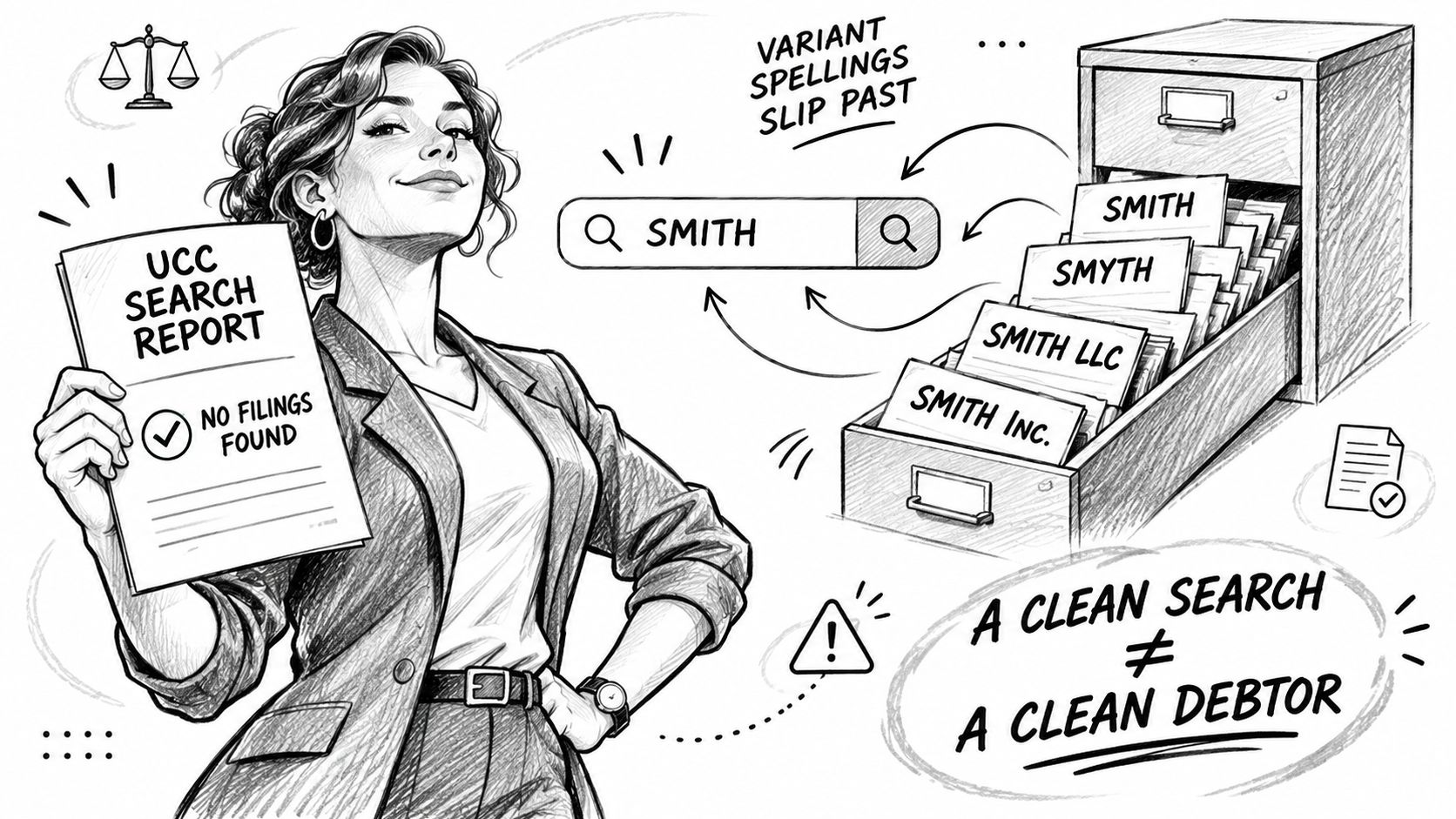
A clean result can reflect a narrow query rather than a clean debtor. The Equipment Leasing and Finance Association's discussion of Florida debtor-name precision explains that Florida's filing office doesn't currently apply standard search logic that creates a broad safe harbor for misspelled or variant debtor names.
That's a reason to broaden investigation, not a reason to declare every variant filing legally effective. Finding a record and determining its legal effect are different tasks.
Search Variants Without Replacing the Legal Name
Use a Florida LLC name search to support entity identification, then document targeted supplemental searches:
- Suffix variations. Investigate versions with and without LLC, Inc., or Corp., while retaining the verified legal name as your primary query.
- Word and symbol differences. Test an ampersand against the word and where relevant to the debtor's documents.
- Former and trade names. Search former legal names and known d/b/a names associated with the business.
- Documented spelling differences. Investigate abbreviations or misspellings appearing on contracts, invoices, or financing applications.
For a merger or conversion, identify the predecessor entity and investigate its name separately. Don't assume the surviving organization's current name captures every record relevant to the transaction period.
Say the application names Harbor Equipment LLC, but an older agreement identifies Harbor Equipment Company. That discrepancy calls for identity reconciliation and additional searching, not an automatic decision that the records concern unrelated businesses.
No results is a conclusion about the query you ran, not a legal clearance of every name the debtor has used.
Record the variants examined and why you selected them. When the credit decision depends on a negative result, run the supplemental search before treating the file as complete.
What the Fields in a UCC Record Mean
Check lapse and continuation information before interpreting a filing as effective. A record's presence in an index doesn't, by itself, establish its current legal effect. Read the lifecycle history rather than assuming the original financing statement still tells the whole story.
If you need the distinction between notice and the underlying secured transaction, our explanation of what a UCC filing is provides useful context. For diligence, the immediate task is to connect the filing's parties, dates, and collateral to the proposed transaction.
UCC Record Fields and What to Check
| Field | What it tells you | What to check |
|---|---|---|
| Filing number | Unique identifier for the financing statement | Use it to retrieve copies and associated amendments |
| Filing date | When the statement was filed | Compare it with the lifecycle history and displayed lapse information |
| Lapse date | When the filing is scheduled to lapse unless effectively continued | Retrieve continuation records and verify their timing |
| Amendments and continuations | Changes to parties or collateral, or continuation of the filing | Read the complete sequence, including the most recent amendment |
| Termination | A filed action purporting to terminate effectiveness | Match it to the correct financing statement and review its scope and authority |
| Collateral description | Assets covered by the claimed interest | Match the text to the asset under review and inspect attachments |
| Secured party | The identified holder or representative of the claimed interest | Check assignments and identify the appropriate payoff or release contact |
The filing number is your retrieval anchor. Use it consistently in notes, document filenames, and follow-up requests so that an amendment to one statement doesn't get attached to another.
Read amendments chronologically. The latest amendment may change only a specific detail, leaving other original terms untouched, so reading it alone can be as misleading as reading only the original.
Match the Filing to the Deal
For collateral, compare the actual description against the assets being financed or purchased. A filing describing a particular machine raises different questions from broad all-assets language, which requires a full read of the filing and its attachments before application to a deal.
For the secured party, check whether an assignment changes whom you should contact. Don't direct a release request solely to the name on the initial statement if later filings identify another party.
Public-record errors need a separate resolution path. All SOSfinder data comes from public records published by state registries, and we can't correct errors in those records. Preserve the discrepancy and route it to the appropriate filer or legal reviewer for an authorized amendment or other corrective action, rather than editing your local copy and treating the issue as resolved.
Judgment Liens and Federal Lien Registrations
Run judgment lien and federal lien registration checks as separate passes. Select the relevant record category in the Department of State's public search rather than assuming a UCC query also searched those indexes.
For judgment liens, use the debtor name or lien document number. For federal lien registrations, use the Florida-resident debtor name or FLR document number. Keep each result associated with its record class so reviewers don't confuse a federal lien registration identifier with a UCC filing number.
Read Federal Lien Lifecycle Fields
The Florida Department of State's public search guidance identifies federal lien registration statuses including active, lapsed, and terminated, and states that FLR filings expire 10 years plus 30 days from the assessment date. Don't calculate that period from the filing date instead.
Federal lien records can include the debtor's name, address, optional corporate FEIN, filing type, filing date, and expiration date. Compare the available identity fields before assigning a filing to your debtor, particularly where the name is common.
An older record showing a lapsed status isn't necessarily a search malfunction. Inspect the record's dates and underlying image before deciding whether a discrepancy requires escalation.
Keep Evidence That Another Analyst Can Inspect
Preserve these fields for each relevant record:
- Debtor name. Save the indexed spelling, not just your application's normalized name.
- Document number. Retain the registry's identifier for direct retrieval.
- Filing date. Distinguish it from any assessment or expiration date.
- Status. Record what the registry displayed at retrieval.
- Source PDF. Save the filing image with its retrieval details.
Open the PDF whenever metadata is incomplete, ambiguous, or inconsistent with the displayed status. If the image doesn't resolve the issue, flag the record for review rather than selecting the interpretation most favorable to approval.
These checks complement broader company legitimacy verification, but they answer a narrower question about filed claims. Put the UCC, judgment, and federal lien results in the same diligence file, with separate completion statuses for each search.
Certified Copies and the Final Decision
Match the evidence to the decision. An initial screening file may need the online record, filing number, and retrieval details; a loan closing, legal opinion, litigation file, or acquisition review may require certified copies and the complete filing history.
The distinction is between finding information and preserving evidence suitable for reliance. Use that distinction to decide what to order.
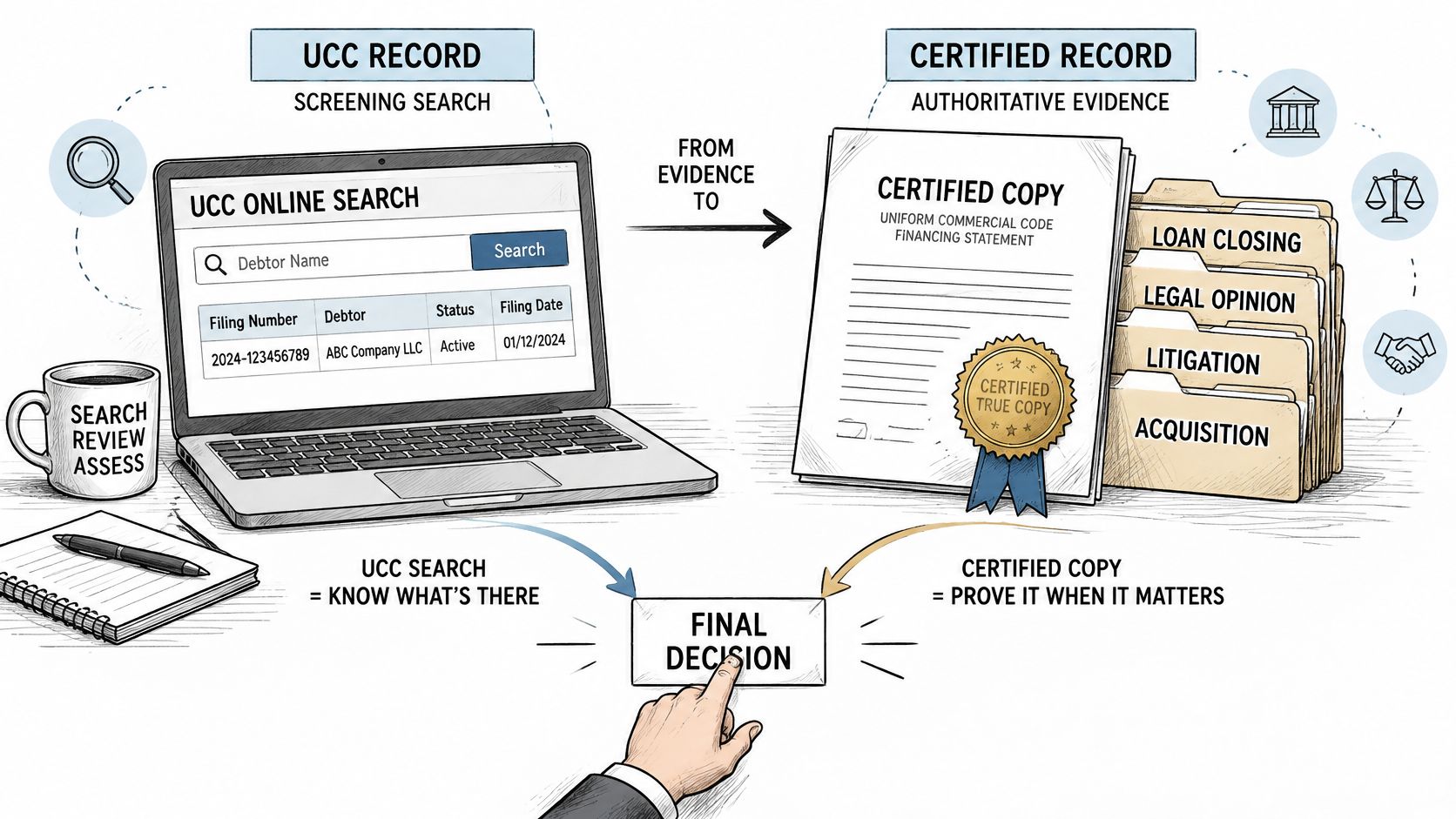
IncFacts' Florida fee guidance lists $30 for a certified copy of a financing statement and associated amendments, with uncertified photocopies priced per page. Confirm the current ordering requirements before submitting the request, and don't confuse copy charges with fees for filing a new financing statement.
Build the Reliance File
- Reconcile the history. Confirm that the documents include the amendments, continuations, assignments, and terminations associated with each relevant statement.
- Choose the evidence standard. Ask the closing attorney or responsible reviewer whether the decision requires certified copies rather than ordinary downloads.
- Order the relevant certified records. Match the request to the filing numbers that affect the transaction, including the associated history.
- Preserve the retrieval package. Save available filing images, the search timestamp, criteria, and review notes together. A timestamp records when you retrieved the documents; it doesn't turn an ordinary download into certification.
Keep corporate evidence separate. Company formation documents help establish entity identity and history, but they don't substitute for certified UCC records.
This video provides additional context for the screening-to-documentation workflow.
Confirm or Escalate Before Reliance
A UCC filing identifies a claimed interest, not a complete answer about priority, enforceability, or collateral availability. Those conclusions can depend on the underlying agreement, attachment, perfection, collateral scope, and competing claims outside the result screen.
Decision rule: Close the search task only when its scope and evidence are complete. Escalate the legal conclusion when the transaction depends on rights the index can't establish.
If the searches produce no relevant active records, record a scoped outcome such as no active filings identified under the documented names and search criteria. If a relevant filing appears, review its collateral and history, then obtain certified evidence where the decision requires it.
Our beta UCC search costs 1 credit per lookup. Lookups that fail because a state registry is down aren't billed, because we only charge when we successfully fetch a fresh record. Still, SOSfinder doesn't warrant that results are accurate, complete, or current, and the service isn't a substitute for an official certificate of good standing or a certified copy.
Automation can support repeatable searches, but confirm consequential filings against the official registry before closing or relying on them in a dispute.
SOSfinder offers normalized business entity records and beta UCC search to support debtor identification and filing-review workflows. Visit SOSfinder to explore integrating those checks into your diligence process, while preserving official documents and escalating legal questions before reliance.