Utah State Entity Search Explained

You're trying to confirm a Utah company, clear a name, or pull a filing record, and the surface-level search box looks simple enough. The problem shows up when the first result isn't enough, the name is close but not exact, or the record you need has already changed. That's where a Utah state entity search becomes less like a lookup and more like a verification workflow.
The Utah Division of Corporations and Commercial Code is the source of truth for statutory entities such as corporations, LLCs, and limited partnerships, and its registry supports more than a basic name query. It also connects entity records, registered-principal searches, filing history, certificates of existence, and UCC/CFS financing-statement records in one state-maintained system (Utah Division of Corporations registry overview). For compliance, onboarding, and due diligence teams, that breadth matters because the question is rarely just “does this name exist?”
Understanding the Utah Division of Corporations Registry
A Utah search result is only the starting point. The Division of Corporations and Commercial Code keeps the official registry for profit and nonprofit corporations, LLCs, and limited partnerships, and the record matters because it ties identity to filing activity and public documents (registry overview).
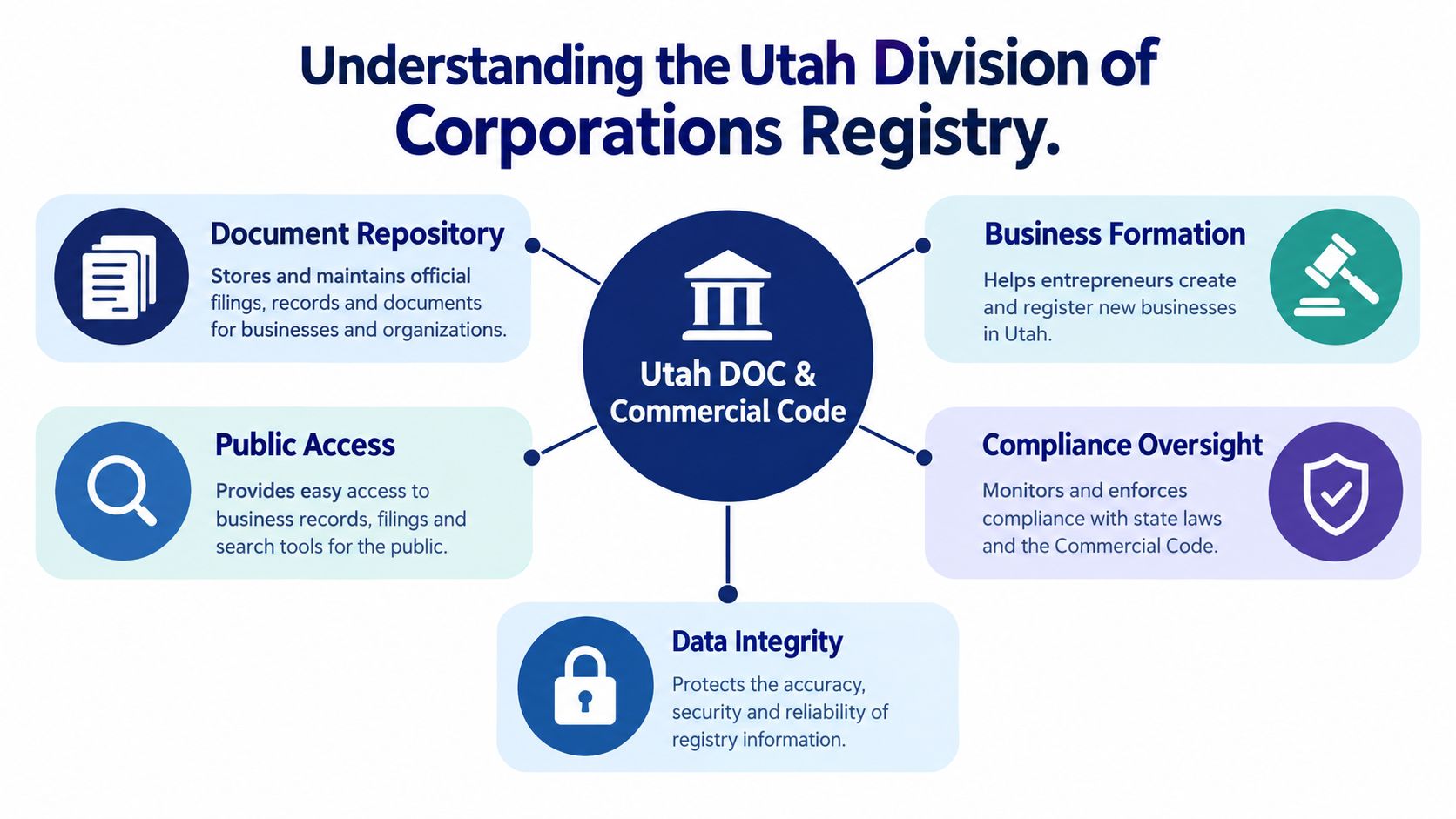
For compliance work, the practical shift is simple. Treat the registry as a documented system of record, not a name index. The Business Registration System exposes public filed document copies online at no charge, so the record supports historical review, entity verification, and evidence gathering, not just a quick lookup. If you are building an internal workflow, that is the point where a result becomes usable.
The registry also supports a registered-principal search for businesses tied to a specific person, and a separate UCC/CFS search for financing-statement records. That gives Utah searches a wider range than a single company-name query. A name-only process misses cases where the key question is who is connected to the filing, or whether a lien-related record exists.
For clearance work, I usually pair the official registry with a focused tool like Utah LLC name search before I move into the entity record. That helps surface close matches and suffix variations early. Then the key check happens in the filing trail, where notice filings, amendments, and document history can change what the summary screen appears to say.
Practical rule: a Utah search hit is not evidence until the filing trail in the Business Registration System backs it. Free document copies are the reason to open the record, not just the summary screen.
Executing a High-Confidence Entity Lookup
A reliable Utah lookup starts before the query is submitted. Utah supports searches by business name or entity number, and entity-number matching is the stronger route because names can be duplicated, shortened, or changed through amendments (Utah search instructions). In a production workflow, entity number should be the preferred key whenever you already have it.
Normalization matters. Strip punctuation differences, collapse spacing issues, and standardize capitalization and common legal suffixes before search execution, but keep the original input intact for auditability. That lets the system search broadly without losing the evidence trail that shows what the user entered.
A safer matching sequence
- Start with the exact legal name or entity number. If you have the entity number, use it first. It reduces ambiguity and avoids false confidence from a similar name.
- Review the returned record fields. Check principals, entity type, status, address, and filing history together, not in isolation.
- Open the filing history in the record view. Utah's record controls expose the document trail there, which is where the proof usually lives.
- Preserve the original search string. That keeps the result reproducible in case of review or dispute.
A successful name hit is not proof that the business is currently active. The record still has to be paired with the status field and the latest filing date. That matters in automation, where a shallow match can be mistaken for verification.
Key takeaway: a “no result” outcome should be treated as inconclusive, not as proof that the business doesn't exist. Utah's record set covers state-filed entities, but not every possible business form or external activity.
For teams wiring this into software, an entity search API pattern is usually easier to operationalize than manual lookups because it enforces the same search steps every time. It also makes it easier to log the input, compare normalized variants, and keep a clean audit trail when a record moves through notice filings or suffix changes.
The walkthrough below shows the Utah record view and document controls in practice.
Interpreting Registry Fields for Compliance Decisions
A Utah entity record only becomes useful when the fields drive a decision. In a Utah state entity search, start with the signals that answer operational questions: whether the entity is active, who is tied to it, and how recent the last filing is. A single field rarely settles the issue.
Read the status field together with the latest filing date. A familiar name can sit on an inactive record, and a recent filing can matter more than the name string when you are deciding whether to send the case to manual review. Formation dates and renewal activity help separate newly formed entities from older records that may have changed over time (Utah registry activity and annual reporting).
A few fields should trigger a closer look:
- Status plus latest filing date: use both to judge whether the entity still looks live.
- Principals or associated persons: check for repeated relationships across multiple records.
- Entity type: different entity types can follow different workflow rules.
- Address history: compare it against your internal profile to catch drift.
The registry is not static. Utah reported 57,212 total entities in 2013, up from 52,084 in 2012. That kind of movement is why stale cached data creates real operational risk. A record can look clean today and still be out of date by the time a team uses it.
For current reporting volume, Utah's annual reporting page is the cleaner reference point, and for workflow design, business entity data workflows are easier to operationalize when the fields are normalized, status-aware, and tied to a review policy instead of a simple yes-or-no result.
The common failure mode is treating a clean name match as current authority to transact. For KYC, underwriting, and vendor onboarding, the registry record should be handled as an evidence bundle, then assessed against the action you are about to take.
Navigating the Complexities of Name Clearance
A quick Utah search can still miss the problem that matters at filing time. The state tests whether a proposed name is distinguishable from names in its records, but the naming rules also leave room for conflicts involving unregistered names, foreign corporations that are active without Utah authorization, and assumed names that were used before but are no longer registered. The core policy is on the state's naming guidance page (Utah name policy), and the gap for automation is usually suffix handling and near matches, not obvious duplicates.
A cleaner workflow starts with the official availability check, then compares the result against a broader registration search. That broader pass should surface near matches, entity type differences, and principal records that make a suffix-only match look safer than it is. For teams comparing names programmatically, business name availability lookup logic is useful because it treats availability as a workflow state, not a final answer.
Output states matter more than a Boolean
A product team should not flatten this into true or false. Three states are more useful for automation:
- Available means the initial lookup found no obvious conflict.
- Similar-name collision means the record set contains a close match that needs review.
- Approval-confirmed means the filing was accepted by the state.
That distinction matters most when legal suffixes blur the search. Normalization should strip noise, but it should not erase the part of the name that makes it distinct. If two candidates share the same core wording and only differ by suffix, the system should flag them for human review even when the search result looks clean.
A clean hit in the registry still needs careful handling in a filing workflow. The registry only tells you what it contains, so a clearance pipeline should preserve the original query, retain near matches, and keep the approval outcome separate from the search result.
Automating Ongoing Monitoring and Verification
A one-time Utah search works for a single filing decision. It falls short for a vendor file, a lending portfolio, or any workflow that has to stay current across many accounts. Utah's registry keeps changing through renewals, amendments, and notices, so manual review misses updates quickly when the same entities need repeated checks.
A better setup is continuous verification. Re-run checks on a schedule, and watch for changes in status, registered agent, address, and filing history. That gives compliance teams a cleaner way to catch updates before internal records go stale, and it keeps analysts from re-checking the same entities by hand.
Utah's change signals are not all equal. Status updates and agent changes usually surface in the summary record, but some notice filings only make sense after you pull the full filing history. If a workflow relies only on the top-line result, it can miss the filing that explains why a record changed.
What automation should watch
- Status changes: active records can become inactive, dissolved, or otherwise altered.
- Agent updates: a registered agent change can affect notice delivery and escalation paths.
- Address changes: these often matter for KYC, tax, and legal follow-up.
- Document history: a new filing may explain a change that the summary record does not show.
API-driven monitoring is the practical answer when the workflow spans more than one jurisdiction. A single integration can standardize search, monitoring, and document retrieval, instead of forcing the team to learn a different interface for every state. That matters in formation, renewal, and review workflows, where the same control should behave the same way each time.
A platform such as SOSfinder can fit that pattern by returning normalized entity records, filing histories, and monitoring updates through one search flow. In that setup, Utah becomes one jurisdiction parameter in a broader verification engine instead of a separate manual exception.
Operational rule: if your team is still re-checking the same Utah entities by hand, the workflow is already behind the registry's pace.
Integrating Registry Data into Modern Workflows
The cleanest integrations treat registry data as structured input, not as a PDF hunt. A predictable JSON response lets a product team map Utah entity data into onboarding forms, risk rules, and case-management queues without custom parsing for every record shape. That's where a Utah state entity search becomes a product primitive instead of a one-off clerk task.
In a fintech onboarding flow, for example, the system can query a Utah business, compare the returned status and principals to the applicant's self-reported information, and route only mismatches to review. In a legal service, the same record can feed document retrieval, filing-history display, and matter notes without requiring the operator to switch tabs and retype the same name.
Low-latency caching and retries matter because registry lookups are operational, not decorative. If a search endpoint temporarily blocks or slows down, the application still needs to fail gracefully, preserve the query, and retry without corrupting the result set. That's especially important when staff members are working through a batch of verification requests and need consistent behavior from one record to the next.
For developer teams, the best integration pattern is usually the simplest one. Use a single search endpoint, keep the jurisdiction explicit, cache repeat lookups carefully, and surface filing history where the state offers it. If you also need guided setup, API playgrounds and example requests in JavaScript, Python, or Go make it easier to test the workflow before it touches a production queue.
If you're building Utah verification into onboarding, compliance, or name-clearance workflows, SOSfinder can give you a single place to search, monitor, and retrieve filing history across state registries. Visit SOSfinder to see how the workflow maps to your product, then decide where the Utah entity check should sit in your pipeline.