Check Business Name Availability PA: A Step-by-Step Guide

You've picked a name, started drafting your formation paperwork, and perhaps already pictured it on a storefront or website. Before you commit to the branding, you need to know whether Pennsylvania's records contain something that could block your filing.
To check business name availability in PA, start with the state database, but don't stop at an empty results screen. The useful outcome is a documented decision about whether to proceed, investigate a match, or ask the Department of State for a closer review.
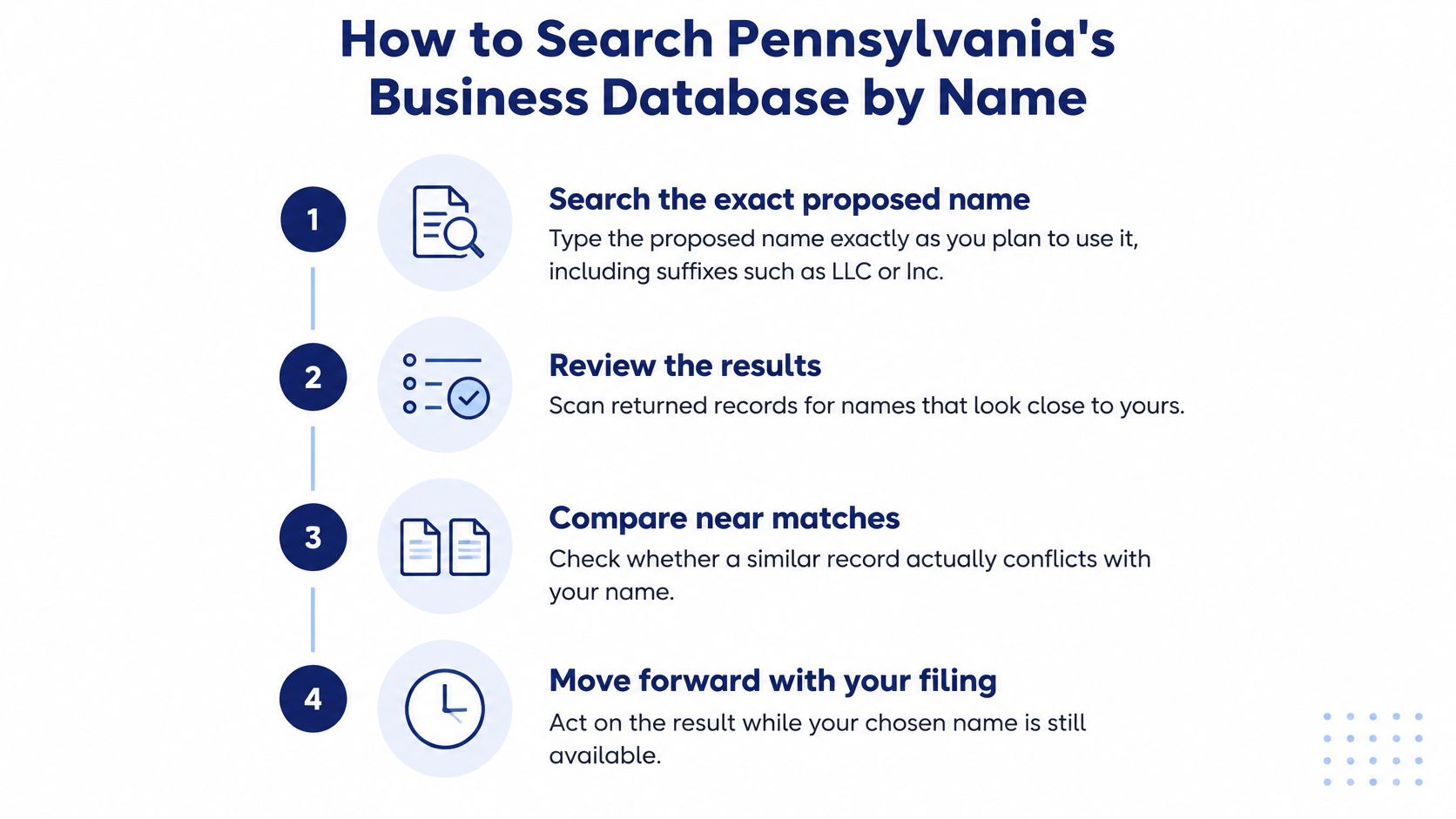
How to Search Pennsylvania's Business Database by Name
Type your proposed name into the Pennsylvania Department of State's business search exactly as you intend to put it on the formation filing. Include the entity suffix, such as LLC or Inc., rather than beginning with a shortened brand name.
Keep your draft filing beside the search window. That makes it easier to catch a spelling difference between the name you searched and the name you're preparing to submit.
Run the Search and Inspect the Records
Search the complete proposed name. Enter the full wording, including its suffix. This gives you a reproducible starting point rather than a loosely remembered search.
Repeat the search without the suffix. Look for the distinctive words in the name, not just the complete phrase. A narrow query can miss records you should compare before committing to the name.
Search a known file number separately. If you already have an identifier for a prior association, use it to locate that record directly. This helps avoid confusing similarly named entities.
Open each relevant match. Note its entity type, status, initial filing date, and available filing history. Look for amendments, name changes, or dissolution documents rather than relying only on the results-list label.
Save the evidence. Record the exact query, the search date, and the matches you reviewed. Print or save the relevant pages so someone else can reproduce your reasoning.
For a broader explanation of how registry records fit together, use this guide to Secretary of State business searches. The important habit is to inspect the underlying record, not count how many results appear.
Use this visual as a reminder of the search sequence.
Build a Search Record You Can Use
Say you want to form Laurel Workshop LLC. Keep that exact query in your notes, then record your search for Laurel Workshop separately. If you find Laurel Workshops Inc., save it as a potential near match rather than dismissing the plural or different suffix.
Your working file should contain a dated printout, a list of relevant matches with their statuses, and a short explanation of anything similar but not identical. Keep the proposed filing name at the top so nobody mistakes a comparison query for the final choice.
Practical rule: Save what you searched, not just your conclusion.
This search checks the records you can retrieve. Treat the resulting file as evidence for the next decision, not as a finished clearance document.
Entity Types to Check Beyond Corporations
Don't limit the search to for-profit corporations just because you're forming a commercial business. Pennsylvania's registry also includes nonprofits, LLCs, partnership entities, business trusts, land banks, and authorities.
The Pennsylvania registered-business dataset identifies these categories and reports the domestic corporation counts summarized below. The Department cautions that statutory limits on removing businesses that no longer operate can leave more active registrations in the dataset than currently operating businesses.
Registry categories to check in a name search
| Entity category | Scale reported in the dataset | What to compare |
|---|---|---|
| Business corporations | About 1,483,506 domestic records | Exact name, active status, entity type |
| Nonprofit corporations | About 368,700 domestic records | Status and entity type for near matches |
| Limited liability companies | Included; no separate count reported | Status and filing history |
| Limited partnerships, LLPs and LLLPs | Included; no separate count reported | Entity type and filing history |
| Business trusts, land banks and municipal authorities | Included; no separate count reported | Entity type and status |
Search across every category, then inspect the underlying records for relevant near matches. Don't exclude nonprofits or partnerships before you know whether their names matter to your proposed filing.
A common root word can produce a long list. Group those results by entity type and compare their complete names, statuses, and histories instead of treating every hit as equally significant.
For founders comparing structures, this overview of company registration in the USA provides broader context. For the name decision itself, store the entity type beside every match so the reviewer knows exactly what produced the result.
Reading Your Results and What Each One Means
An empty results screen is encouraging, but it isn't permission to file under the name. It tells you that your particular query didn't return an identical record, not that the Department has examined and accepted your proposed name.
The Pennsylvania Department of State Business Guide explains that online searches cover the Bureau's existing records and don't guarantee acceptance, because the Bureau performs a more detailed review when the registration arrives; applicants can also request a written availability search listing up to three names for a $15 search fee.
Interpret the Signal Before Choosing an Action
The distinction matters most when a result looks almost helpful enough to settle the question. An inactive label, a punctuation difference, or a different suffix can tempt you to stop investigating too early.
Search results and the next step for each
| Search result | What it signals | Next step |
|---|---|---|
| No record with the exact name | Nothing identical appeared in the database for that query | Continue with conflict review and a live recheck, not an assumption of approval |
| Exact match with active status | A registered association may block the proposed name | Choose another name unless an appropriate consent or Department review route applies |
| Exact match with inactive or dissolved status | The record needs closer examination before you rely on the name | Note the entity number and initial filing date, then confirm with the Department |
| Near match differing only by punctuation, suffix, or word order | A possible conflict at the Department's review stage | Compare entity type and filing history, then route the match for review |
| Match appearing only as a fictitious name | The record isn't an exclusive reservation of an entity name | Confirm whether it matters to your filing before proceeding |
An active status is a registry designation, not proof that the business still serves customers. Conversely, an old or dissolved-looking record isn't something you should discard without checking what happened to the name.
For a clean result, inspect your search method before celebrating. Did you search the distinctive wording without the suffix? Did you save the spelling you entered? This explanation of a no-match-found result helps separate missing search results from a supported filing decision.
Keep Fictitious Names Separate
Pennsylvania distinguishes reservable entity names from fictitious names. A fictitious-name registration doesn't create name exclusivity or protection, and a fictitious name can't be reserved.
That makes the record relevant, but not equivalent to a corporate or LLC name reservation. Don't interpret it as automatically blocking your entity name, and don't assume registering a fictitious name would secure the branding you want.
A clean search is a reason to continue, not proof of availability.
The practical trade-off is between investigating a questionable name and choosing a more distinctive alternative. If your proposed name differs from a close record only cosmetically, I would resolve that uncertainty before paying for branding or preparing the final filing package.
When a Matching Name Needs Human Review
Send a match for human review when the record leaves a material question unanswered. Typical triggers include an exact active-name match, conflicting status information, or a prior association that appears registered but may no longer operate.
The Department of State's name-availability guidance sets out the inquiry process and says responses normally arrive by email within 7–10 days. Treat that as planning guidance, not a guaranteed delivery date.
Follow the Department's Inquiry Workflow
Search the exact proposed name. Preserve the spelling and suffix intended for the filing. The Department needs to evaluate the actual candidate, not a general description of your brand.
Compare potentially conflicting records. Review entity status, entity type, and filing history. Identify what creates the uncertainty, such as an active record combined with information suggesting the association stopped operating.
Gather the prior association's identifying details. Obtain its complete prior name, entity or file number, and initial filing date. These details let the reviewer distinguish the relevant association from other similar records.
Request a Name Availability Certificate inquiry. Submit the question to the Department with the supporting record information. Don't replace this step with your own conclusion that the earlier business must have closed.
Attach the resulting PDF if approved. Keep the approval document with the formation package and attach it to the filing as directed.
A reviewer should be able to follow the evidence without rerunning your entire investigation.
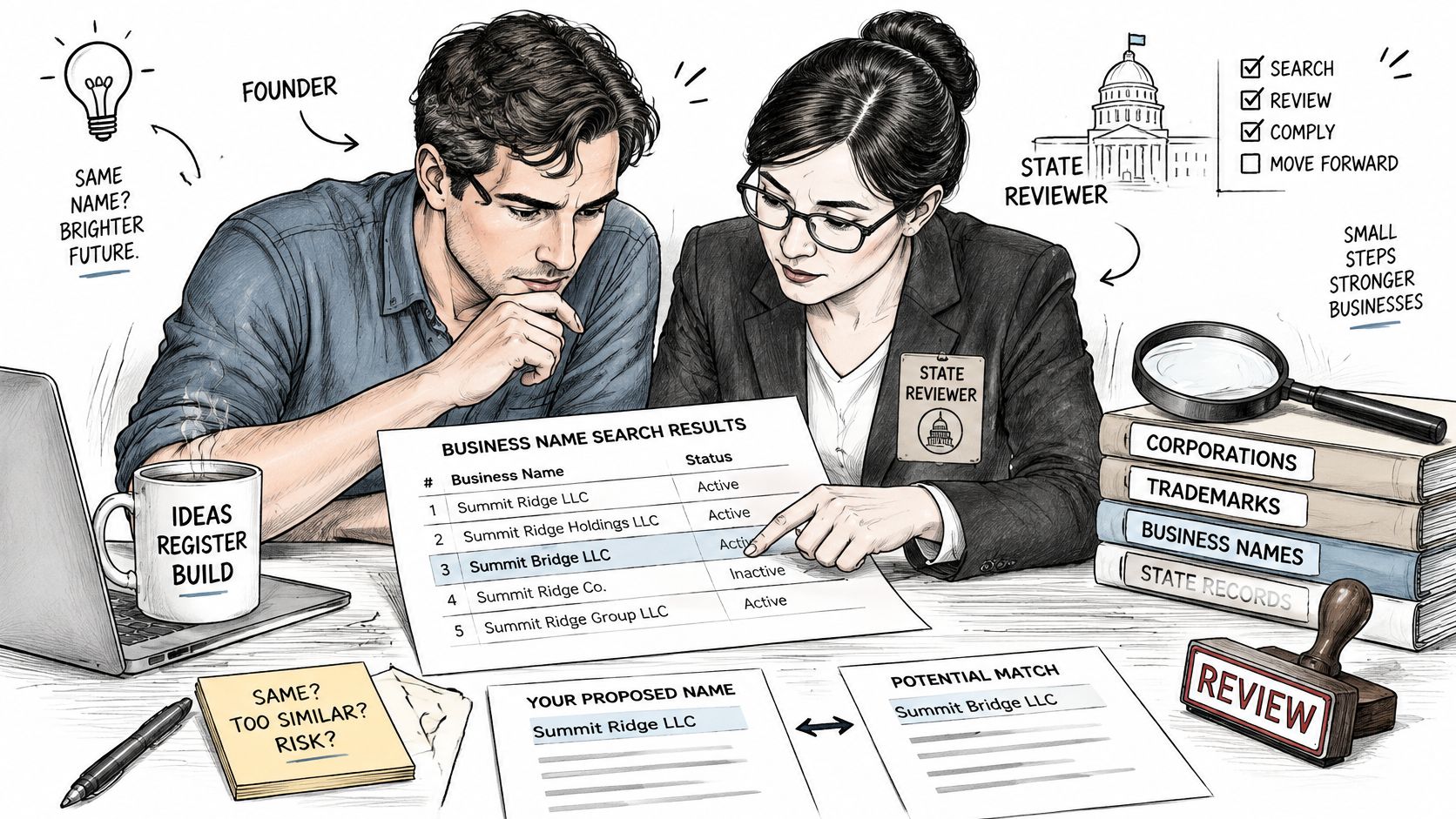
Pennsylvania's rules can require the blocking association's consent, a Department-issued certificate, or evidence that a foreign association abandoned the name in its home jurisdiction. Those are distinct routes, so don't assume a consent letter alone resolves every conflict.
If timing matters more than retaining the exact wording, a more distinctive alternative may be the practical choice. If the name is central to an established brand, assembling the evidence for Department review may justify the extra work.
Preserve Evidence in Automated Workflows
For filing services and product teams, normalization helps identify candidates for review. It shouldn't determine whether the state will accept a name.
Store the following with the decision:
- Original query and comparison string. Preserve both the user's exact spelling and the normalized text used to compare matches.
- Timestamp and jurisdiction. Keep the retrieval context attached to the evidence.
- Matched identifiers and statuses. Retain each relevant entity ID, entity type, and reported status.
- Supporting files. Save the record extracts, inquiry correspondence, and certificate PDF where applicable.
Review trigger: An unresolved active-name match belongs in a person's queue, not behind a green availability badge.
Give reviewers a short explanation of the suspected conflict. That's more useful than a bare yes-or-no output that hides the records behind it.
Reserving a Name Before the 120-Day Clock Runs Out
An approved reservation gives you a deadline, not an indefinite hold. Under Pennsylvania Title 15's name-reservation provision, any person may apply to reserve an available name for 120 days, and the reservation right can be transferred through a signed record specifying the recipient's name and address.
Keep the reservation deadline visible while preparing your documents.

Turn the Reservation Into a Filing Schedule
Reserve after resolving conflicts, particularly if you aren't ready to submit formation documents. If your package is already prepared, consider whether a separate reservation adds useful protection or another administrative step.
Use a simple checklist:
- Record the expiration. Use the reservation confirmation to establish the deadline.
- Assign ownership. Name the person responsible for final document review and submission.
- Schedule reminders. Leave enough time to resolve missing signatures or document problems.
- Recheck before filing. Confirm the live records and keep that final search with the package.
Don't treat an older, inactive-looking association as abandoned merely because its filing history is quiet. Age alone doesn't establish that you can use its name.
For a visual planning companion, use the video below.
Keep reservations jurisdiction-specific. If your launch also involves Nebraska, follow a separate Nebraska business name search rather than carrying Pennsylvania's decision into that filing.
Confirm the Name Before You File
Your final record should connect the exact-name search, result interpretation, unresolved-match review, any required certificate, and the live recheck before reservation or filing. Don't reduce that work to an unsupported declaration that the name is available everywhere.
Record the Decision Precisely
Use a clear outcome with supporting evidence:
- Preliminary match. A relevant record needs comparison before you commit.
- Certificate required. Department review remains part of the filing path.
- Reserved until a date. Enter the confirmed expiration and responsible filing owner.
- File-ready subject to state acceptance. The package is ready, but the Department still decides whether to accept it.
Keep the decision date and evidence together. If someone changes the proposed name afterward, flag the change rather than reusing the earlier result.
At SOSfinder, a name availability check costs 1 credit and represents one live registry lookup. Our Free plan's business entity search covers all 50 states and DC, but we don't warrant that results are accurate, complete, or current, and our service isn't a substitute for an official certificate of good standing or a certified copy.
Run the Pennsylvania search today using your exact proposed name. Save a dated printout with the searched string, identify any match needing review, and set a recheck date before submitting your filing.
SOSfinder returns the best matching entity and similar filings so you can inspect potential Pennsylvania name conflicts before filing. Visit SOSfinder to look up your proposed name and build an evidence-backed review record, while keeping final acceptance with the Pennsylvania Department of State.