Mass Corporation Search: How to Read Massachusetts Records
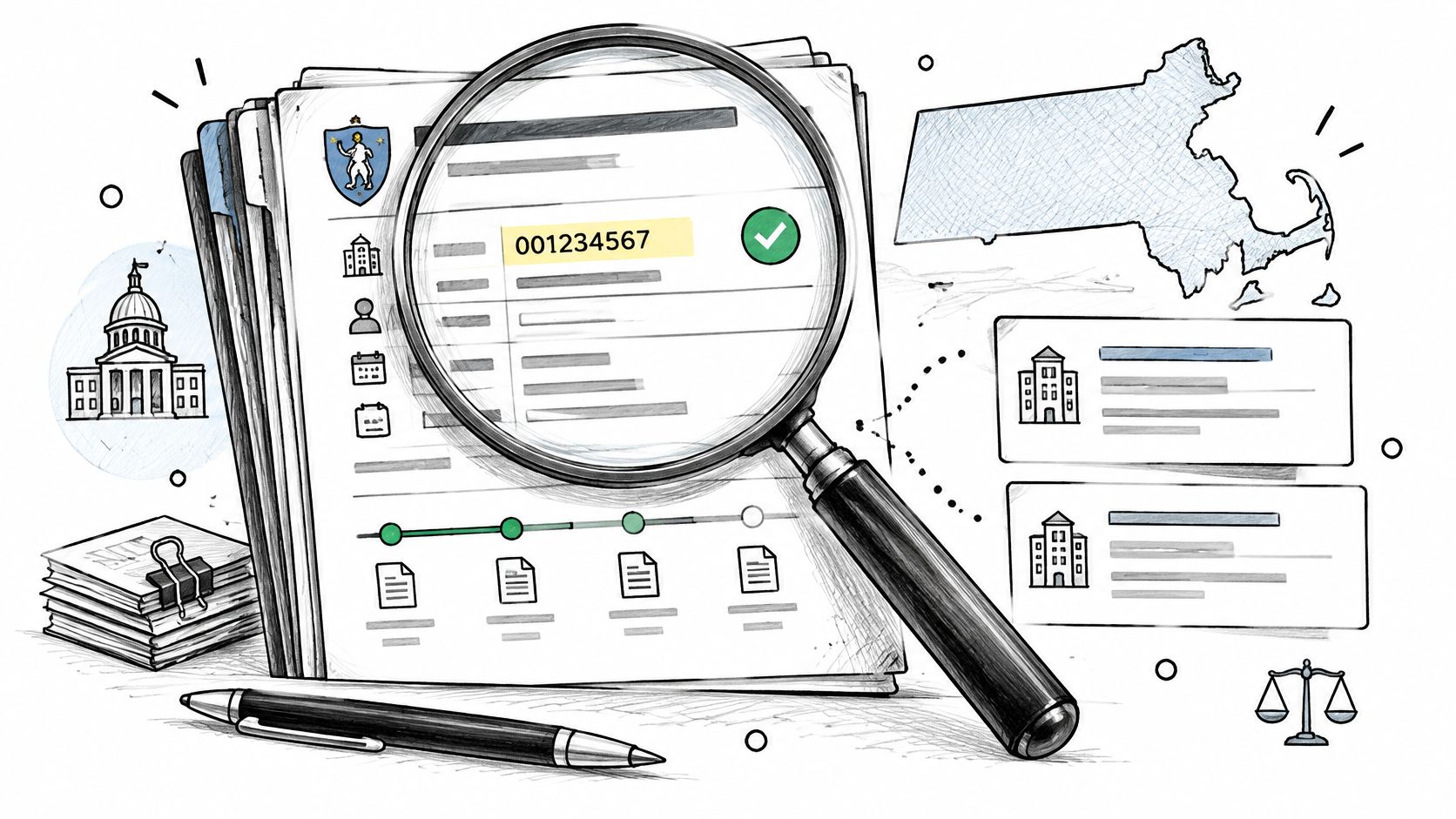
A vendor has sent its first invoice, and accounts payable wants you to confirm the business before releasing payment. The name looks familiar, but the contract says LLC, the invoice drops the suffix, and the search returns several similar businesses. Choosing the first result would be quick. It wouldn't be a defensible identity check.
A Mass corporation search should connect the Massachusetts entity record to the counterparty you're paying, onboarding, or underwriting. The useful result isn't just a business name on a government register. It's a documented match, a properly interpreted status, and a clear statement of what still needs verification.
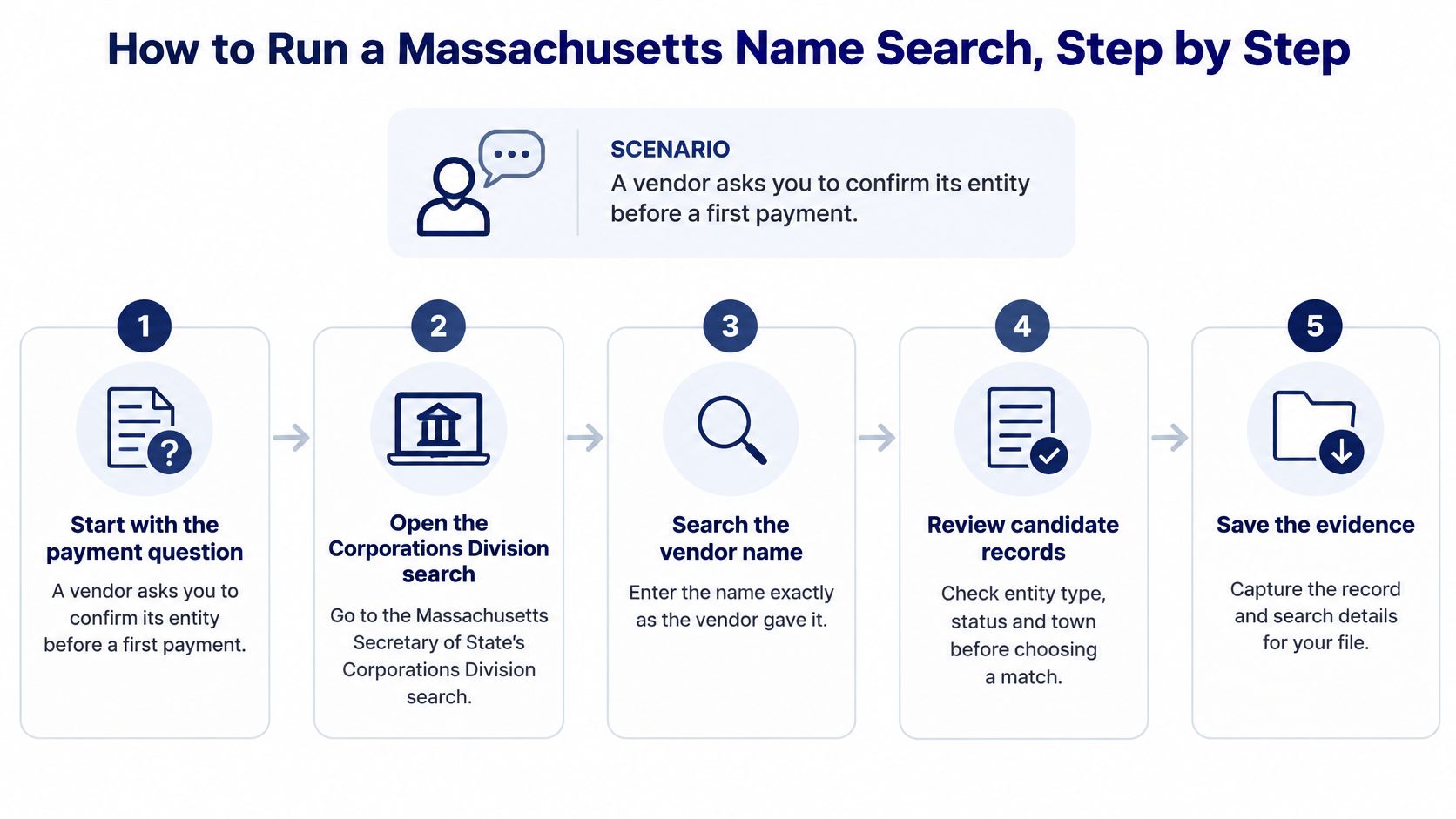
How to Run a Massachusetts Name Search, Step by Step
Say the vendor identifies itself as Cape Ann Roofing LLC. Before searching, put the contract, invoice, and any formation paperwork beside you. You need something to compare against the registry, not just a name to type.
Use the Massachusetts Secretary of State's Corporations Division entity search for the initial lookup. Keep the vendor's original spelling in your notes, even if you simplify it for searching.
The following workflow keeps the search tied to the payment decision.
Search broadly, then verify narrowly
Open the entity search and select the name-search option. Start with the business entity record rather than a document search. A document bearing the right words may concern an amendment, an older name, or another entity; the entity record gives you the organizing reference for subsequent checks.
Enter the distinctive name without its legal suffix first. Search Cape Ann Roofing rather than Cape Ann Roofing LLC. This helps surface punctuation differences, suffix variations, and nearby candidates that an overly literal query might miss. Once you have candidates, restore the full legal name when comparing records.
Scan the results before opening a likely match. Note each candidate's identification number and entity type. Where the result list supplies location details, use them to narrow the selection, but don't eliminate a candidate solely because the vendor uses a different mailing address.
Open the candidate and capture the substantive fields. Record the displayed status, date of organization or registration, registered agent, and principal office. Compare them with the vendor's paperwork, and preserve the registry's wording rather than replacing it with your own interpretation.
Save the filing history and the search date. Open the relevant annual report and any amendment that explains a discrepancy. Keep the record, available documents, and your search details together so another reviewer can reconstruct the decision.
The common slip is stopping at the first similar name. A plausible spelling isn't enough when another candidate has the correct entity type or a more convincing documentary connection to the vendor.
Resolve discrepancies before payment
If the invoice names an LLC but the candidate is a corporation, ask the vendor to identify the contracting entity. Don't repair the paperwork in your onboarding system. The discrepancy could be a clerical mistake, a trade name, or a different legal counterparty.
Likewise, an old address isn't automatically disqualifying. Compare the filing date with the invoice date and request an explanation or supporting document before accepting the difference.
Practical rule: Search broadly enough to find alternatives, then require a specific reason for selecting the final record.
A clean initial result is one identifiable entity with the expected type, an active status, and a recent annual report that supports the vendor's details. Treat that as a strong starting point for approval, not permission to ignore the remaining payment controls.
Entity Record Fields and What Each One Proves
The identification number is the strongest registry key for carrying a Massachusetts record across searches and documents. A name can change or resemble another business's name. The registry identifier lets you test whether you're still looking at the same record.
Keep the jurisdiction attached to that number. It's a registry identifier, not a substitute for an EIN or a universal company identifier.
Massachusetts entity record fields
| Field | What It Establishes | What to Check |
|---|---|---|
| Entity name | Exact legal name on the filing | Compare suffix such as Inc., LLC or Corp. with the contract |
| Identification number | Registry number unique to the entity | Use it to separate entities with identical or similar names |
| Entity type | Corporation, LLC, nonprofit or foreign entity | Confirm the type matches what the counterparty signed as |
| Date of organization | When the entity was formed | Compare with license, contract and formation dates |
| Status | Current standing on the register | Read the status meaning before acting |
| Registered agent | Who receives legal papers for the entity | Check whether the same agent appears on related entities |
| Principal office address | Where the entity says it operates | Verify against invoices, leases or other independent sources |
| Officers and directors | People named on the latest relevant filing | Note the filing date, since names may be out of date |
| Filing history | Annual reports, amendments and name changes | Look for the most recent annual report and any name change |
Read the name, type, and organization date together. For an out-of-state entity, distinguish its original formation from its Massachusetts registration; those events answer different questions. A counterparty's company formation documents can help reconcile the record with the paperwork you've received.
The agent and address fields require different interpretations. A registered agent receives legal papers and may serve unrelated companies, so a shared agent doesn't establish common ownership. A principal office is a filed representation of an address, not independent confirmation that employees, equipment, or management are there.
Check the filing behind the field
Officer and director names reflect filed information, which may lag an actual personnel change. Open the relevant filing and note its date before treating a listed person as the current contact or authorized signer.
The filing history supplies context that a summary screen can't. An amendment may explain a name discrepancy, while an older annual report may show why an address no longer matches.
Before relying on the record, run this compact check:
- Identity alignment: The legal name and identification number match the counterparty's paperwork.
- Contract alignment: The entity type fits the party identified in the agreement.
- Filing freshness: The latest annual report is recent enough for the decision, with unexplained gaps sent for review.
Matching the Right Entity When Names Look Alike
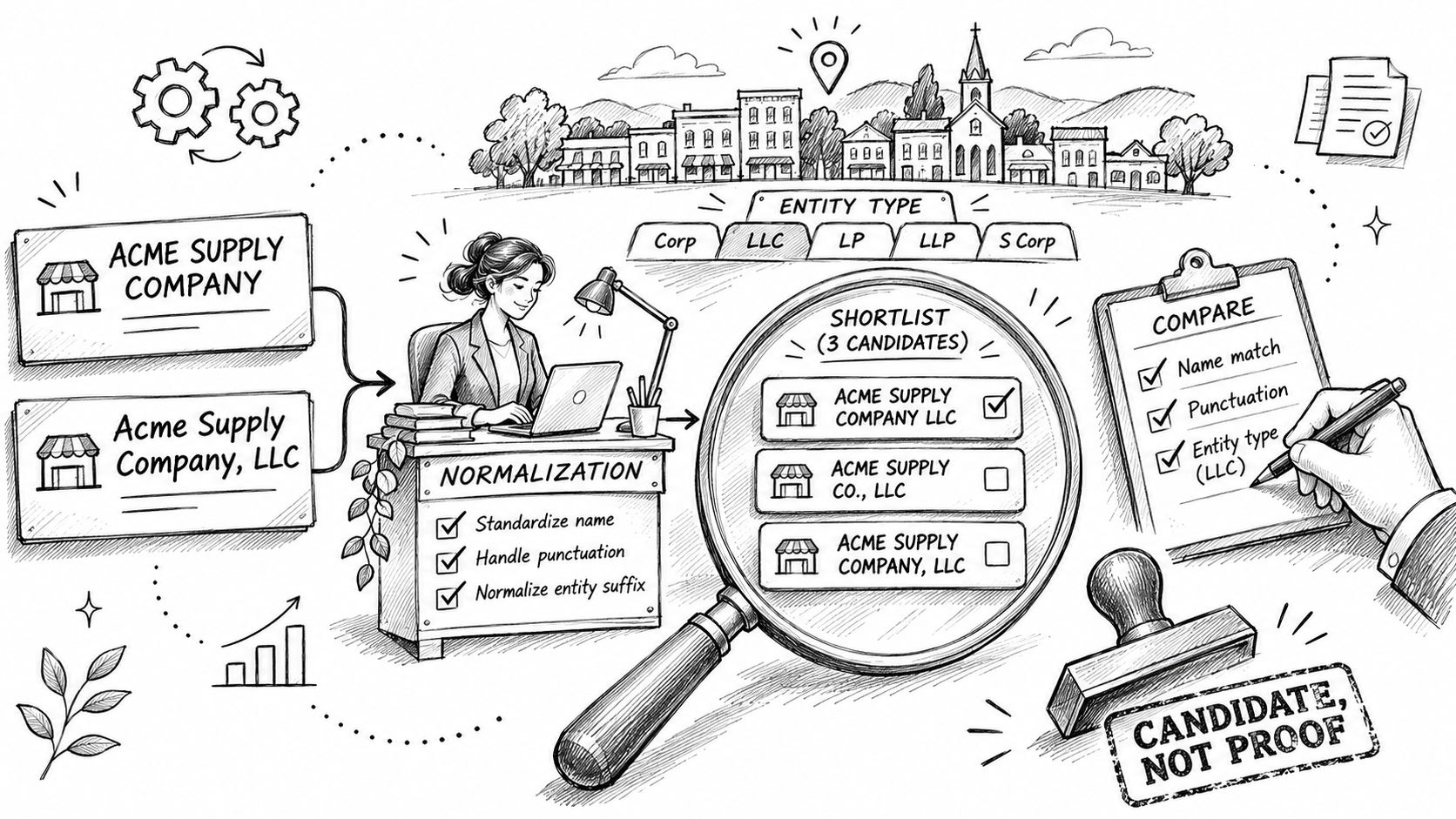
A name match creates a candidate, not proof of identity. The task is to connect that candidate to the actual counterparty using evidence that isn't merely another version of the same name.
Keep the normalization process separate from the final verification decision.
A Federal Reserve paper on linking state business registrations to other entity records found exact legal-name matches, ignoring case, for 88% of Massachusetts entities compared with Legal Entity Identifier records, while state, city, and postal code all matched in just 54.2% of Massachusetts cases with business addresses. Those are linkage results for the studied records, not a confidence score for your next vendor.
Compare independent evidence
Normalize case, punctuation, Unicode, whitespace, and legal suffixes to generate candidates. Retain the original strings so normalization doesn't erase a distinction you later need to explain.
Then narrow by jurisdiction, entity type, and town. Compare the registry identification number, principal address, formation date, registered agent, and filing history rather than choosing whichever name has the highest fuzzy-similarity score.
Say the search returns Cape Ann Roofing LLC in a coastal town and Cape Ann Roofing Inc. in another town. In this hypothetical, the LLC's formation paperwork and agent details align with the vendor's documents; the corporation was formed later and has no comparable connection. The LLC is the stronger candidate because several fields agree, not because LLC sounds closer to the invoice.
An entity ID supplied on reliable counterparty paperwork is especially useful here. Check it against the actual registry record, rather than trusting a number copied into a spreadsheet.
Use distinct decision outcomes
| Outcome | Evidence | Action |
|---|---|---|
| Accept | Name, registry identification number, and independently corroborated address agree | Save the supporting record and decision |
| Review | Only the name matches, or other fields remain unexplained | Request documents or compare additional filings |
| Reject or search again | Identification numbers conflict | Stop automatic acceptance and resolve the conflict |
A shared agent is supporting context, not independent proof that the businesses are the same. An address mismatch also needs interpretation: it may reflect a move, stale paperwork, or the wrong candidate.
Use the accompanying walkthrough as a visual aid while checking the record.
Preserve the raw registry response, search terms, retrieval date, and evidence behind the outcome. Another reviewer should be able to reproduce the decision without guessing why you selected that entity.
What Entity Status and Filing History Actually Mean
Active or good standing is a registry condition, not a credit opinion. Use it to assess filing compliance under the applicable registry rules, not to conclude that a company can pay its debts, perform a contract, or operate under every necessary license.
Match the exact wording on the record to the appropriate interpretation below. Labels and their legal effects aren't interchangeable.
Entity status meanings and next checks
| Status | What It Signals | Next Check |
|---|---|---|
| Active or good standing | Required filings are current under the applicable registry rules | Confirm the date of the latest annual report |
| Dissolved | Entity has ended its ordinary legal existence, subject to applicable winding-up rules | Trace successors, open contracts and any liens |
| Revoked | Entity lost its standing or authority, often after missed filings or fees | Ask for proof of reinstatement before proceeding |
| Merged or converted | Entity was absorbed or changed type | Find the successor or new record and match it |
| Withdrawn foreign entity | Out-of-state entity withdrew its authority to do business in Massachusetts | Check the home-state record and any Massachusetts successor |
Don't turn a dissolved record into an automatic conclusion that old obligations disappeared. Historical contracts, litigation, liens, and winding-up activity can still require attention. Where a merger is involved, use the filings to identify the successor instead of assuming the similarly named active business inherited everything.
For a revoked record, ask for evidence of reinstatement and confirm it against an updated registry result. An emailed assurance that the company has handled the issue isn't a replacement for the relevant filing.
Read the sequence, not just the latest label
Start with the latest annual report, then inspect amendments, name changes, merger documents, and other filings that explain the current record. Compare effective dates where available, not just the order in which documents appear.
A name-change filing can connect an older contract to the present legal name. A conversion may explain why historical paperwork describes a different entity type. If a document image is unavailable, record the limitation rather than filling the gap with an assumption.
A current status answers a present registry question. Filing history helps explain how the entity reached that position.
For an operational checklist, use how to check whether an LLC is active without treating active as a universal approval label. Procurement may also need licensing evidence, while underwriting may require financial information.
Record the displayed status and search date together. For a delayed closing or payment release, refresh the check when your policy requires it rather than relying indefinitely on the onboarding screenshot.
Running Mass Searches Across Long Name Lists
A spreadsheet of vendor or borrower names changes the problem. You need a repeatable process that preserves exceptions, not a faster way to accept the first result.
Build a working sheet with columns for input name, jurisdiction, entity type, identification number, status, search date, source reference, and reviewer decision. Keep the untouched input file separately so cleaning doesn't erase what the business team originally submitted.
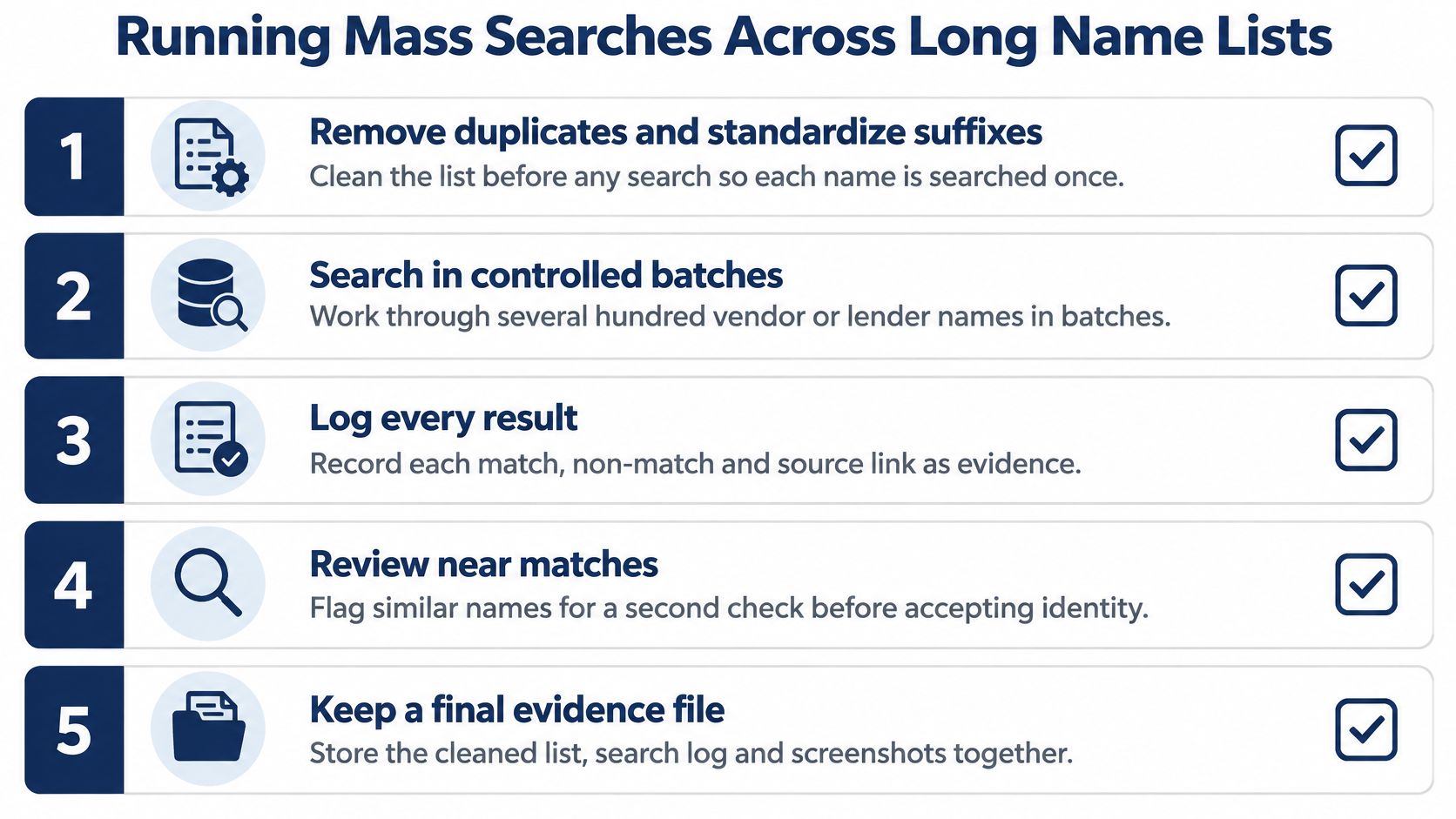
Process the list in controlled batches
Remove duplicates and standardize suffixes. Keep the original name alongside the cleaned search value. Deduplicate genuine repeat requests, not distinct counterparties that happen to share a normalized name.
Search each distinct query and record every near match. Preserve the candidate set rather than saving only the selected result. This makes it possible to review whether a stronger candidate was overlooked.
Flag common names for identifier review. Names such as Summit Services or Harbor Logistics need more than a spelling match. Require the counterparty's registry number or other corroborating documents before clearing ambiguous results.
Retry timeouts and temporary errors. A failed request isn't a negative search. Give technical failures their own queue so they can't become silent rejections.
Label blank results accurately. Use no match in this search, not entity does not exist. Try a naming variant, check the jurisdiction, and consider whether the registry covers the relevant entity type.
Schedule repeat checks for active counterparties. Set the interval according to risk and the next consequential decision. Assign a reviewer to material changes rather than collecting notifications nobody resolves.
Use a consistent evidence package for each batch.
Separate absence from incomplete coverage
Cross-state work needs explicit scope controls. The California Secretary of State's business search guidance explains that its search excludes some registered entity types, including general partnerships and limited liability partnerships, and provides imaged copies only for certain filings. An empty response from an incomplete search surface can't establish nonexistence.
Keep no match, unsupported registry scope, retrieval failure, and manual review required as separate outcomes. Collapsing them into failed verification hides the reason the workflow stopped.
Before automating acceptance, test labeled examples across jurisdictions, entity types, common names, and historical statuses. Measure incorrect acceptances separately from missed matches and reviewer workload. Faster searches aren't useful if reviewers must later unwind payments made against the wrong entity.
Ownership Limits and the Final Decision Rule
A Massachusetts entity record doesn't settle who ultimately owns or controls the business. It can document legal existence, registry status, registered agent, filed addresses, and named officers or managers. Those fields don't necessarily identify the natural persons who receive the economic benefit or exercise ultimate control.
The distinction matters even when the record looks complete. An officer may manage operations without owning equity; an owner may not appear as an officer. A registered agent may provide a professional service.
Keep identity and ownership evidence separate
In March 2025, FinCEN announced that U.S.-created companies and their beneficial owners were exempted from federal beneficial ownership information reporting requirements, with the remaining reporting framework focused primarily on certain foreign entities registered to do business in the United States. That change didn't make state corporate records more authoritative about ownership.
Create separate review fields for entity identity verified and ownership evidence reviewed. Don't let an affirmative result in the first field automatically populate the second.
Match additional evidence to the question you're trying to answer:
- Licensing records: Check whether the identified entity holds the credential needed for the contracted activity.
- Court filings: Investigate relevant disputes, insolvency matters, or documented relationships that require closer review.
- Sanctions screening: Screen the appropriate entities and persons under your compliance process, resolving potential matches rather than accepting name similarity.
- Verified business addresses: Corroborate the operating location through independent records or suitable supporting documents.
- Ownership documents: Request an ownership chart, member or shareholder information, and supporting records when the risk warrants it.
Customer-provided documents still need evaluation. Check that the documents concern the same entity, identify their effective date, and ask about unexplained intermediate holding companies or inconsistent ownership statements.
Approval boundary: Confirm only what the evidence supports. Leave unresolved ownership or authority questions visible in the decision record.
Make the decision fit the risk
A broader company legitimacy check should distinguish a valid registration from a trustworthy transaction. Neither a polished website nor a clean registry summary resolves every commercial or compliance concern.
Before approval, confirm that the name and identification number align with the counterparty's paperwork, the entity type fits the contract, and the status has been understood. Review the latest annual report and reconcile meaningful agent or address discrepancies. If ownership or signing authority matters to the transaction, obtain that evidence separately.
For a short list, run the Massachusetts search directly and save the evidence today. For a larger onboarding queue, our SOSfinder entity search finds businesses by name and state and returns the best match plus similar filings, with status, registered agent, officers, and addresses. We cover all states and the District of Columbia using official state registry records, and users can also check whether a name is already taken before filing.
SOSfinder is an independent commercial service, not a state agency or a government-endorsed verification authority. A selected best match still needs your acceptance rules, and a name-clearance result isn't an ownership finding.
Match the entity, read its status, and document the result. Where the transaction carries greater risk, make the unresolved questions part of the approval decision rather than hiding them behind a single verified flag.
For recurring Massachusetts checks or cross-state onboarding, visit SOSfinder to search by business name and state and review the best match alongside similar filings. Use the returned registry details to build an auditable identity check, then route ownership questions and conflicting evidence to a separate review.