What Is Entity ID: Registry Identifiers Explained
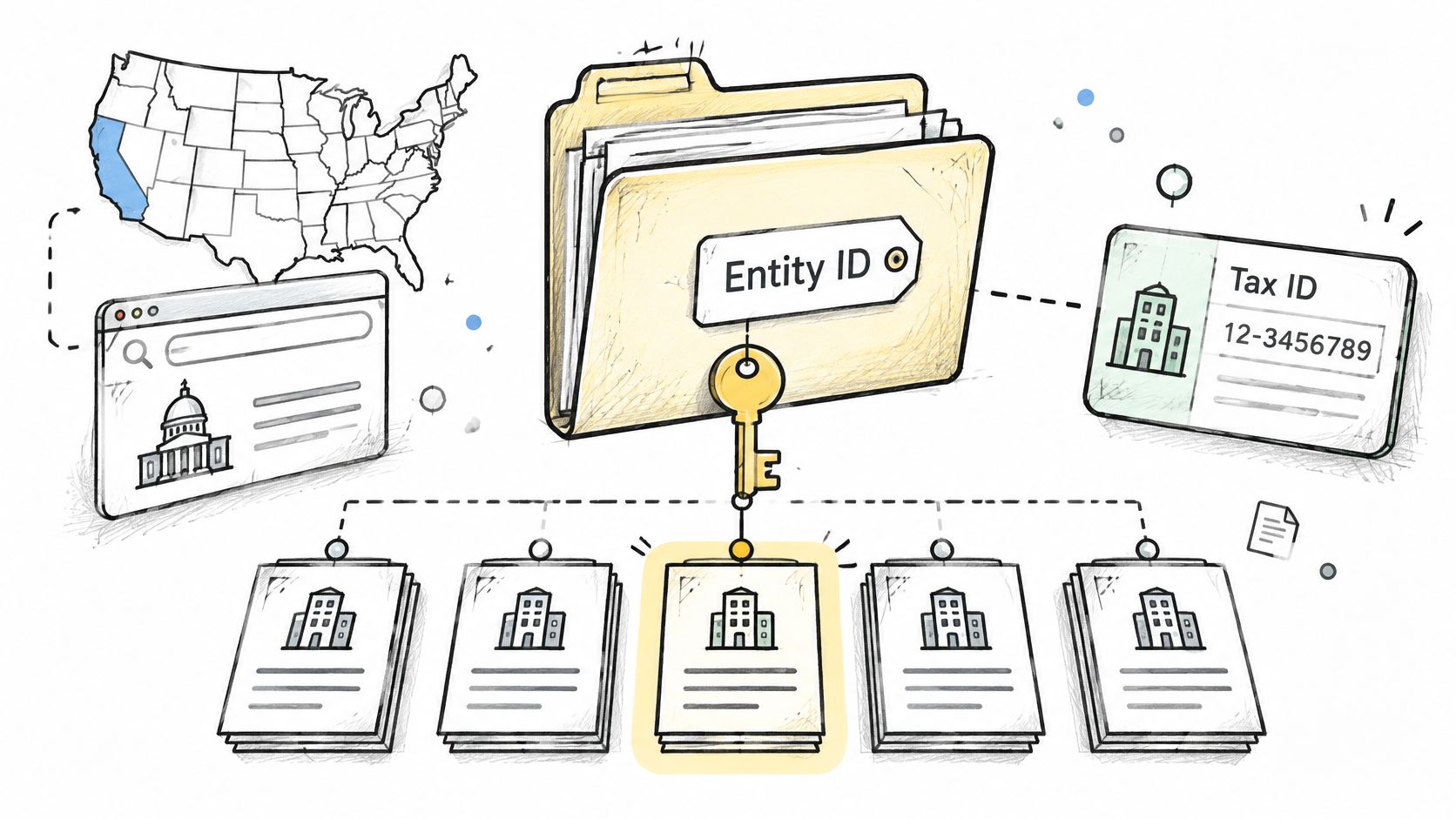
An entity ID is the identifier a state filing office assigns to the official record created when a business registers. If that's true, why do teams keep pasting that number into systems as if it identified the company everywhere? A number that works in one state's registry, fails in another's, and returns nothing in a federal tax system isn't broken. It's doing exactly what it was designed to do, and the mismatch tells you what an entity ID really is.
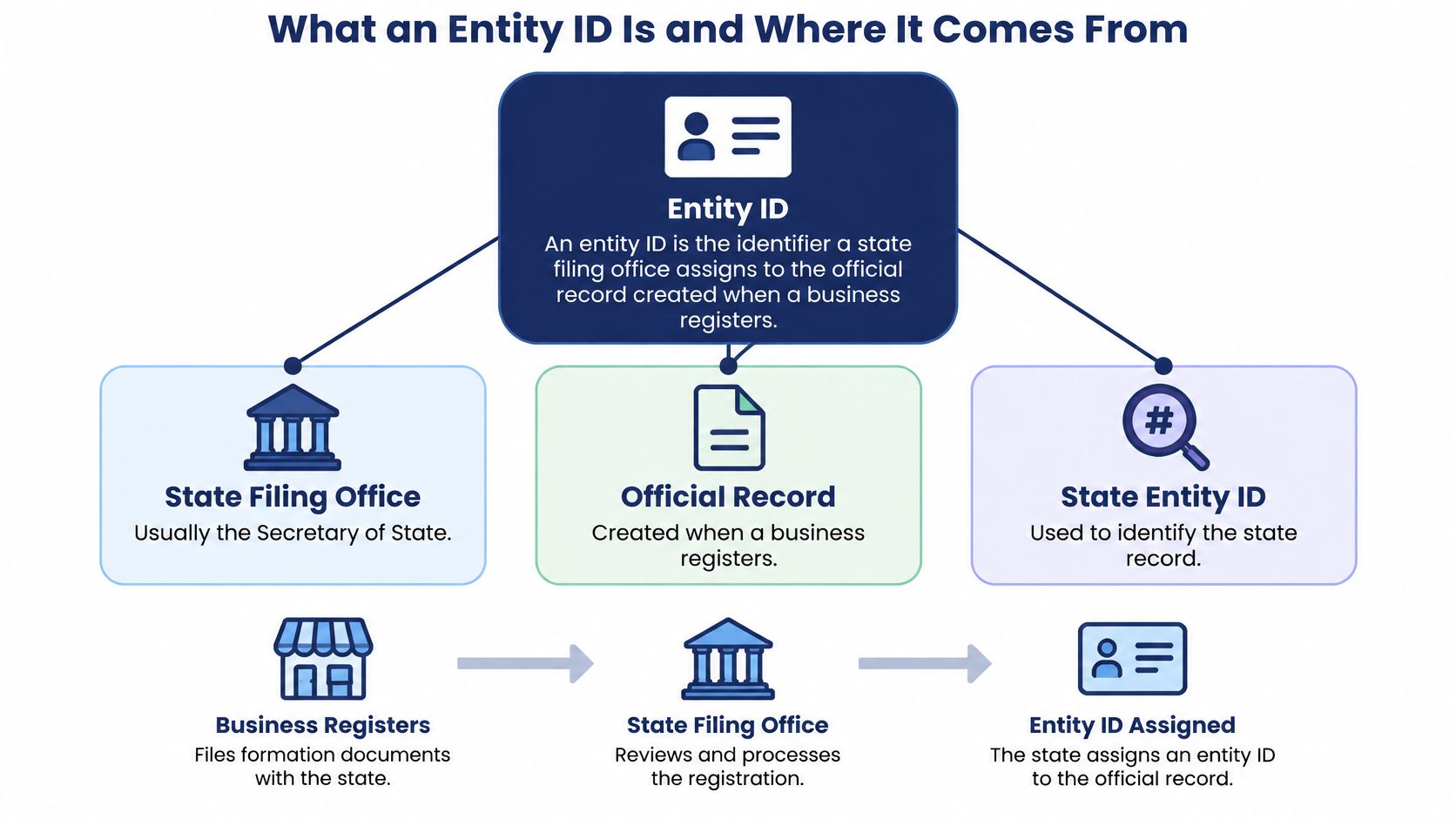
What an Entity ID Is and Where It Comes From
What does a state hand back when it assigns an entity ID? A state-scoped retrieval key for one official record, usually held by the Secretary of State. It works like a case number on a court file. The number points to a single file, links later filings to that file, and loses meaning outside the office that issued it.
Two companies with nearly the same name in the same state make the job clear. A name search can return both. Each record carries its own ID, so an amendment, annual report, or dissolution lands on the correct file. The ID retrieves the record. The record shows status, filing history, and the registered agent. The ID itself does not prove good standing, ownership, or tax status.
Two States, Two Different Shapes
Colorado shows the state-scoped nature plainly. The Colorado Secretary of State guidance on finding entities defines its entity ID as a unique 11-digit number assigned when an entity submits a document that creates a new record, and the state distinguishes this number from a tax ID.
California uses different number formats for corporations and for LLCs and limited partnerships. Check the format for the entity type you are searching. Same country, same concept, different shapes. There is no nationwide format to memorize.
An entity ID identifies a state record, not the company as a whole. Store it with the state that issued it, the entity type, and the date you retrieved it. Without that context, the number stops meaning anything.
You will find the number on the registry's entity detail page and on the formation or registration document filed with the state. If it is not shown, search by business name and state. Do not guess a value. A guessed number either returns nothing or returns someone else's record.
Entity ID Formats by State and Identifier Type
An entity ID is a state-scoped retrieval key. The format tells you which catalog issued it and what kind of record it should retrieve. Read the table by issuer first and by shape second. A number that looks familiar is not the same as a number from the same system.
| Identifier | Issued by | Format | Used for |
|---|---|---|---|
| California corporation number | California Secretary of State | Alphanumeric, with a leading letter in the published format | Locating a corporation's filings and status |
| California LLC or LP number | California Secretary of State | Numeric, issued without a leading letter | Locating LLC and limited partnership records |
| Colorado entity ID | Colorado Secretary of State | Unique 11-digit number | Identifying the record created by a filing |
| Federal Employer Identification Number | IRS | 9 digits formatted XX-XXXXXXX | Federal tax administration |
| SEC Central Index Key | U.S. Securities and Exchange Commission | Unique numeric identifier | Identifying entities that file SEC disclosures |
Reading Each Row
The California corporation number comes from the Secretary of State and points to a corporation's state record. Treat the letter prefix as part of the identifier. Stripping it can break an exact lookup. California also issues numbers for LLCs and limited partnerships that do not follow the corporation pattern. One state, two shapes, sorted by entity type. That is why type belongs next to every stored number.
Colorado's 11-digit ID is assigned when a filing creates the record. It answers a registry question, which file is this, rather than a tax or securities question. An entity ID works like a call number in one state's filing catalog. It retrieves a specific record in that catalog, not the company's federal tax file.
The EIN does not come from a state at all. The IRS Internal Revenue Manual section on entity records describes EINs as nine-digit values formatted XX-XXXXXXX. The SEC's Central Index Key is a separate identifier for entities that file SEC disclosures. Different issuers, different systems, different jobs.
Why Length Alone Proves Nothing
A number that looks like a CIK is not automatically a CIK, and nine digits alone do not make an EIN. Matching length is a reason to check the issuer, not proof of a match. The same digit string can exist in several systems at once.
Formats and conventions also change over time. Treat any table as a reference to verify against each registry's current guidance. Leading zeroes and hyphens can be part of the value itself. Record the format, issuer, jurisdiction and capture date with every number, never as a bare value.
How Entity IDs Differ From EINs and Business Names
Most readers arrive with one assumption to unlearn. They treat the state entity ID, the EIN, and the business name as three spellings of the same thing. They aren't. This comparison lays the three side by side.
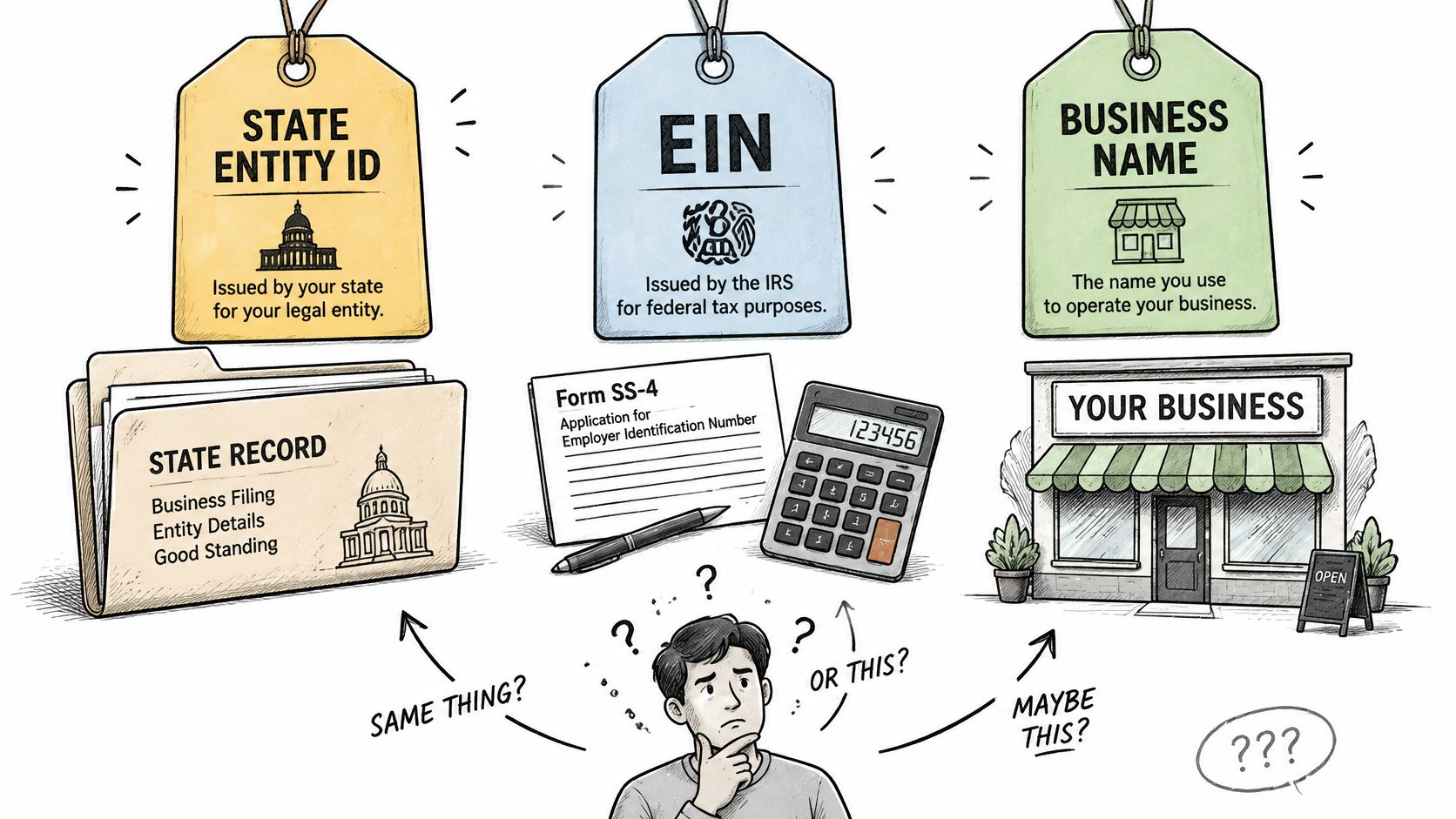
Say a lender receives an EIN from a loan applicant. The analyst pastes it into a state registry search, gets no record, and concludes the company doesn't exist. The company exists. The search key was wrong, because the IRS issues the EIN for federal tax administration and the IRS guidance on valid EINs instructs founders to form an LLC or corporation with the state before applying for the EIN.
Names fail differently. A business name can change through amendments, mergers, assumed-name filings, or simple spelling variations, while the underlying record continues. One company can also hold a domestic formation number at home, a foreign-qualification number in another state, and an EIN, all at the same time.
This walkthrough shows how the three identifiers behave when you try to verify a business.
Matching rule: Match the identifier together with jurisdiction and entity type. Matching the numeric string alone produces false positives when registries reuse similar formats.
For each record you keep, capture these fields together:
- Issuing jurisdiction: The state whose registry holds the record
- Identifier type: State ID, EIN, or another system-specific number
- Entity name: The legal name on the record at retrieval
- Status: What the registry reported, with its date
- Formation or registration date: When the record began
Storing Entity IDs Without Losing Their Meaning
A single flat ID column feels tidy and destroys context. The moment a second state or a second identifier type enters the database, nobody can tell what a bare number refers to. These six fields keep the number meaningful.
| Field | Stores | Prevents |
|---|---|---|
| raw_entity_id | The value exactly as the registry printed it | Lost leading zeros and dropped hyphens |
| entity_id | The normalized value used for retrieval | Inconsistent lookups across formats |
| entity_id_type | State file number, EIN, CIK or other type | Mixing identifiers of different kinds |
| jurisdiction | Two-letter state code or DC | The same number pointing to the wrong state |
| source_system | The registry that returned the record | Losing track of where a value came from |
| as_of_date | When the record was retrieved | Treating an old status as current |
Why Each Field Earns Its Place
raw_entity_id preserves the value exactly as printed, because that's the string the registry itself will accept later. entity_id holds your normalized version for retrieval, so lookups stay consistent even when source formatting isn't.
entity_id_type stops an EIN from being compared to a state file number as if they were peers. jurisdiction does the same work across states. A lookup by registry ID returns exactly one record, so each stored value must map to one jurisdiction for that guarantee to hold in your system too.
source_system names the registry that returned the record, which matters when two sources disagree. as_of_date records when you retrieved it, because a status without a date appears to be current indefinitely.
Strings, Not Integers
Store these values as typed strings. Converting something like 0123456 to a number drops the leading zero, and exact retrieval breaks. If you need a canonical comparison value for deduplication, keep it as an extra field alongside the raw string, never as a replacement. There's more on structuring normalized business entity data for teams designing their schema.
Keep the raw and canonical values together, and never store an entity ID without its jurisdiction.
How to Search by Entity ID Through the API
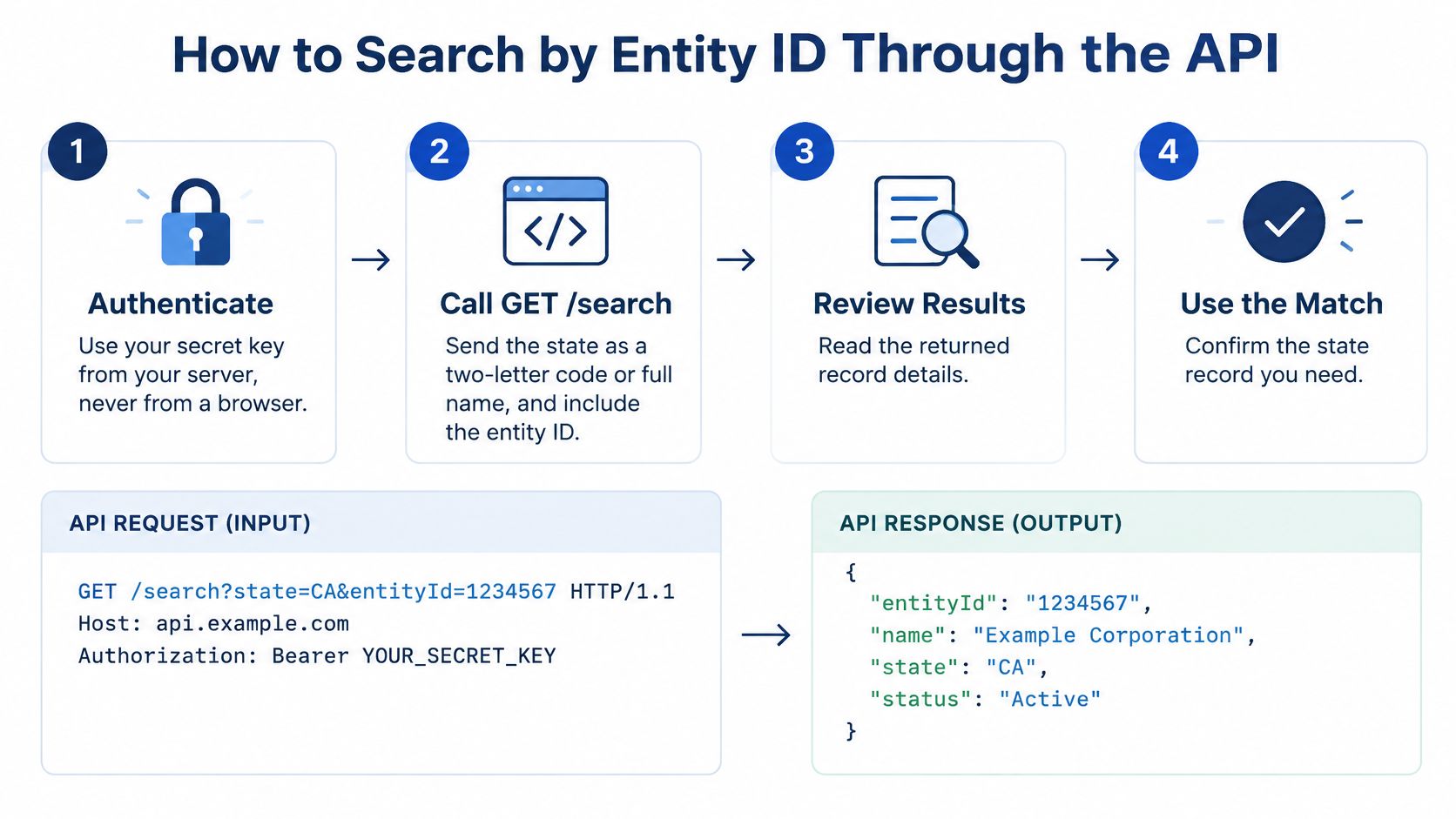
You rarely start with the ID. You start with a name, and the ID is the receipt you keep once a match is confirmed. The path runs from an authenticated request to a stored key you can reuse: authenticate, search by name and state, choose the right record, then save its ID with the jurisdiction and type that give it meaning.
The Six Steps
- Authenticate from your server with your secret key, never from a browser. A key shipped to the client is a key you've published.
- Call GET /search with the state and the business name. The state can arrive as a two-letter code or a full name, so WY and wyoming both work. A name without a state invites matches from other registries.
- Read the best match and similar filings. Every result carries status, registered agent, officers and addresses in the same schema, which lets you compare candidates side by side instead of opening six registry websites. Similar names are common, and the first result isn't automatically yours.
- Save the entity_id from the result together with its jurisdiction and type. Copying the ID alone creates collisions later.
- Look the record up again by its registry ID. A lookup by registry ID returns exactly one record, so this round trip catches transcription slips before they reach production data.
- Pass the stable entity_id to create_monitor if you'll watch the entity, since that tool requires the registry's stable entity_id from a search result.
What a Correct Response Gives You
A correct result is one matching record whose status, registered agent, and formation date agree with the official registry. A SOSfinder search returns the best match plus similar filings, each with status, registered agent, officers and addresses in one consistent format, so you can compare those fields against the official registry record.
That single schema is what makes an entity search API usable across registries: the jurisdiction is a parameter, not a separate integration, and the output shape stays the same whether the record comes from Delaware or Wyoming. Budget accordingly. A fresh search costs one credit, counted once per unique query whether you look up by name or by registry ID.
Mistakes to Avoid and How to Fix Lookups
When a lookup fails, match the symptom before you change anything. Most failures come from five recurring causes.
| Symptom | Likely cause | Fix |
|---|---|---|
| Search by EIN returns no entity record | An EIN is a federal tax number, not a state registry key | Search by name and state, then store the state entity ID |
| The same number returns a record in another state | The number was matched without its jurisdiction | Match the number together with jurisdiction and entity type |
| The ID fails after a copy and paste | A spreadsheet dropped leading zeros or hyphens | Store values as text and keep raw_entity_id |
| A record shows an active status but is old | The status was not refreshed after retrieval | Record the as_of date and recheck after relevant changes |
| A name search returns several similar filings | A common or similar business name | Review the best match and similar filings, then confirm the ID |
What the ID Cannot Prove
Here's the assumption worth challenging. A valid entity ID doesn't prove beneficial ownership, tax standing, authorization to operate, or current good standing. It's a durable join key for record retrieval, not a risk score or proof of legitimacy.
Regulation makes the limit concrete. Under the FinCEN March 2025 announcement removing beneficial ownership reporting for U.S. companies, entities created in the United States became exempt from BOI reporting, while qualifying foreign entities registered to do business in a U.S. state remained within the reporting framework. Two businesses can hold valid state IDs and sit under different reporting rules.
If a search returns nothing, work through the no match found checklist before deciding the entity doesn't exist. Then run the confirmation steps that follow.
Confirm the Record Before You Rely on It
An entity ID earns trust only after the record behind it checks out. Before you use one for onboarding, a payment, a filing, or a compliance file, confirm five things.
- Jurisdiction matches the state where the business was formed or registered
- Entity type matches what the application claims
- Status is current as of the retrieval date, not assumed
- Registered agent and address match what the applicant submitted
- Raw and normalized values agree, character for character
Pull a fresh record and save it with its as-of date, so your file shows when that status was true. Company paperwork helps you cross-check, and knowing which company formation documents support a record makes the comparison faster. Recheck after amendments, dissolution, registered-agent changes, or address changes.
Do one concrete thing now. Run a search for a real entity in your workflow, then compare the returned record with the official state registry before relying on it.
SOSfinder returns normalized entity records, including entity ID, jurisdiction, status, formation date, and registered agent, from Secretary of State registries through one API, so you don't have to reconcile fifty different registry formats yourself. Search by name and state or by registry ID, then monitor the entities you care about for changes. Try it at SOSfinder.