MN SOS Business Search: How to Find and Verify Records

A vendor sends an invoice, a W-9 and a company name that lands on your screen as three near-identical results in the state lookup. One is the business you're paying. The other two are a dissolved entity and an unrelated LLC registered in another state. Nothing in the result list tells you which is which.
A MN SOS business search answers one question well: does a filing exist in Minnesota's registry, and what does that filing say. It doesn't answer whether the business is solvent, licensed, owned by the people who signed the contract, or even whether the record in front of you belongs to the counterparty you have in mind.
Treat every hit as a candidate for verification rather than a finished answer, and the work changes. You stop hunting for a match and start proving one.
How to Search Minnesota Business Records Step by Step
The mechanics take a couple of minutes. The discipline is in what you record before you close the tab.
Minnesota's official search accepts partial names, supports file-number lookups, and lets you filter by active or inactive filing status, as the Secretary of State's search guide sets out. Volume is why a casual lookup fails: the office reported more than 742,000 total filings in 2025, including approximately 99,000 new entity-formation filings, per the Minnesota Management and Budget agency summary. A registry processing that many formation documents and amendments returns lists, and lists need narrowing.
Run the six steps in this order
- Enter a distinctive fragment of the legal name, not the whole thing. Partial names are accepted, so lead with the rarest word in the name. Typing the full legal name including "LLC" invites a no-result page when the registry stores the suffix differently or the entity filed under a trade name.
- Pick Begins With or Contains on purpose. Use Begins With when you trust the opening words. Use Contains when the distinctive word could sit anywhere in the name, which is the safer default for vendors, franchisees and subsidiaries.
- Filter to active filings first, then rerun with inactive included. Active-first keeps the list readable. The second pass catches the entity that was administratively terminated and never told its customers.
- Keep every plausible candidate on a short list. The Secretary of State notes a name search can return records for both individuals and organizations listed on business records, so a surname search on a company like "Anderson Holdings" produces noise. Copy each contender instead of taking the top result.
- Repeat the search by file number. This is the two-pass habit that separates a real match from a lookalike. Whenever a contract, invoice or prior filing gives you a state-assigned number, search it directly.
- Open the record detail and copy the fields. Business type, governing statute, file number, home jurisdiction, filing date, status and renewal due date all belong in your notes, not just the name and number.
Here's the sequence laid out visually.
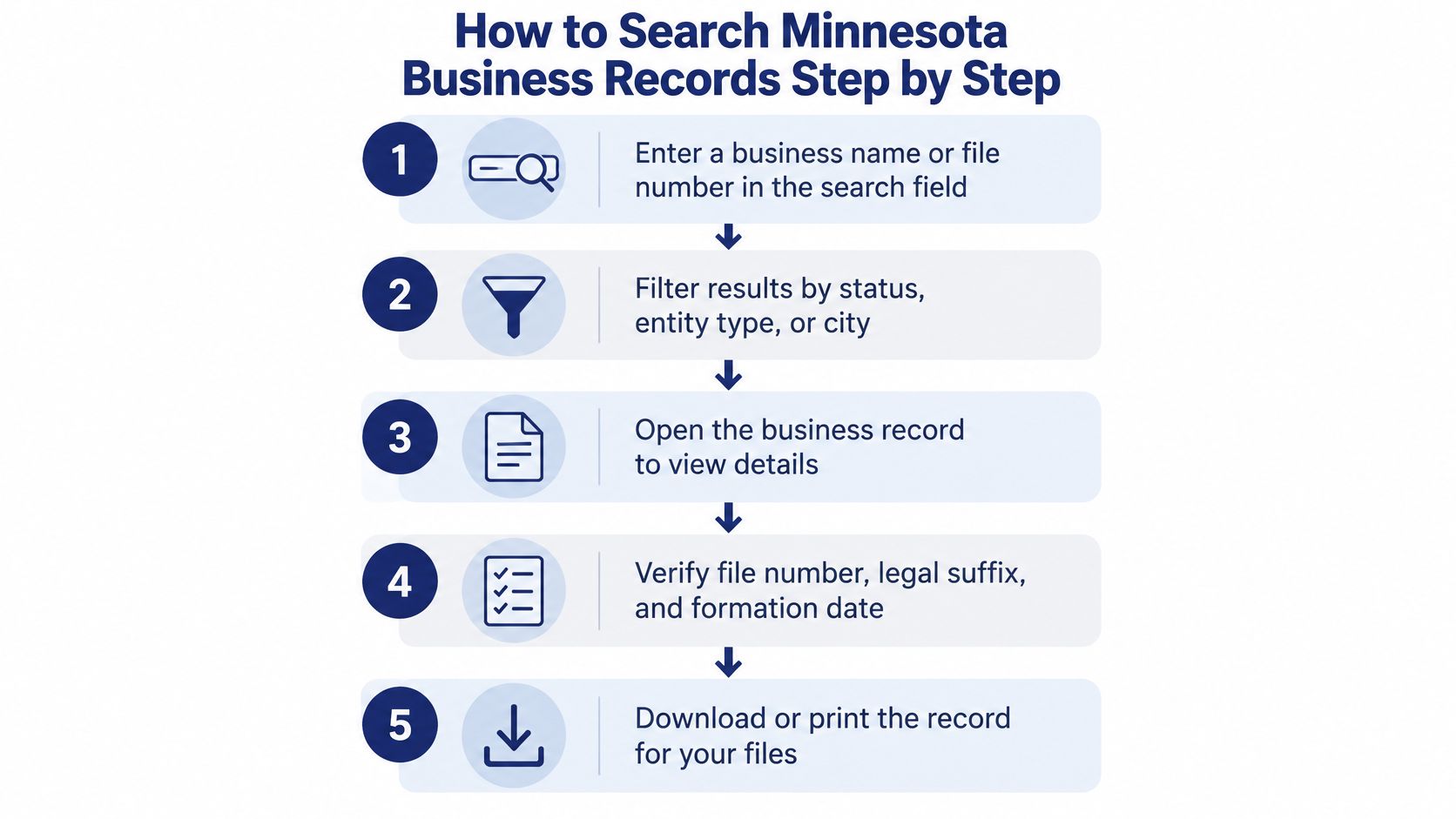
At the end of step six you have a candidate. That's all you have.
The search confirms a filing exists. Everything after that is verification, and verification is a different job.
For document-level due diligence, open the filing history and order individual copies from there. Minnesota's instructions keep record details and the filing-history ordering workflow as separate actions, which is a useful reminder that the summary page and the underlying documents aren't the same evidence.
Entity Record Fields and What Each Tells You
The detail page is where a search result becomes evidence. Read it as a set of claims that need to agree with each other and with the paperwork the counterparty already sent you.
| Field | What It Tells You | What to Check |
|---|---|---|
| Business name | Legal name on the record | Exact spelling and legal suffix such as LLC or Inc. |
| File number | Unique state identifier for the entity | Match it exactly; use it to resolve the entity |
| Entity type | Corporation, LLC, LLP, LP, cooperative or nonprofit | Matches what the counterparty says it is |
| Governing statute | Law under which the entity was organized | Confirms the formation regime |
| Home jurisdiction | Where the entity was formed | Foreign entities show a different home jurisdiction |
| Status | Active / In Good Standing or inactive | Read against the renewal due date |
| Filing date | Date of original formation or registration | Compare with the years in business the counterparty claims |
| Renewal due date | Next annual renewal deadline | Schedule a recheck if it is close |
| Registered agent | Agent authorized to receive legal papers | Confirm the agent is current |
| Principal address | Main office on record | Compare with invoices and KYC documents |
| Filing history | Amendments, annual reports and other filings | Pull it to check name changes or ownership filings |
Two of these rows carry more weight than the rest. The registered agent is the party the state serves legal papers on, and it's the field most often stale on a counterparty's own documents, so compare the agent on the record against the agent named in the contract. If they diverge, ask which one is current before anything is signed. Knowing what a registered agent address actually represents makes that comparison quick.
The filing history is where name changes, mergers and administrative actions show up. A vendor that says it has traded for twelve years, but whose record shows an amendment two years ago and a different former name, has a story worth asking about.
Officers and ownership frequently don't appear at all. Mark those fields unavailable rather than inferring them from a LinkedIn page or a press release.
A record is usable only when its name, file number and home jurisdiction all agree with the counterparty's documents. Two out of three is a lead, not a match.
Confirm the Entity Is Your Counterparty, Not a Lookalike
The most dangerous result on the page is the first name match, because it's the one you're tempted to accept and close the ticket on.
A registry hit proves that a filing with that name exists in Minnesota. It does not prove the filing belongs to the organization holding the contract. The official portal states that information supplied when forming an entity is public and may be viewable online, which means anyone can form a similarly named entity in a different year, from a different state, at a different address, and the search will happily return both.
Run this check before you rely on a hit.
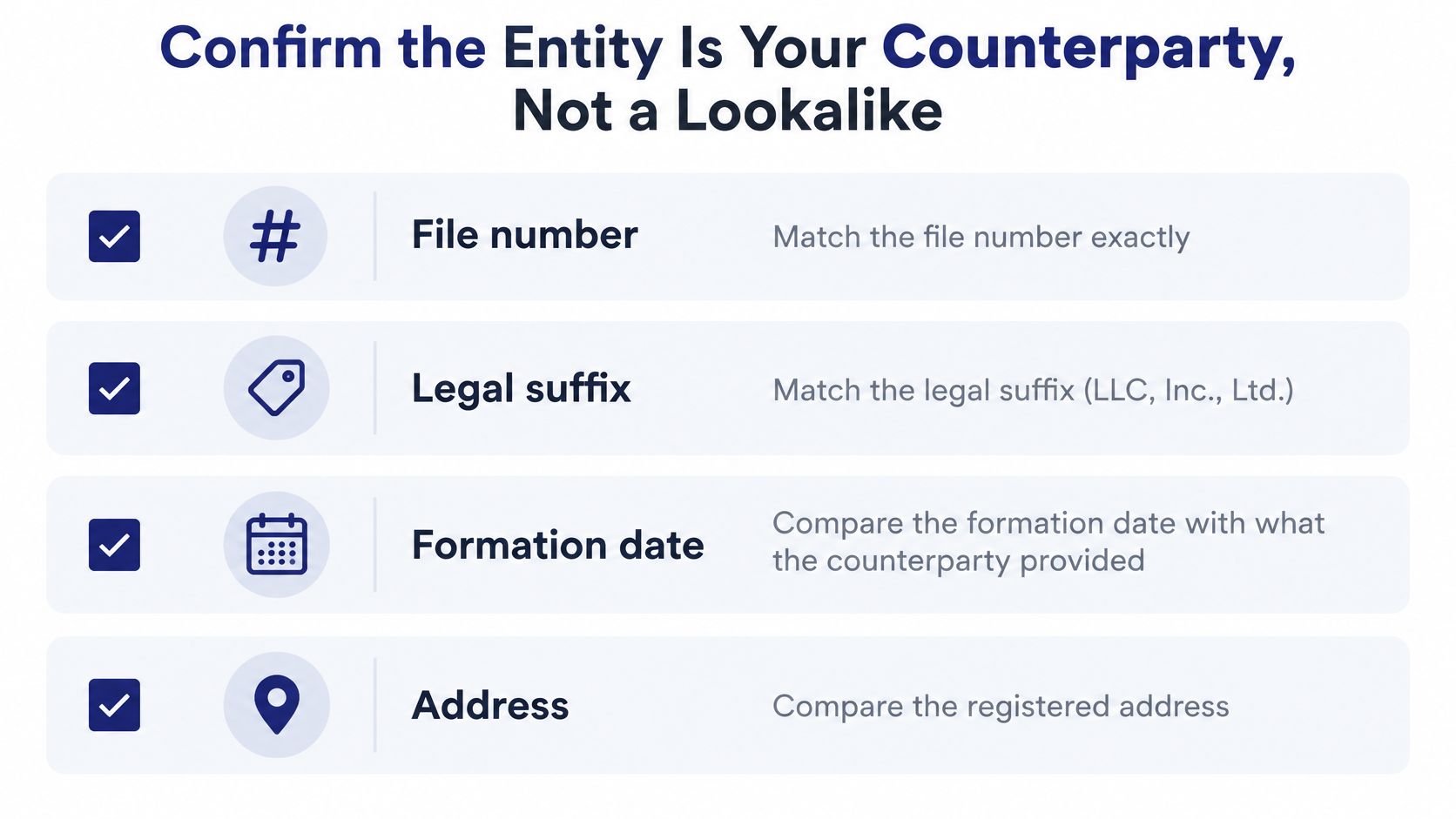
- File number, exact match. Not similar, not sequential. The state identifier either matches the one on the counterparty's filing or it doesn't.
- Legal suffix. An LLC and an Inc. with the same trade name are different legal persons, and an assumed name filed on top of a legal name makes the confusion worse.
- Formation date against claimed history. If the counterparty says it incorporated in 2011 and the record's filing date is three years old, ask.
- Principal address and registered agent against invoices and KYC forms. A mismatch isn't fraud, but it's a question with a documented answer.
- Filing history for name changes and amendments. A rename is a normal event and also a common cover for a predecessor entity's liabilities.
- The source document, saved with its date. A screenshot without a timestamp can't be defended six months later.
Say two records both read Lakeshore Builders LLC. One formed in Minnesota years ago and shows steady renewal filings. The other was formed recently in another state and registered in Minnesota as a foreign entity. Name, industry and website are identical. Only the file number and the home jurisdiction separate them, and only one of them is the vendor that signed your statement of work.
Verification rule: a confirmed match is one where several fields agree at once. A single matching name is a coincidence with good branding.
Then there's what the registry can't tell you at all. An active registration confirms a state filing status. It doesn't establish good standing, current operations, ownership, solvency, licensing, or that the organization is the one you meant. Licenses, sanctions screening, tax status and beneficial ownership live in other systems and, for beneficial ownership, behind legal limits on what you may collect and retain. Searching inactive records matters too, because "no active result" is not proof a business never existed.
If you need a broader legitimacy read on a counterparty, this walkthrough of how to check whether a company is legitimate covers the surrounding evidence. The short version of the process is below.
The contrarian habit worth building: don't ask "is there an active record." Ask "does this record correspond to the counterparty, and what does it leave unproven."
Fixing Search Results That Look Wrong
Most bad results aren't a broken portal. They're a search that's too specific, a status that moved, or a record that was never meant to answer the question you're asking.
Start with the failure you're most likely to hit: a business you know exists returns nothing. If you want the longer version of that troubleshooting path, this guide to diagnosing a no-match result walks through it in detail. Then work down the list.
| Symptom | Likely Cause | Fix |
|---|---|---|
| No result for a business you know exists | Misspelled name or Begins With filter missing a middle word | Switch to Contains, drop the suffix, or search by file number |
| Only inactive records appear | Entity dissolved, merged or renamed | Check the filing history and look for a successor entity |
| Dozens of similar names | Common words and similarly named or assumed entities | Narrow with file number, formation date and principal address |
| Active record but the counterparty says it closed | Status changed after your last check or you used an old result | Pull the current record and recheck the renewal due date |
| Officers or owners missing from the record | Registry does not hold that information | Mark it unavailable and request documents from the entity |
| Record shows wrong or outdated details | Error in the public record | Request a correction from the Secretary of State office; a third-party service cannot correct it |
The last row is the one people get wrong. All of our data at SOSfinder comes from public records published by state registries, and we cannot correct errors in those records. If the principal address on a Minnesota filing is wrong, the fix belongs with the Secretary of State's office, not with any aggregator.
When the record exists but the business doesn't
Registry data and economic activity are different measurements, and conflating them produces bad onboarding decisions. The U.S. Census Bureau's Business Formation Statistics separate applications, measured through IRS Employer Identification Number requests, from formations, identified by the first occurrence of payroll-tax liabilities for those applications. In November 2025 the bureau projected 31,434 employer-business formations within four quarters of applications, seasonally adjusted, a 6.2% increase from October 2025, according to the Census Bureau's Business Formation Statistics release.
That gap runs in both directions. An EIN application doesn't mean an employer business has started operations, and a state registry record may describe a nonprofit, a holding company, a dormant entity or an assumed name that the federal formation measure never counts. Label the two datasets separately in any risk model you build.
Save a dated screenshot of any result that changes between checks. A status that flips from active to inactive between two lookups is evidence of an event, and undated copies of both states prove nothing.
Status Renewals and Saving the Record
A vendor clears in January. The record reads Active / In Good Standing, the onboarding file closes, and nobody opens it again. The annual renewal falls due later that year. By the time the contract comes up for renegotiation, the January screenshot describes a status that may no longer exist.
That isn't an edge case. It's the normal lifecycle of a registry record.
Why an active status has an expiry date
Minnesota treats annual renewal as a recurring obligation. Eligible entities, including domestic and foreign corporations, LLCs, LLPs, LPs, cooperatives and nonprofits, generally file a renewal beginning in the calendar year after the original filing, as the Secretary of State's renewal guidance explains. A verification built on a single lookup is therefore correct only until the next deadline passes.
The status value the interface exposes, "Active / In Good Standing," is a raw state field. It confirms the filing is active on state records at the moment you looked. It doesn't confirm the company is trading, holds the licenses it advertises, or has the same owners it had last year. Preserve the raw state value alongside a mapped internal category, because "Active / In Good Standing" and your internal "verified" label aren't the same claim.
Practical rule: an active status is a timestamped observation, not a property of the company. Date it, or you can't rely on it.
Read an inactive record as a status change, not as proof the business never existed. Reinstatement happens. The same caution applies to customized business-data products, which may contain only active records and voluntary snapshot responses, so absence from that kind of dataset tells you nothing about whether an entity exists.
The snapshot routine
Six steps, run in order, every time a record matters.
- Write the question the search must answer. "Confirm the legal name of the vendor on invoice 4471" is a question a record can settle. "Check this company out" isn't.
- Capture the search timestamp and resolve the entity by file number where one is available.
- Store the raw status, mapped category, entity type, formation date, principal address, renewal due date and filing history. Seven fields plus a timestamp is a reusable snapshot. A name and a number isn't.
- Download and hash the relevant PDFs promptly. Transaction-history access and download links for certain online filings are limited to 90 days, so regulated workflows should retain the source timestamp and filing identifier at the same time.
- Order a certificate of good standing or a certified copy when a contract, lender or regulator requires one. Our results aren't a substitute for an official certificate of good standing or a certified copy, and we don't warrant that results are accurate, complete or current. Neither can we file documents, register entities or change any official record on your behalf. If the deal needs a certificate, get the certificate.
- Set a recheck date after the renewal due date, then compare each new snapshot field by field instead of eyeballing the status.
For teams running this at volume, one REST endpoint covers entities registered in all 50 states and DC and returns status, registered agent, formation date and filings in a single schema, which turns a quarterly vendor sweep into a batch job rather than an afternoon of tabs.
A stale cached active result near a renewal deadline is the single most common false assurance in vendor files. If you want to go deeper on what the status field does and doesn't mean, this explanation of what "in good standing" actually requires is worth the read.
The saved, dated search is your evidence. Whether to onboard, hold payment or demand a certificate remains your decision, and no registry lookup makes it for you.
SOSfinder returns Minnesota entity status, entity type, formation date, registered agent and filing history through one REST endpoint, so a vendor list becomes a batch lookup and monitors keep the renewal recheck on schedule instead of in someone's calendar. If you'd rather test a single name first, the free tools show you exactly what the state registry returned, field by field. Visit SOSfinder to run your first Minnesota lookup and see the raw record behind the result.