VT Secretary of State Business Entity Search: A Full Guide

A Vermont vendor clears your application form, passes sanctions screening, and then stalls on the simplest question. Does this entity legally exist, and is it in good standing right now? You paste its name into the state portal, get either too many near matches or nothing at all, and your onboarding queue stops. That moment is where a careful VT Secretary of State business entity search earns its keep.
Why a Vermont Entity Search Is More Than a Name Lookup
A procurement analyst gets a W-9 for a Burlington contractor whose trade name doesn't match its legal name. A lender's system flags a borrower as active, but nobody can say when its next report is due. Both rows look resolved in a spreadsheet. Neither is.
The public portal gives you a starting record, not a decision. Vermont's registry reaches back well before online filing existed. The Secretary of State identifies Clio-Hall, established by legislative act in 1780, as the state's first corporation, and from 1777 through 1913 the Legislature held authority to grant corporate charters, as documented in Vermont's published corporations index covering its early corporate history. Modern electronic records sit alongside older archival material, so an empty result for an old or unusual entity doesn't automatically settle the question.
Three jobs, not one search
Think of the work as three separate jobs that happen to start on the same screen.
- Resolve the entity confidently: Prove the candidate record is the business in front of you, not a similar name, a dissolved predecessor, or a related company sharing an address.
- Read the record for timing: Extract fiscal year-end and filing history so you can tell whether good standing is durable or about to lapse.
- Map it for downstream systems: Convert portal fields into a stable schema that KYC, procurement, and monitoring tools can reuse without re-scraping screenshots.
Each job fails differently. Resolution fails through false positives and false negatives. Timing fails when teams treat a status label as proof that nothing is due. Mapping fails when engineers store a free-text status and lose the retrieval date, source record number, or distinction between a missing field and an empty one.
A "no match" result means the registry didn't return a registered entity for that query. It doesn't prove the business doesn't exist, and an "active" result doesn't prove the next filing isn't due.
That distinction changes how you route exceptions. A sole proprietor who hasn't registered as another entity type won't surface in this database, so your workflow should request supplemental documentation instead of auto-declining. A recently filed change may not appear yet, so your reviewer needs the retrieval timestamp, not just the field value. Build those caveats into the workflow from the start and the search becomes evidence. Skip them and it's just a screenshot with a timestamp nobody recorded.
What the Vermont Secretary of State Portal Actually Exposes
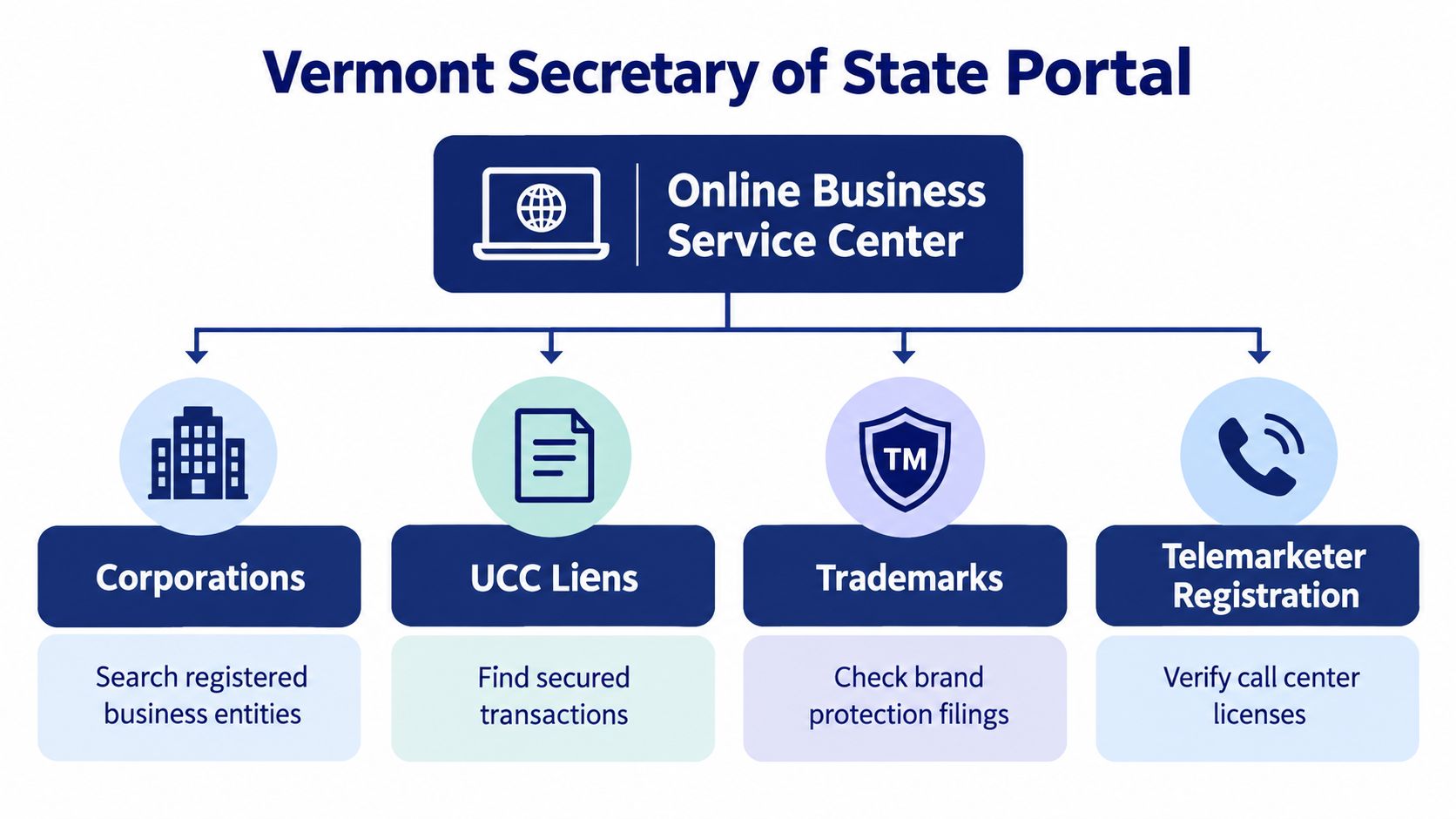
Start by separating discovery from filing. Vermont directs the public to its Online Business Service Center for business filings, trademark records, Uniform Commercial Code liens, telemarketer records, databroker records, and amusement-ride operator records, as outlined in the Secretary of State's description of its records services. Those categories live near each other, but they answer different diligence questions.
The diagram below shows how those services branch from the same portal.
What good standing actually requires
Vermont states that a business entity operating in the state must register and maintain good standing for as long as it does business there. In practice, that means current periodic reports or renewals, an up-to-date registered agent and registered office, accurate principal-office and mailing addresses, and current principal personnel such as officers, directors, managers, members, or partners. When you read a record, you're checking whether those elements line up, not just whether a name exists.
Most filings can be submitted electronically. Paper forms are a separate path, requested apart from the online flow. That split matters for developers because electronic filing, public search availability, and document delivery are related but distinct workflows with different timing.
What to expect, and what not to expect
- Expect cross-category search: Vermont also provides a government search service that can search Secretary of State databases by name across corporations, UCC records, professional licensing, and other categories, which helps when an entity check needs lien or licensing context.
- Don't expect certified evidence from search alone: A search result supports verification, but it isn't the same as a copy or certificate requested for an audit or court file.
- Don't expect a complete business universe: Unregistered sole proprietorships and some historical material fall outside a simple online lookup.
Treat the portal as one authoritative input among several, and model your understanding of business entity data and its limits accordingly. You'll get cleaner decisions than teams that treat the first result page as the whole record.
Running the Search With a Staged Matching Strategy
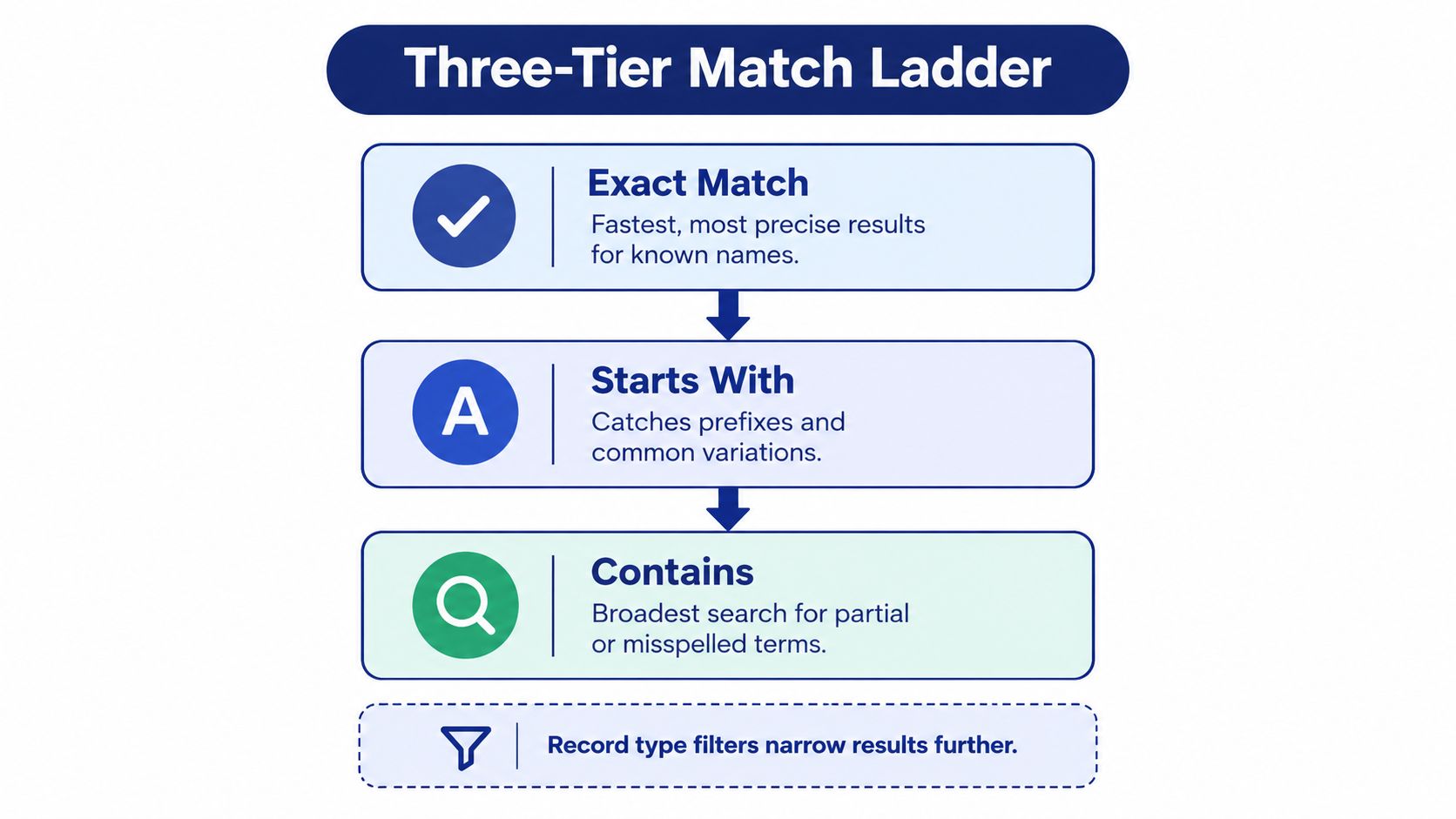
Typing a name and accepting the first row is how false matches enter production systems. Use a staged ladder instead, moving from precise to broad only when the narrower query returns nothing.
The ladder below shows the order to work through.
The three tiers
- Exact Match first: Query the full legal name. An exact legal-name hit, especially paired with a matching identifier, is the only tier I'd auto-accept in an automated flow.
- Starts With second: Use this when punctuation, designators, or a truncated name may be blocking the exact query. It catches prefix variations without opening the floodgates.
- Contains last: Reserve this for partial names and suspected misspellings. Return these as candidates for human review, never as confirmed matches.
This staged approach, including narrowing by record type, record status, and initial filing date, is described in the Vermont Secretary of State search guidance on SecretaryOfState.org. For stubborn cases, advanced parameters include election type, principal name, filing number, and registered-agent name. Those filters cut false positives far better than scrolling.
The walkthrough below shows the portal mechanics behind that sequence.
Capture the full record, not the row
Once you find a candidate, open the record-information page and capture everything: entity name, record number, type, status, office and mailing addresses, initial filing date, expiration or reregistration data, business purpose, annual-report information, agent information, and principal or partner information. The record number becomes your primary Vermont key for every later refresh.
Two pitfalls deserve explicit handling in code. First, a zero-result response is only a potential availability signal, not proof a name can be registered, because statutory naming rules and filing approval still apply. That's why a proper business name availability lookup workflow treats clearance as a separate decision. Second, entity-class bias is real: a sole proprietorship that hasn't registered as another entity type won't be discoverable here. Route no match to unresolved, request documents, and let a reviewer close it.
Reading the Result as a Compliance Calendar
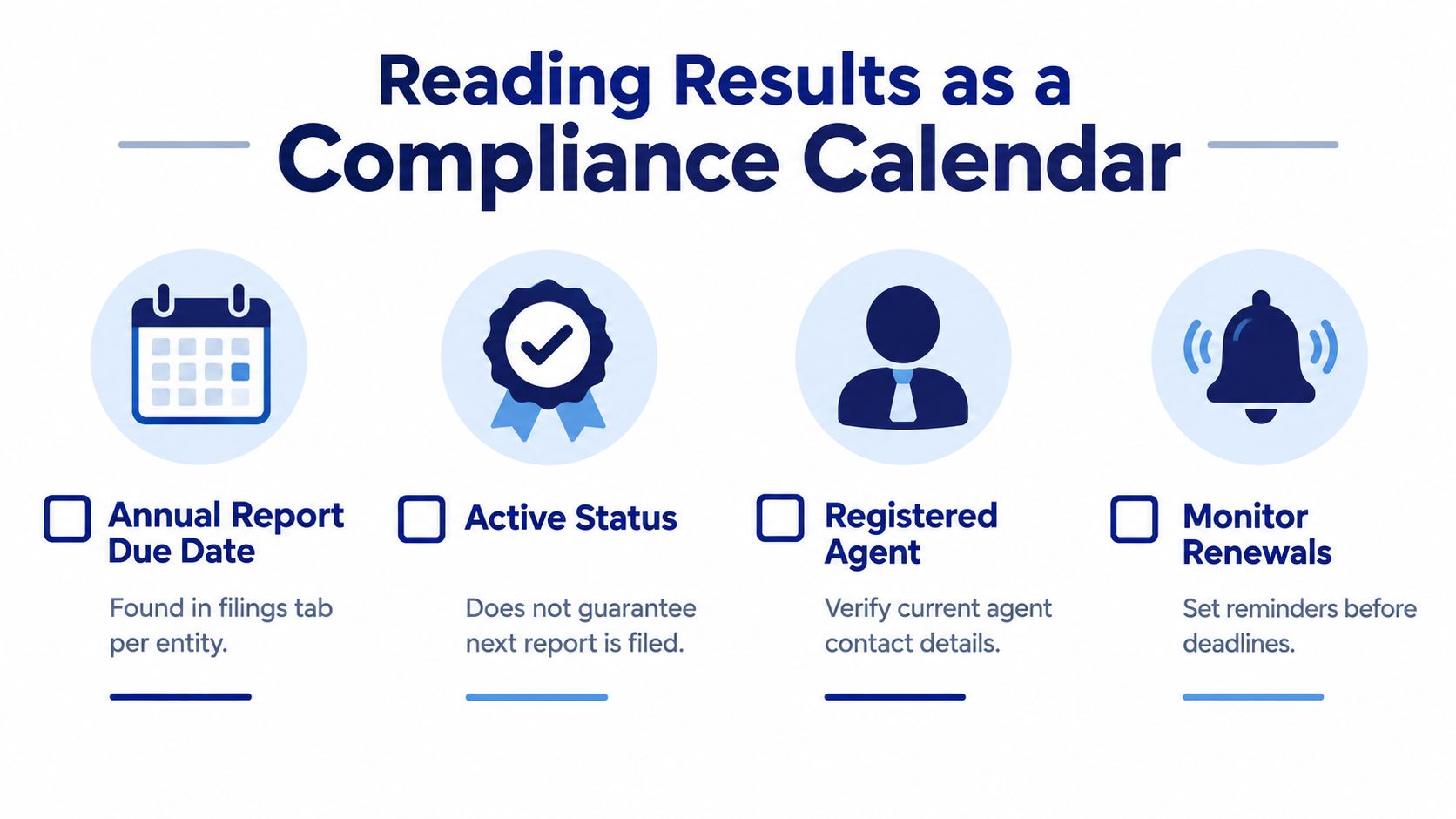
Status is the field everyone copies and the field that misleads most often. Vermont directs users to search the business online to determine the fiscal year-end recorded for that business, as explained on Vermont's annual and biennial reports guidance page. Reporting timing is entity-specific, so you can't infer a deadline from a statewide rule of thumb.
The checklist below reframes the record as a set of dated obligations.
Turning fields into deadlines
Extract the fiscal year-end first. Then verify the latest annual or biennial report in the filing history and note its filing date. Those two facts let you calculate the next reporting window instead of guessing from the status badge.
- Fiscal year-end recorded: Confirm it matches what the business told you during onboarding. A mismatch is a data-quality flag worth resolving before approval.
- Latest report filed: Check the filing history rather than trusting the summary line. The most recent accepted report is your evidence.
- Next window opens: Calendar the upcoming obligation and alert before it, not after a status change appears.
Operational rule: Label every active record with the date of its latest verified filing. Status without that date tells your team almost nothing about how fresh the good standing really is.
Filing lag complicates the picture. Most filings can be submitted electronically, while paper forms must be requested separately, and mailed submissions can sit in processing before the public record changes. A business may have filed on time while the portal still shows the prior state. Your system should carry a public record may lag submission state for exactly this gap, with the retrieval timestamp attached.
Accountants, lenders, and onboarding teams all hit this problem. Software that normalizes fiscal year-end and filing-history data can warn before a window opens, which is the practical case for dedicated compliance monitoring software for entity deadlines. The search result stops being a label and starts being a schedule.
Decoding the Filing History and Registered-Agent Record
Filing history is the audit trail. The summary page tells you where an entity stands today, but the sequence of filings tells you how it got there, and whether recent changes should change your risk assessment.
Reading filing entries
Distinguish the entry types instead of flattening them into one list. Annual reports confirm ongoing compliance. Amendments change foundational facts such as name or purpose. Address and registered-agent changes affect where legal notice lands, and dissolutions end the story. Each type triggers a different reviewer action.
Preserve the filing date and the link to the source document, when one is offered, exactly as returned. Summarizing an amendment into a note destroys the evidence chain your auditor will ask for later. Store the entry as filed, then layer interpretation on top in a separate field.
Watch the gaps, too. A long silence between reports, followed by a cluster of corrective filings, often signals a business that fell behind and cleaned up for a transaction. That pattern isn't disqualifying, but it should prompt questions a status check alone never raises.
Qualifying the registered agent
Copying the agent name into your CRM isn't verification. Vermont says a registered agent must have a Vermont street and mailing address and may be an individual or a registered, active business entity other than the represented company, per Vermont's registered office and agent filing guidance. The state also advises verifying the agent's own business status through the business search.
Run that cross-check every time the agent is itself an entity.
- Check the agent entity separately: Confirm its status is active and its record is current, independent of the represented company.
- Compare addresses: Review physical and mailing addresses side by side. Inconsistencies affect service of process reliability.
- Inspect recent change filings: A fresh agent change may be routine, or it may signal an agent resignation your counterparty hasn't mentioned.
Timing matters here as well. Online filing is preferred, and mailed filings may take 7 to 10 business days to process, so the public agent field can lag a submitted change. Agent appointments also don't confer authority beyond the statutory role, so don't treat the listed agent as an authorized signer. Record who you checked, when you checked, and what the agent's own record showed.
Mapping the Result Into a Normalized JSON Schema
Portal fields arrive as display text. Downstream systems need types, stable keys, and explicit signals for missing data. This mapping is where a one-off lookup becomes reusable infrastructure, whether you build it yourself or consume it through a company data API with normalized entity records.
Vermont Portal Field to JSON Key Mapping
| Portal Field | JSON Key | Type | Normalization Note |
|---|---|---|---|
| Record Number | record_id | string | Primary Vermont key, never reuse name as ID |
| Entity Name | legal_name | string | Preserve legal designators as filed |
| Type | entity_type | string | Map to your controlled vocabulary, keep raw value |
| Status | status | string | Pair with latest verified filing date |
| Initial Filing Date | formation_date | date | Store in ISO format |
| Fiscal Year End | fiscal_year_end | string | Keep month and day for deadline calculation |
| Principal Office | principal_address | object | Separate from mailing address |
| Mailing Address | mailing_address | object | Never overwrite the physical address |
| Registered Agent | registered_agent | object | Nested object with its own address fields |
| Principals | principals | array | One entry per officer, manager, or partner |
| Filing History | filing_history | array | Ordered entries with type, date, and document link |
Add three envelope fields to every record: source_url, retrieved_at, and a field availability indicator. Vermont advises verifying the business name and record number in the online search before requesting copies or certificates, and notes basic information checks don't require a document request, as stated on the Secretary of State copies and certificates page. Your schema should reflect that same discipline. Search data supports verification, while certificates are a separate retrieval step.
Example payload shape
An engineer reviewing your integration should see a record like this: jurisdiction set to VT, record_id holding the Vermont record number, legal_name as filed, status and entity_type normalized, formation_date in ISO format, fiscal_year_end preserved, principal_address and mailing_address as separate objects, registered_agent nested with name and both addresses, principals as an array, and filing_history as an ordered array where each entry carries its filing type, date, and document link where available.
Distinguish "field unavailable" from null. Historical records and certain entity types may not expose every field, and conflating a fetch gap with a genuinely empty value corrupts monitoring logic.
This is the point where an API such as SOSfinder, which returns normalized records across state registries through a single endpoint, becomes one practical option alongside building and maintaining your own Vermont mapping. Either way, never let caching, retries, or webhook alerts suppress the source timestamp or filing-document link. Downstream users need both to judge whether a change reflects the current registry record or an older cached observation.
A Production Checklist for Vermont Lookups
Run every Vermont lookup through the same pipeline so results stay comparable across reviewers and systems.
The cycle below summarizes the repeatable sequence from verification through notification.
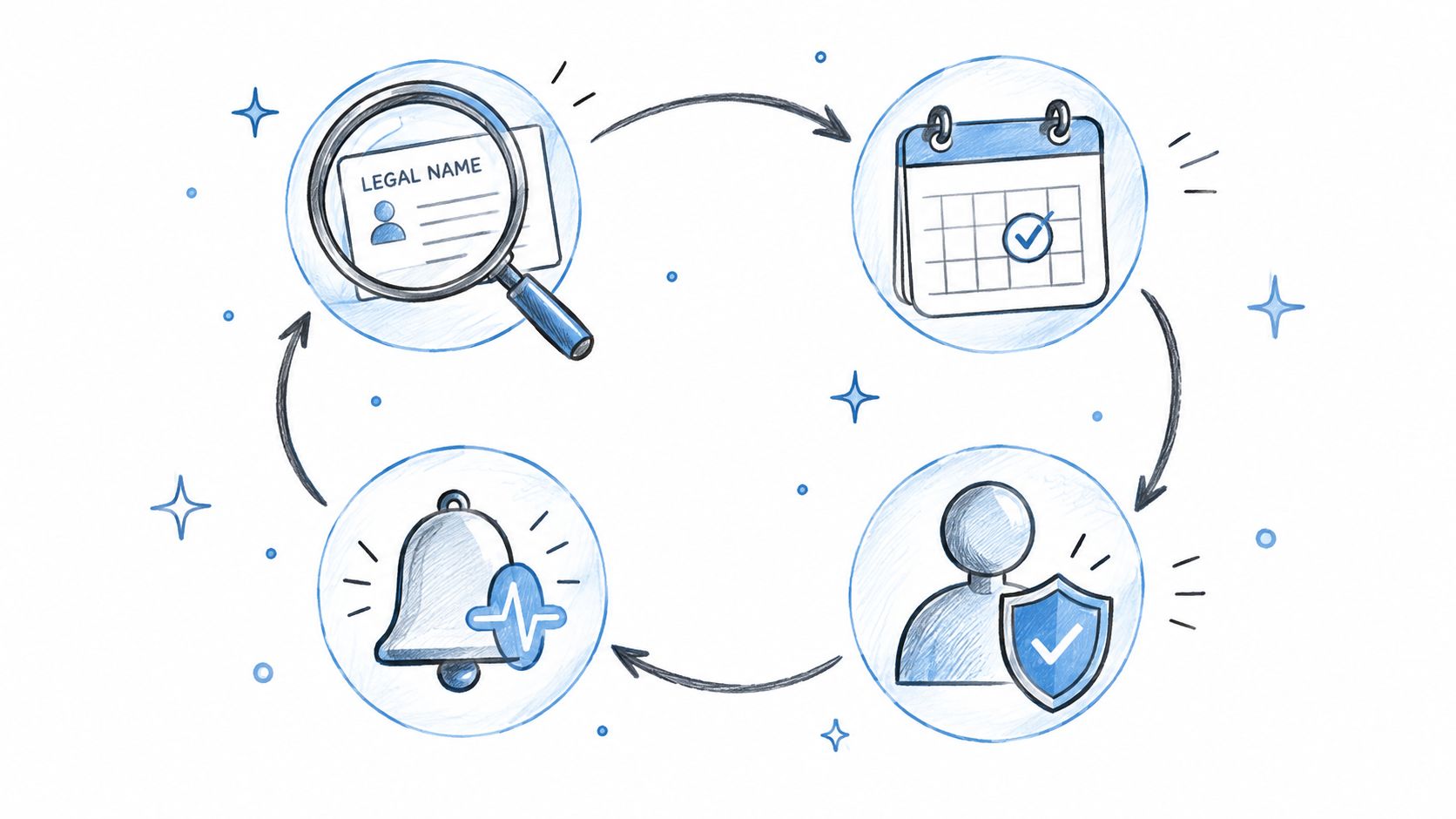
- Resolve by legal name or registry identifier using the staged match ladder.
- Persist the Vermont record number as the primary key.
- Normalize status, type, dates, addresses, agent, principals, and fiscal year-end.
- Retrieve filing history and cross-check the registered agent's own record.
- Escalate to a copy or certificate only when an audit, lender, court, or contract requires it.
- Monitor with alerts on status, agent, and address changes, preserving source timestamps throughout.
Keep two labels in your workflow vocabulary: unresolved for no-match results that need supplemental documents, and public record may lag submission for recently filed changes. Those two states prevent the most expensive errors in Vermont onboarding, which are auto-declining real businesses and auto-approving stale records.
If your team runs these Vermont checks inside onboarding, lending, or vendor diligence, SOSfinder returns normalized Secretary of State records, filing histories, and change monitoring through one API instead of a separate portal workflow per state. You can test a Vermont lookup, review the JSON shape against your own schema, and wire alerts into your existing systems at SOSfinder.