Business Entity Search New Jersey: Step-by-Step Guide

A vendor sends an invoice with a company name at the top and nothing else you can key on. Riverside Supply LLC, a PO box in Newark, and a signature you can't quite place. You need to know within the hour whether that's a real New Jersey entity, whether it's still active, and whether the person who signed has any connection to it.
The name search takes ninety seconds and returns a list of candidates. That list is where most guides stop and where most mistakes start. A name match is a lead, not a verification. What proves identity is the ten-digit Entity ID New Jersey assigns at formation, along with the status, registered agent and filing date that sit beside it on the same record.
The path below follows the order a compliance desk uses: choose the route, run the search, separate near-identical names, read the status fields, then order the official copy when someone else has to rely on your conclusion.
Pick the Right New Jersey Search Route
Four routes through the New Jersey registry can confirm whether a company exists and stands in good standing, and each one answers a slightly different question. Choose based on what you already hold: a legal name, a ten-digit Entity ID, or nothing more than a signature on a purchase agreement.
Where the registry actually lives
A business entity search in New Jersey doesn't start at a Secretary of State's office. The system is administered by the Department of the Treasury's Division of Revenue and Enterprise Services, known as DORES, and it covers corporations, LLCs, limited partnerships, LLPs and nonprofits (New Jersey Department of the Treasury). The agency reports over 1 million annual interactions with the business community through its Business Registry and related services, so expect records that move between checks (DORES mission statement).
Here is the decision map, with the input each route needs, the result it produces and what it costs.
| Route | Input you need | What you get | Fee |
|---|---|---|---|
| Business name search | Business name and state | Candidate entities and names | No charge for the search itself; fees attach to copies and certificates |
| Entity ID lookup | 10-digit New Jersey Entity ID | One exact record | No separate charge, and the ID can reduce later certificate fees |
| Annual report copy | Entity ID and report year | Official copy of the annual report | $0.10 per page |
| No Record Certificate | Entity name searched | Official statement that no matching record exists | Charged per name searched |
Why a name match isn't verification
A name search returns a list of candidates. Every entity whose name contains or resembles the string you typed comes back in the list, active and inactive together. New Jersey describes that browsing view as a way to get a general indication of availability, so a hit confirms a name exists in the registry and nothing more. Run "Riverside Supply" and you can get an active LLC, a dissolved corporation and a foreign entity authorized last year, all built on the same two words.
The Entity ID is the field that upgrades a candidate list into one record. It's the ten-digit identifier New Jersey issues when an entity obtains a Certificate of Formation or Certificate of Authority, and both domestic formations and foreign entities authorized to do business in the state carry one. A Delaware corporation registered to operate in New Jersey has an Entity ID, which is exactly the case where a name search hands you four candidates and the identifier hands you one.
Two situations call for human review rather than a judgment call at the desk. The first is two active entities sharing the string, where neither record shows an agent or address that matches your paperwork. The second is an inactive near-match paired with an active entity formed shortly after the dissolution, a pattern that often means a re-registration rather than the same company. Guessing between live records costs more than ordering the wrong certificate.
Copies of business-entity annual reports cost $0.10 per page on the DORES copy-fee schedule, updated in 2025. When the search comes back empty after every variant, a No Record Certificate is the official statement that nothing exists under those names. It's priced per name searched, which is one more reason to reach for the identifier early.
Rule of thumb: open with a name search to collect candidates, then switch to the Entity ID the moment you have one. Comparing lookalike names by eye is the slowest and least reliable part of the job.
How to Run the Search Step by Step
The order matters more than the portal. Work these steps on a live record and you finish with a file note someone else can defend, not a screenshot with no date on it.
The four-stage shape of a DORES lookup looks like this.
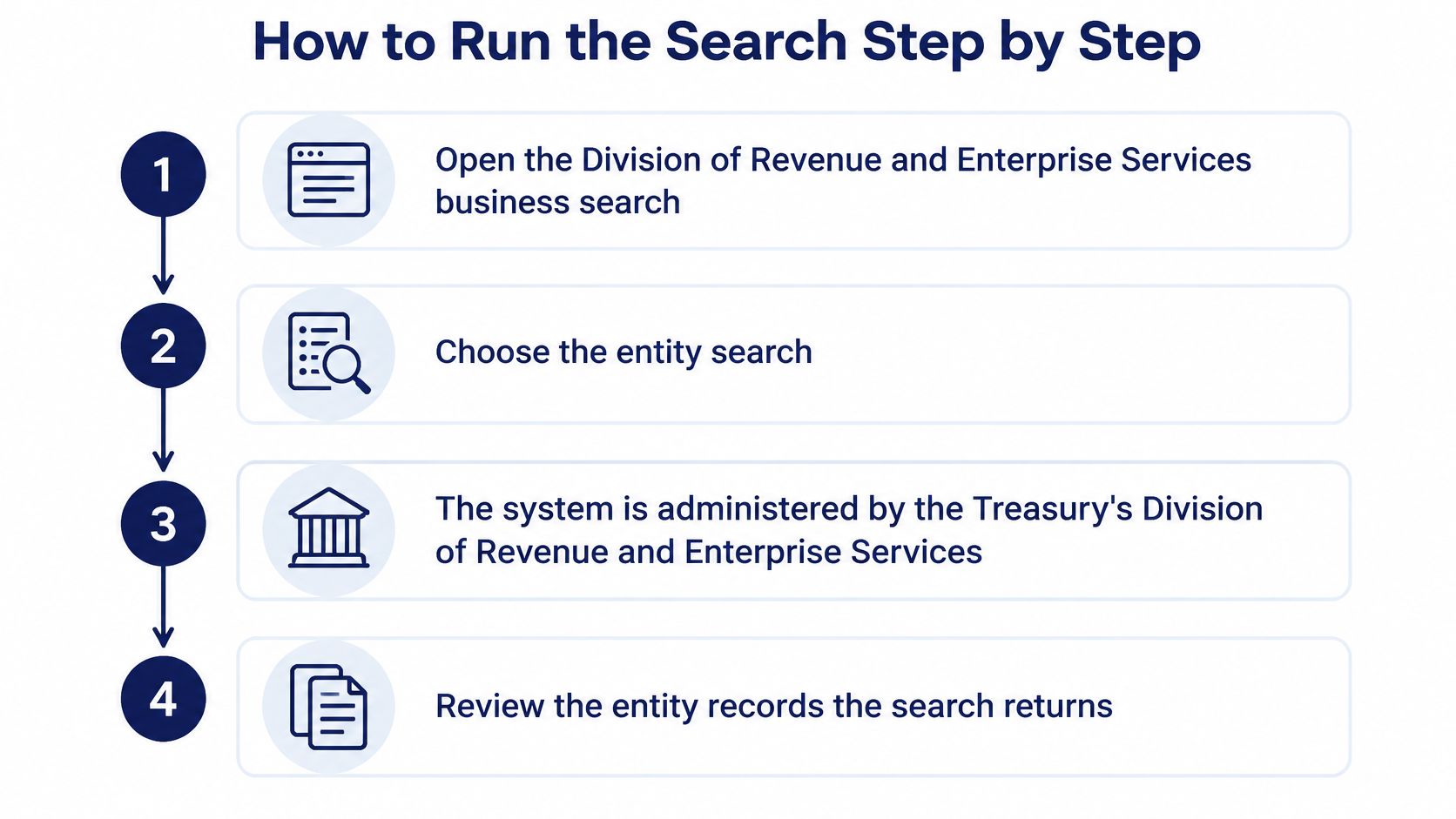
Start on the entity search, not the availability check. Both live inside the same state portal and they answer different questions: one finds records that already exist, the other tells a filer whether a proposed name can be registered. The common slip is running an availability check on an existing vendor, getting an ambiguous answer, and treating it as a red flag.
Type the exact legal name first, then the variants. Pull the string from the contract or invoice, not from the email signature. Then run it with and without "LLC" or "Inc.", with punctuation stripped, with "&" spelled out as "and", and with any former name you know about. Registries store the name as filed, so a shortened trade name misses an LLC that registered under something longer.
Read every result, not just the first. Record the Entity ID, entity type and status for each candidate before you decide which one is yours. The top hit is ranked by similarity of string, not by whether it's the company standing in front of you.
Match on entity type and confirm the identifier. If the contract says "Inc." and the record says LLC, that's a finding, not a formatting quirk. Open the record whose type and formation context fit, then check the ten-digit ID against anything the counterparty has supplied.
Save the evidence while the page is open. Entity ID, search date, and a screenshot or printout. A result you can't reproduce six months later is an anecdote.
Stop guessing when nothing matches. Once the variants come back empty, move to the No Record Certificate route instead of assuming a typo. A certificate naming the search terms is easier to rely on than a colleague's memory of a blank screen.
What a complete record looks like
Six fields should be visible together on one page: Entity ID, entity type, legal status, formation date, registered agent and principal address. If your capture is missing any of them, the search isn't finished, and the gap will surface later when someone asks how you confirmed the party.
The failure mode here isn't dramatic. It's a file that says "found the company online" with no identifier, no date and no status, which is worth about as much as the invoice that started the check.
Telling Similar and Identical Business Names Apart
Two entities can share almost everything and still be different companies. A New Jersey lookup will cheerfully return Riverside Supply LLC, Riverside Supply, Inc., Riverside Supplies LLC and RIVERSIDE SUPPLY CO. in a single list, and exactly one of them is the counterparty on your desk.
This is the comparison a name-only check can't do for you.

A search result is not clearance
New Jersey requires a new entity's name to be neither the same as nor similar to that of an active entity, and the check for that is the Division of Revenue and Enterprise Services Name Availability Look-Up Service, not the browsing view that lists entities already on file. LLCs, C-Corporations, S-Corporations, LPs and LLPs generally run the Treasury check before formation, while other structures follow different registration paths (DORES name availability service). The operational pitfall cuts both ways: a browse hit is not approval for a new name, and an empty browse result is not a clean bill for an existing one.
Run the comparison in a fixed order so two reviewers reach the same answer.
- Entity ID. If the identifier matches your file, stop there.
- Entity type. Corporation, LLC, LP, LLP, nonprofit. Type decides which documents exist and which fields are populated.
- Formation date. It should predate the contract, the invoice or the first payment.
- Registered agent and principal address. Same agent and same street address is a strong signal. A different agent in a different county needs an explanation.
- Most recent annual report year. A recent filing supports the claim that the business is operating, not just registered.
Normalize punctuation, capitalization, spacing and suffixes when you generate variants, but keep the exact string you searched and the response you got. If a dispute ever lands on the file, that trail is what carries it.
| Result | What it usually means | Next action |
|---|---|---|
| Entity ID matches your record | Same entity confirmed by identifier | Capture the Entity ID and check status |
| Same name, different Entity ID | Different entity or a similarly named business | Do not merge; compare type, date and agent |
| Name differs only by suffix or punctuation | Likely the same business, not yet confirmed | Confirm with entity type, formation date and agent |
| No match under any name variant | No record under the searched names | Try remaining variants, then order a No Record Certificate |
A name that arrives from a third party, an overseas supplier list or a CRM import has been verified by nobody. It stays a candidate until an identifier says otherwise.
If you're on the formation side of this rather than the verification side, a business name availability lookup is a separate check with its own answer, and it ends at the filing rather than at a search result.
Checking Status, Agent and Officers on the Record
Read the last annual report date before anything else. It's the field most searches skip and the one that separates a live entity from a name nobody has cleaned up. A record whose most recent annual report is several years behind the current year is telling you something that a one-word status summary can hide.
Official status reports carry more than a name directory: the registered agent, business address, filing date, date of the last annual report, officers, directors or managers, and legal status such as active, dissolved or merged (DORES records request guide). Those are the fields worth reading in that order.
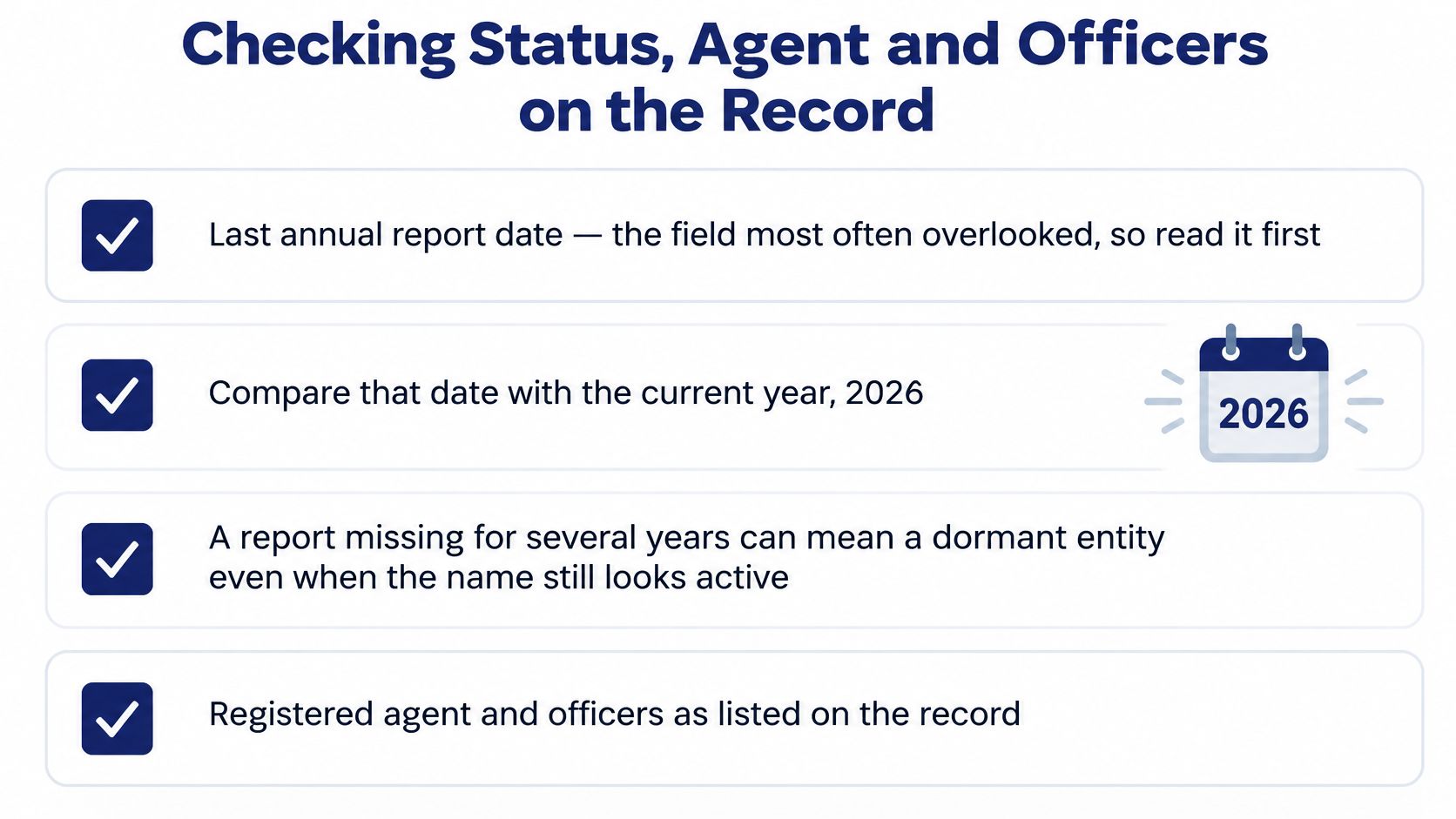
Legal status comes next, and it overrides reputation. An entity marked dissolved or merged can't support a contract that assumes a going concern, however current its website looks or however long you've done business with the brand. If the record says merged, find the surviving entity and verify that one instead.
The registered agent is whoever receives legal papers. Check two things: that an agent is listed at all, and whether the agent changed recently. A change inside the last year isn't automatically bad, but on a vendor record it deserves a question. It's a service contact, not an ownership signal, and it's often a commercial service with no stake in the business.
| Field | What it confirms | Red flag |
|---|---|---|
| Legal status | Whether the entity is active, dissolved or merged | Dissolved or merged when the contract assumes an active entity |
| Registered agent | Who receives legal papers for the entity | Agent changed recently or no agent listed |
| Filing date | When the entity was formed | Filing date later than the contract or invoice date |
| Last annual report | Most recent yearly filing on record | No report for several years |
| Officers, directors or managers | Who is named on file | Names that don't match the people you're dealing with |
Here's a walkthrough of a state lookup in practice, useful for seeing the field order before you run your own.
Officers, directors and managers are the people named on file. Compare those names with the people you're dealing with, and treat a mismatch as a question rather than a verdict, because signing authority gets delegated all the time and the officer list says nothing about who controls the company.
What to do with a flag: write down the field, the value, the date you read it and why it conflicts with your file, then route it to review. Resolving it from memory is how a name-only match turns into a signed contract with the wrong party.
For the agent field specifically, what a registered agent address tells you covers the address side of the same check.
Getting Official Copies When a Record Must Be Proven
A screen result answers a question for you. Three situations need a document that answers it for someone else: an underwriting file that has to survive review, a dispute over which of two similarly named businesses signed, and vendor onboarding that turns on the registered agent or principal address.
Order the filing that settles the specific question rather than the largest package on offer. The formation document settles identity, because it fixes the legal name on record at the moment the entity came into existence. An amendment or a registered-agent change settles who acts for the entity. The latest annual report settles current filing status, and annual-report information is public and supplied for a per-page fee (DORES copies of entity documents).
When the search comes back empty, a No Record Certificate belongs in the file alongside the exact terms you searched. A certificate tied to one spelling says nothing about the variants you skipped, so write every variant into the order. The state charges per entity name searched, and the current amount sits on the state's fee schedule. Bring the ten-digit Entity ID from any earlier record you hold, since a valid ID can reduce later certificate fees.
Ordered copies carry a privacy cost most files ignore. Public records can include addresses, officers, members and registered-agent details, and a full record dropped into a shared drive tends to travel well beyond the decision it was pulled for. Pull the fields the decision needs, cite them in the file note, and leave the rest in the state's system.
If you do not already hold the formation document, work through the steps for locating a company's articles of incorporation before you order, because the document type you need depends on the entity type on the record.
A certified copy is evidence of what the state holds on file. Ownership and day-to-day legitimacy are separate questions, and your own diligence has to answer them. Treat the copy as proof of the record itself: the legal name, the Entity ID, the filings as they stand on the order date.
Close the file note with five items so a later reviewer can retrace the order:
- Entity ID copied exactly as it appears on the state record
- Documents obtained, with the fee paid and the order reference for each
- Search date, so a later reader knows how old the conclusion is
- Search terms used, including every spelling and suffix variant tried
- Reviewer name and the decision reached, with the reason if the file went to hold
Confirm the Record Before You Rely on It
The decision rule is short. If the Entity ID matches your file, the status is active, the registered agent is known and the legal name matches the counterparty, the record supports onboarding. Anything short of that is a hold: a conflicting agent, a formation date after the invoice, a dissolved or merged status, or a name that only lines up after you strip the suffix.
Status is the field that decides most of these calls, and the reading carries across state lines. If you want the short version of that test, how to check if an LLC is active covers what active, revoked and dissolved mean for a contract.
Checking one entity by hand is fine. Checking two hundred a week is a workflow problem. Where a name is all you have, our entity search returns the best match plus similar filings, each with status, registered agent, officers and addresses, so the near-misses stay visible instead of collapsing into one confident answer. SOSfinder is an independent commercial service, not affiliated with the New Jersey Department of the Treasury or any state agency, and it can't file documents, register entities or change an official record. The state's own search and copy services remain the source of the official record.
The single thing to do today: take your next counterparty's name, pull its Entity ID from the state record, and write the status and registered agent into the file next to it. That habit catches more bad vendors than any amount of name browsing.
If your team runs these checks at volume, SOSfinder returns New Jersey entity records with status, registered agent, formation date and filing history in one schema across all 50 states and DC, so a counterparty check doesn't need a separate integration for every registry. Start with the name, add the Entity ID when you have one, and keep the similar filings in the response where a reviewer can see them. Visit SOSfinder to run your first lookup.